20
5-3-3. User Account Settings
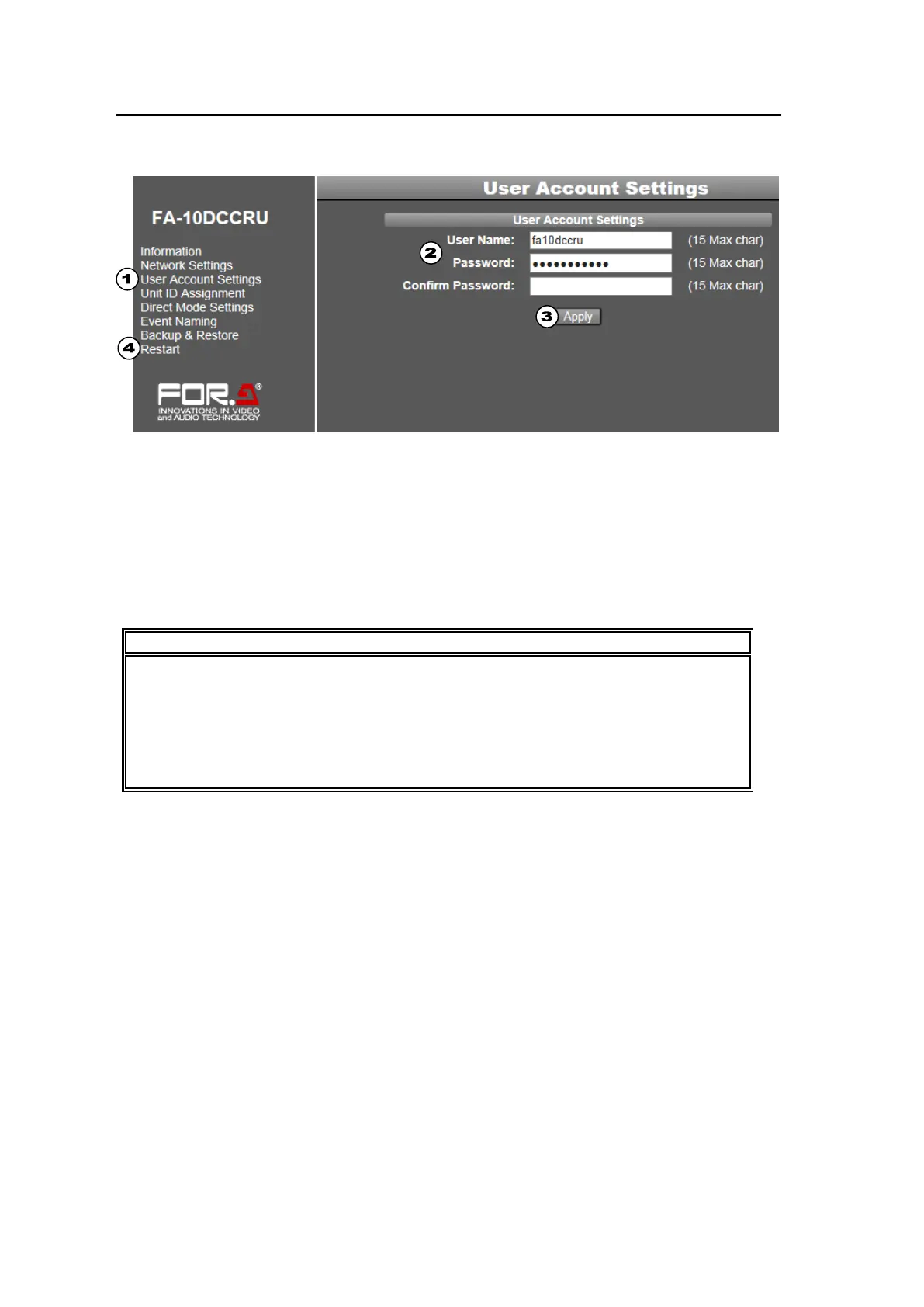
This page allows you to change user name and password settings by logging in through the
Web GUI.
(1) Click User Account Settings in the left pane.
(2) Enter a user name (Alphanumeric, up to 15 characters).
Enter a password (Alphanumeric, up to 15 characters).
Re-enter the password.
(3) Click Apply.
(4) Wait at least 1 second, then click Restart in the left pane to display the System Restart
page. Click Restart in the right pane to restart the FA-10DCCRU. The new network
settings are applied after the restart.
User Account Settings are applied after the FA-10DCCRU restarts. See section 5-3-8.
“System Restart.”
Do not forget your user name or password.
If you forget your user name or password, set the FA-10DCCRU back to factory
default settings (see section 12. “Resetting to Factory Default Settings”) and reset
your user name and password.



 To Next Page