28
<Display Examples (after connection)>
When IP Address and User Name (FA-1010) are set under the Unit
ID number :
Connected: IP
192.168.0.10
When only IP Address (192.168.0.10) is set under the Unit ID
number:
6-1-2. Connecting a Main Unit in Direct Mode
(1) Set the connection mode to Direct. (See section 6-1-3. “Selecting the Connection Mode.”)
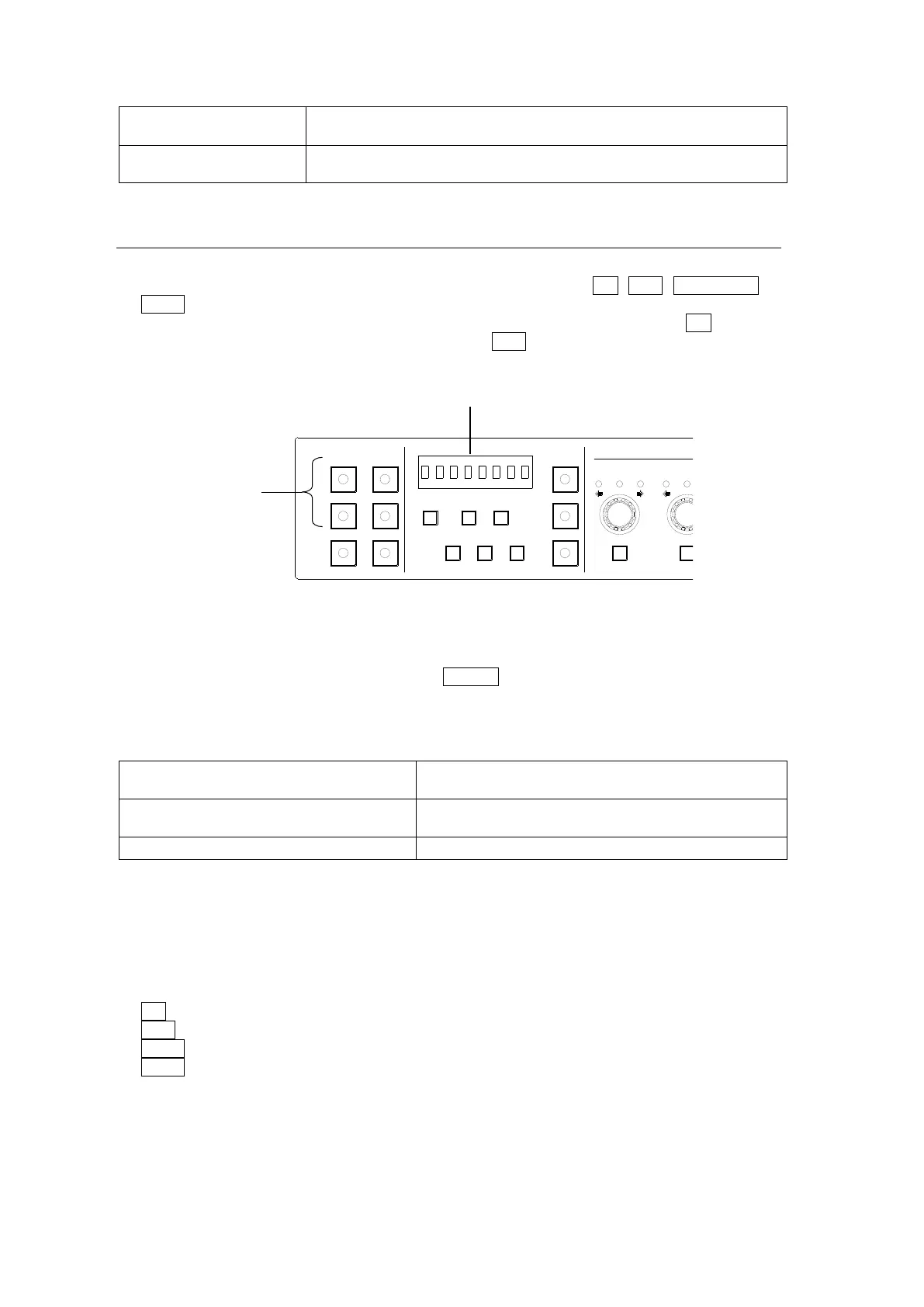
(2) Press a number button within the desired Unit ID sequence: 1-5, 6-10, 11/15/UNIT or
16-20. Scrolling through a sequence, press the associated button as many times as
needed; for example, to connect to an FA-1010 with Direct ID 1, press 1-5 once, to
connect to an FA-1010 with Direct ID 7, press 6-10 twice. (See “Selecting an MU ID”
below.)
(3) While connecting to a main unit, “Connecting(Direct)” is displayed. If the connection time
is too short, the message may not appear.
To cancel the connection process, press CLEAR. The message “Please Choose Direct
MU No” will then be displayed, and the number buttons will blink, allowing you to reselect
a Direct ID number.
<Display Examples (after connection)>
When User Name is set for the connected main
unit:
Connected: IP 192.168.0.10(No Name)
When User Name is not set for the connected main
unit:
No main unit is connected:
* See section 5-3-4. “Unit ID Assignment” for details on Unit Name settings.
Selecting an MU ID
To select a desired MU ID, press the button until the desired ID number is displayed. Every
time each number button is pressed, the displayed number will scroll through in the following
order.
1-5 button: MU 1→2→…→5→1
6-10 button: MU 6→7→…→10→6
11-15 button: MU 11→12→…→15→11
16-20 button: MU 16→17→…→20→16
If an IP address is not registered for an MU ID number, the number will be skipped.
See section 5-3-5. “Direct Mode Setting” for details on MU ID number settings.
See section 5-3-4. “Unit ID Assignment” for details on main unit assignments.
1-5 6-10
11-15/UNIT 16-20
BYPS/OP FS SEL
MEMORY/SET
0 1 2 3 4 5 6 7
FREEZE
CLIP
SPLIT
SELECT - +
SAVE LOAD CLEAR
PROCESS CONTROL
VIDEO LEVEL Y LEVEL C LEVEL SETUP/BLUCK HUE
UNITY UNITY UNITY UNITY UNITY
SYSTEM
GRP ADJ
UNITY UNITY UNITY UNITY UNITY UNITY
R G B R G B
WHITE LEVEL BLACK LEVEL
UNITY UNITY UNITY
R G B
GAMMA
WHITE BAL
FA-10DCCRU
CENTER DIF
BLACK SEPIA



 To Next Page