33
6-10. Signal Level Clip and Color Space Settings
To enter clip and color space settings, first, change the mode from Color Correction to Clip.
(Color Space is supported only in FA-505 Software Version 2.00 or later.)
In the following situations, Clip mode is unable to be selected:
While in System Settings (GRP ADJ/SYSTEM is flashing)
To enter Clip mode, press GRP ADJ/SYSTEM to exit the System setting mode.
While Changing Connection Mode (FS SEL is flashing)
To enter Clip mode, press SELECT or FS SEL to complete the change, or complete the
connection process.
While Selecting a Unit ID (11-15 UNIT is flashing)
To enter Clip mode, complete the connection process.
While in Bypass mode (BYPS/OP is flashing)
To enter Clip mode, change the mode to Operate.
Clip settings are not displayed when FS SEL is lit.
Note that changes are applied to all linked FS channels (FS Link On) in FA-505,
FA-1010 or FA-9520 (FA-9520 mode). See section 11. “FS Link” for more details.
See section 11. “FS Link” for more details.
If Color Corrector is remotely set to Bypass by another remote unit (FA-10DCCRU or
FA-10RU) or FA-10GUI, the system automatically exits CLIP mode.
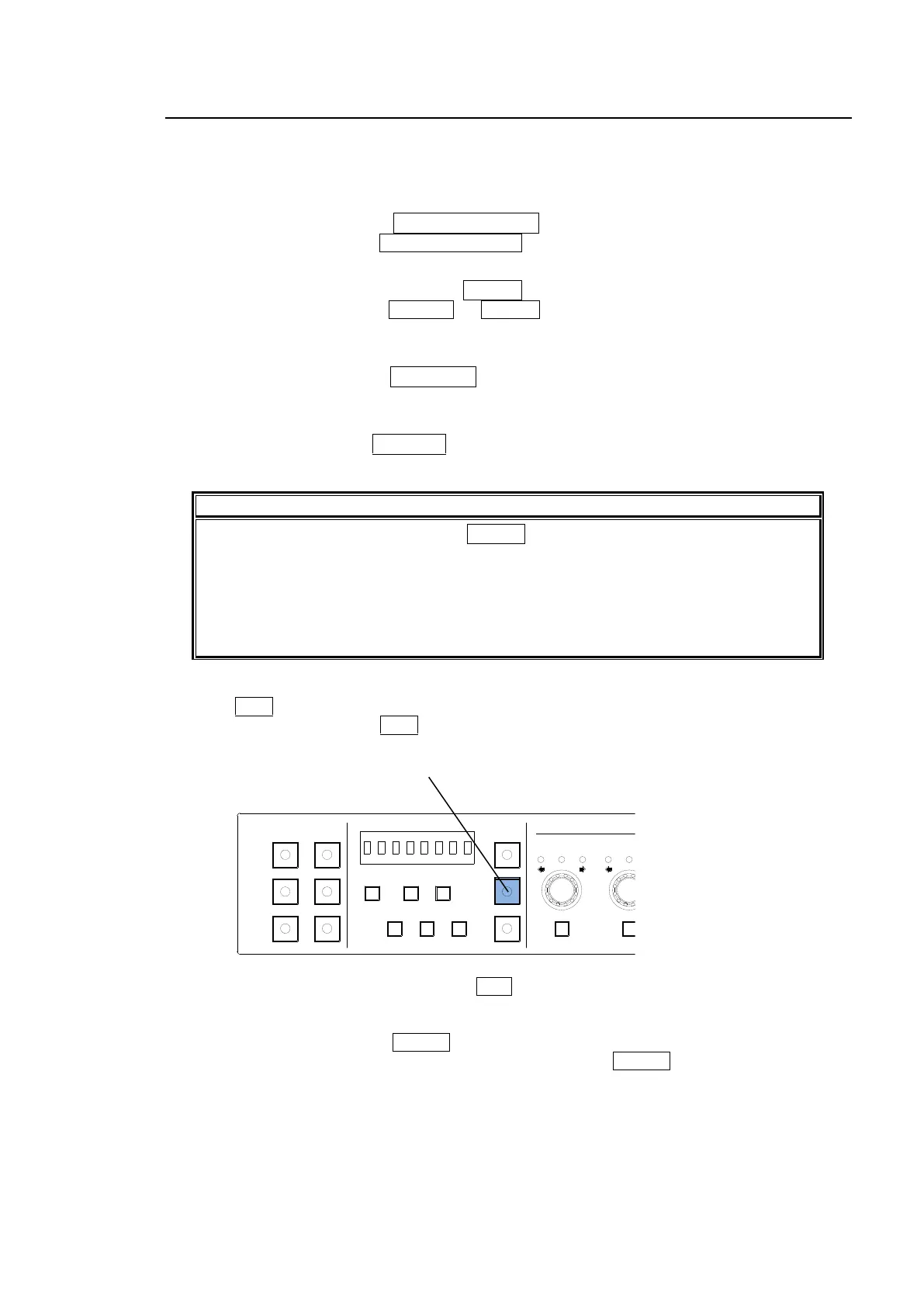
(1) Press CLIP for at least 3 seconds.
(2) A beep will sound and the CLIP button will flash to indicate the mode has changed to Clip.
(3) After all clip settings are finished, press CLIP to return to the Color Correction mode.
* To enter clip settings in another FS when connecting to an FA-505, FA-1010 or FA-9520
(FA-9520 mode) unit, press FS SEL to turn on the button light, then select an FS.
Note that clip settings are applied to the selected FS while FS SEL is unlit.
1-5 6-10
11-15/UNIT 16-20
BYPS/OP FS SEL
MEMORY/SET
0 1 2 3 4 5 6 7
FREEZE
CLIP
SPLIT
SELECT - +
SAVE LOAD CLEAR
PROCESS CONTROL
VIDEO LEVEL Y LEVEL C LEVEL SETUP/BLUCK HUE
UNITY UNITY UNITY UNITY UNITY
SYSTEM
GRP ADJ
UNITY UNITY UNITY UNITY UNITY UNITY
R G B R G B
WHITE LEVEL BLACK LEVEL
UNITY UNITY UNITY
R G B
GAMMA
WHITE BAL
FA-10DCCRU
CENTER DIF
BLACK SEPIA



 To Next Page