24
5-3-7. Backup & Restore
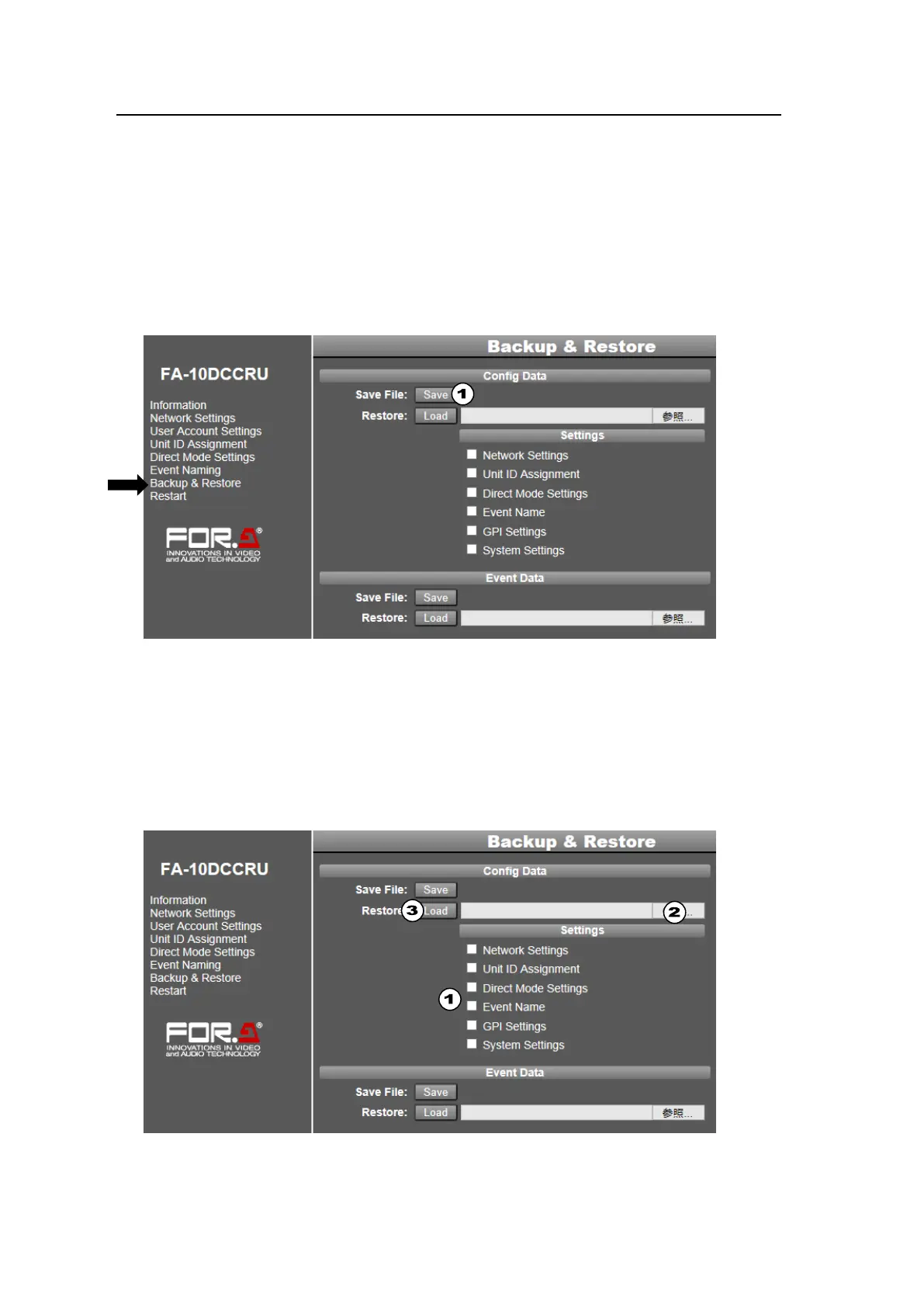
Click Backup & Restore in the left pane to display the Backup & Restore page. This page
allows you to perform the following backup and restoration tasks.
Backup and restore Network Settings, Unit ID Assignment, Direct Mode Settings,
and Event Name pages, and GPI and System settings.
Backup and restore Event data (See sections 7-4 and 7-5.)
Copy settings to another FA-10DCCRU unit. (See sections 7-2 and 7-3.)
Backing Up All FA-10DCCRU Settings (excluding Event Data)
Clicking Save in the Config Data area allows you to save all settings as shown below.
(1) Click Save in the Config Data area to display the Download dialog.
(2) Click Save in the dialog.
(3) A Select Destination dialog will appear. Specify the destination folder and click Save.
The FA-10DCCRU settings are automatically stored in the backup file named
“fa10dccru.csv.” Change the file name as necessary.
Restoring Settings
To restore stored settings, proceed as follows.



 To Next Page