23
5-3-6. Event Naming
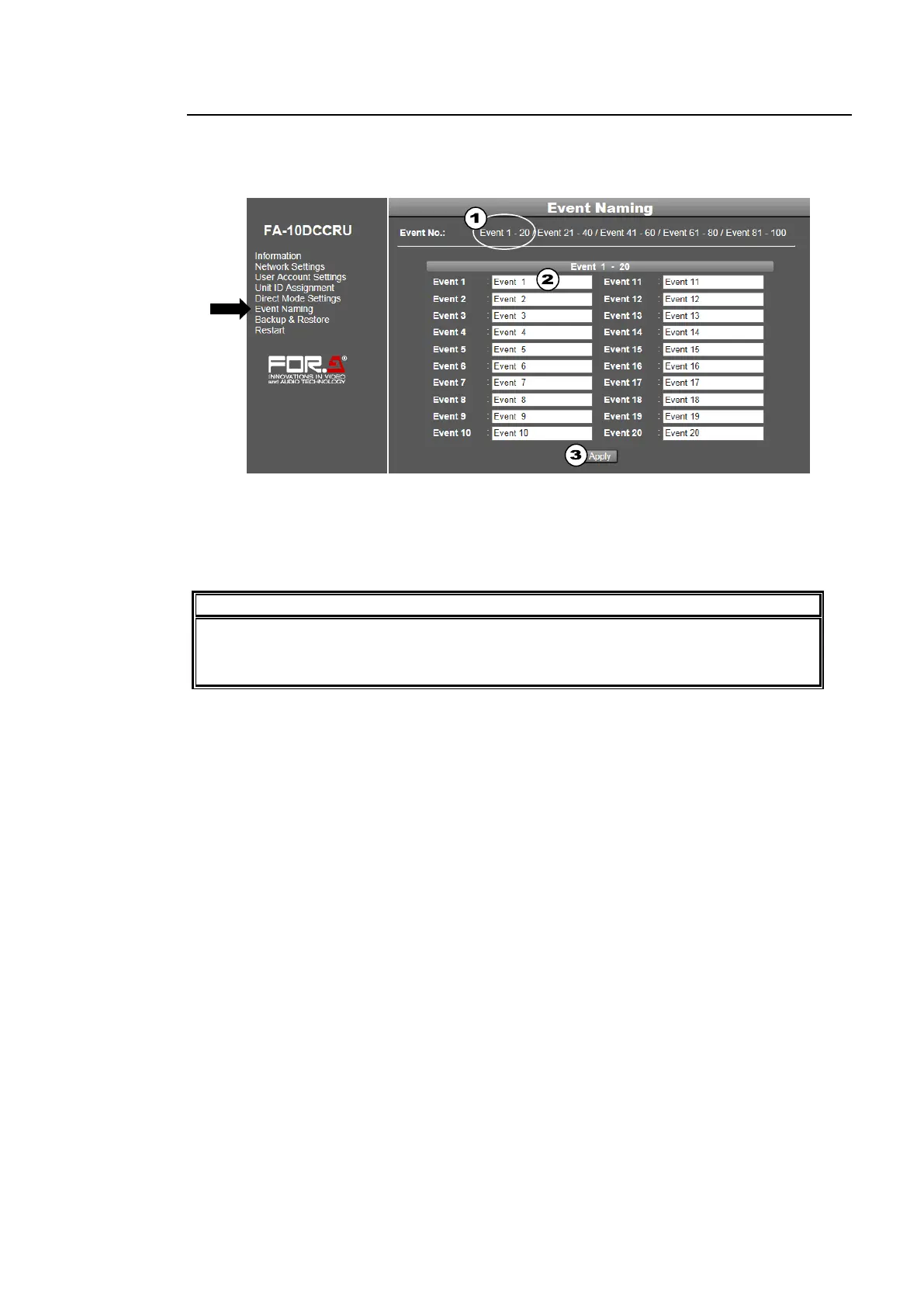
Click Event Naming in the left pane to display the Event Naming page. This page allows you
to assign names to events. The default names are Event 1 to Event 100.
To change event names, follow the procedure below.
(1) Move the mouse over the desired event numbers at the top of the page to display the list.
Then click on the event numbers (Event 1- 20 for example).
(2) Type a new name (alphanumeric, within 15 characters) under each event.
(3) Click Apply.
Do not forget to click Apply. When the list display or menu page is changed without
clicking Apply, the settings in the list are ignored and the event names return to the
their previous settings.



 To Next Page