22
5-3-5. Direct Mode Settings
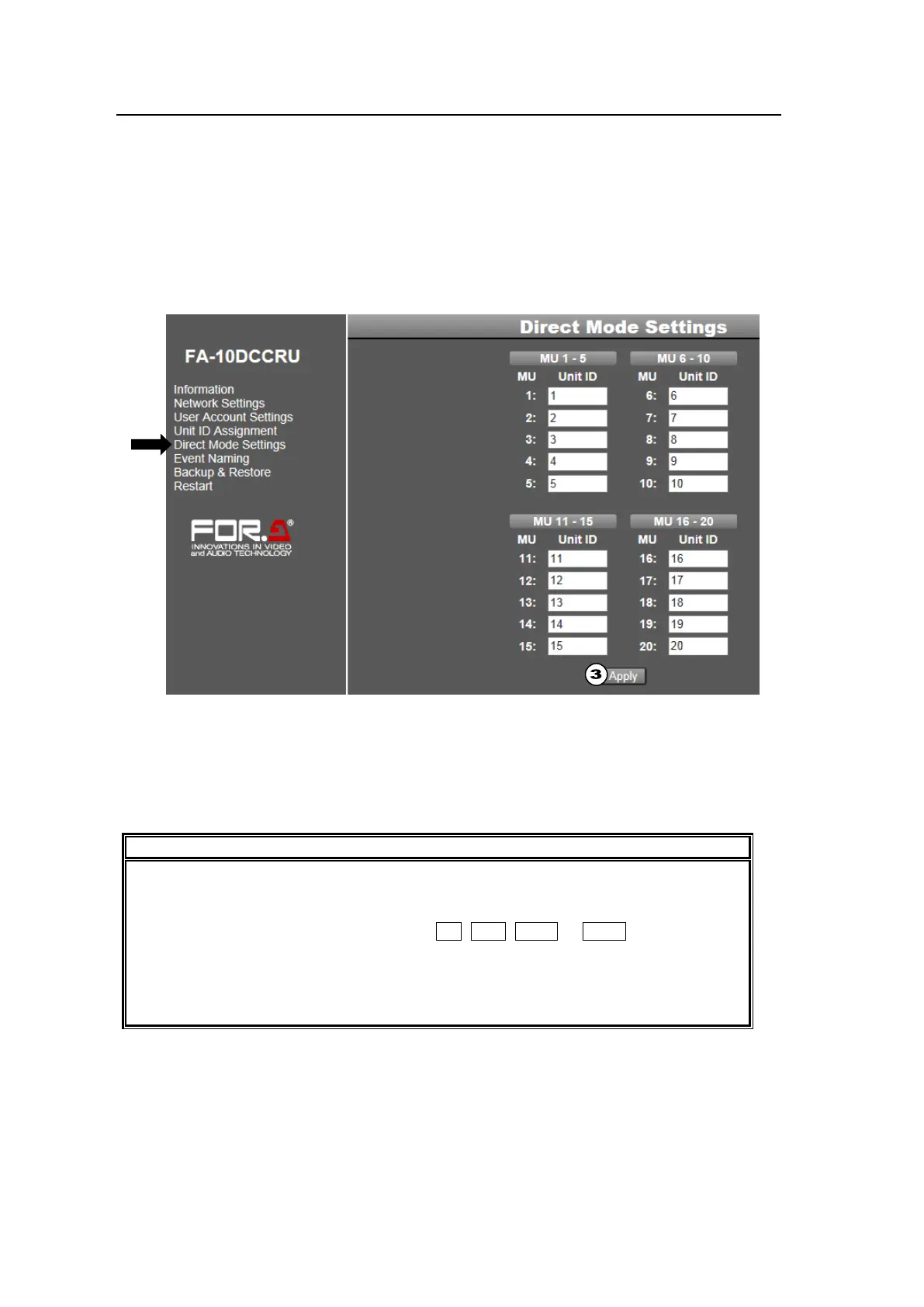
Click Direct Mode Settings in the left pane to display the Direct Mode Settings page. This
page allows you to assign Main Units to MU1 to MU20, which are used for direct mode
connections.
Up to 20 MU units (MU 1 – MU 20) can be registered in the Direct Mode list, but they must be
registered in the Unit ID list. (See the previous page).
See section 6-1-2. “Connecting a Main Unit in Direct Mode” for details on the connection
procedure.
As factory default, Unit ID 1 to 20 are set to MU 1 to 20. If you need to change these
assignments, follow the procedure below.
(1) Change the Unit ID numbers for MU 1 to MU 5. Click the MU 1–5 button.
(2) Change the Unit ID numbers for MU 6 to MU 10, then click the MU 2-10 button. Change
other settings in the same way.
(3) When all settings are finished, click Apply.
Note that if another page is entered without clicking Apply, the settings are ignored.
Note that if an IP address is not set under the associated Unit ID number in the Unit
Assignment page (see section 5-3-4), it cannot be accessed using the Unit ID or MU
number.
When connecting to main units using the 1-5, 6-10, 11-15 or 16-20 button in Direct
mode, user names set in the Unit Assignment page are displayed. If user names are
not set, IP addresses are displayed.
Setting Unit ID to “0” in the Direct Mode Settings page disables the connection. Use
“0,” as necessary.



 To Next Page