29
6-1-3. Selecting the Connection Mode
(1) Press and hold down the FS SEL button for about 3 seconds.
(2) The current connection mode is displayed in a scroll view.
(3) To change to “Direct Mode Connection,” press -.
To change to “Unit Mode Connection,” press +.
(4) Verify the selection on the display and press SELECT or FS SEL to confirm the selection.
If the connection mode is changed from Unit to Direct, the message “Please Choose
Direct MU No” will appear and the number buttons will blink. Select a Direct ID number
to connect to a main unit.
6-2. BYPS/OP (Bypass/Operate)
Pressing the BYPS/OP button changes the Bypass/Operation mode:
-Bypass mode: The button is flashing and FA-505 / FA-1010 Color Correction is bypassed.
-Operate mode: The button is lit.
This mode cannot be changed while adjusting Clip levels. (See section 6-10. “Clipping Signal
Levels.”)
* Bypass can be selected when the FA-1010 software version is 3.00 or higher.
Bypass cannot be selected for the FA-9520 or FA-9500.
6-3. Selecting an FS Channel
When connecting FA-505 units, an FS channel can be selected from FS1 to FS5.
When connecting FA-1010 units, an FS channel can be selected from FS1 to FS10.
When connecting an FA-9520 in FA-9520 mode, an FS can be selected between FS1 and FS2.
When connecting an FA-9520 in FA-9500 mode, an FS cannot be selected.
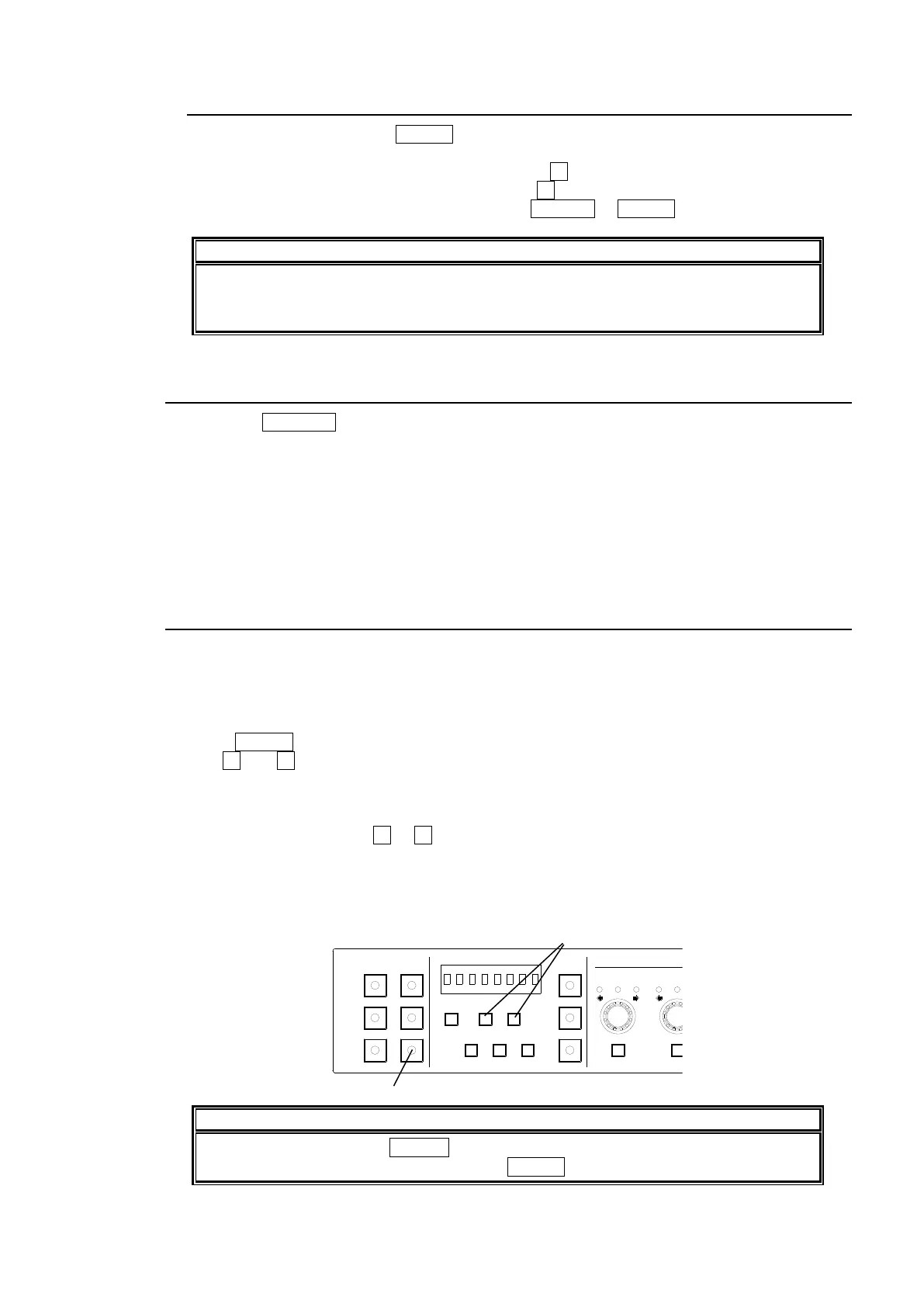
(1) Press FS SEL to turn on the button. The selected FS number is displayed.
(2) Use - and + to change the FS for control.
When connecting FA-505/FA-1010 units and FS names are registered, the selected FS is
displayed by its name. (FS names are not displayed for FA-9520 units in FA-9520 mode.)
Pressing and holding the - or + button scrolls selections.
While selecting an FS, the name is displayed in short form such as “FS1.”
About 2 seconds after a selection, the name will appear in long form such as “FA-1010 FS1.”
* See “FA-1010 Operation Manual” for details on setting FS Names.
* See “FA-505 Operation Manual” for details on setting FS Names.
While controlling an FS (FS SEL lit), other settings than the FS selection are not
displayed. To display other settings, press FS SEL to turn the button light off.
1-5 6-10
11-15/UNIT 16-20
BYPS/OP FS SEL
MEMORY/SET
0 1 2 3 4 5 6 7
FREEZE
CLIP
SPLIT
SELECT - +
SAVE LOAD CLEAR
PROCESS CONTROL
VIDEO LEVEL Y LEVEL C LEVEL SETUP/BLUCK HUE
UNITY UNITY UNITY UNITY UNITY
SYSTEM
GRP ADJ
UNITY UNITY UNITY UNITY UNITY UNITY
R G B R G B
WHITE LEVEL BLACK LEVEL
UNITY UNITY UNITY
R G B
GAMMA
WHITE BAL
FA-10DCCRU
CENTER DIF
BLACK SEPIA



 To Next Page