30
6-4. Freeze Setting
The Freeze setting is available only when Sync Mode is set to Frame in the main FA-505,
FA-1010, FA-9520 or FA-9500 unit. (See the respective Operation Manuals for details on Sync
Mode.)
Pressing the FREEZE button turns Freeze On (button lit) or Off (button unlit)
The “Freeze” function is applied to FS channels for FA-505, FA-1010 and FA-9520 (FA-9520
mode) units.
The “Freeze” function is applied to main units for FA-9520 (FA-9500 mode) and FA-9500 units.
Freeze is unable to be set while a main unit is being selected or when changing
system settings.
The Freeze setting do not appear when FS SEL is lit.
6-5. Split Display
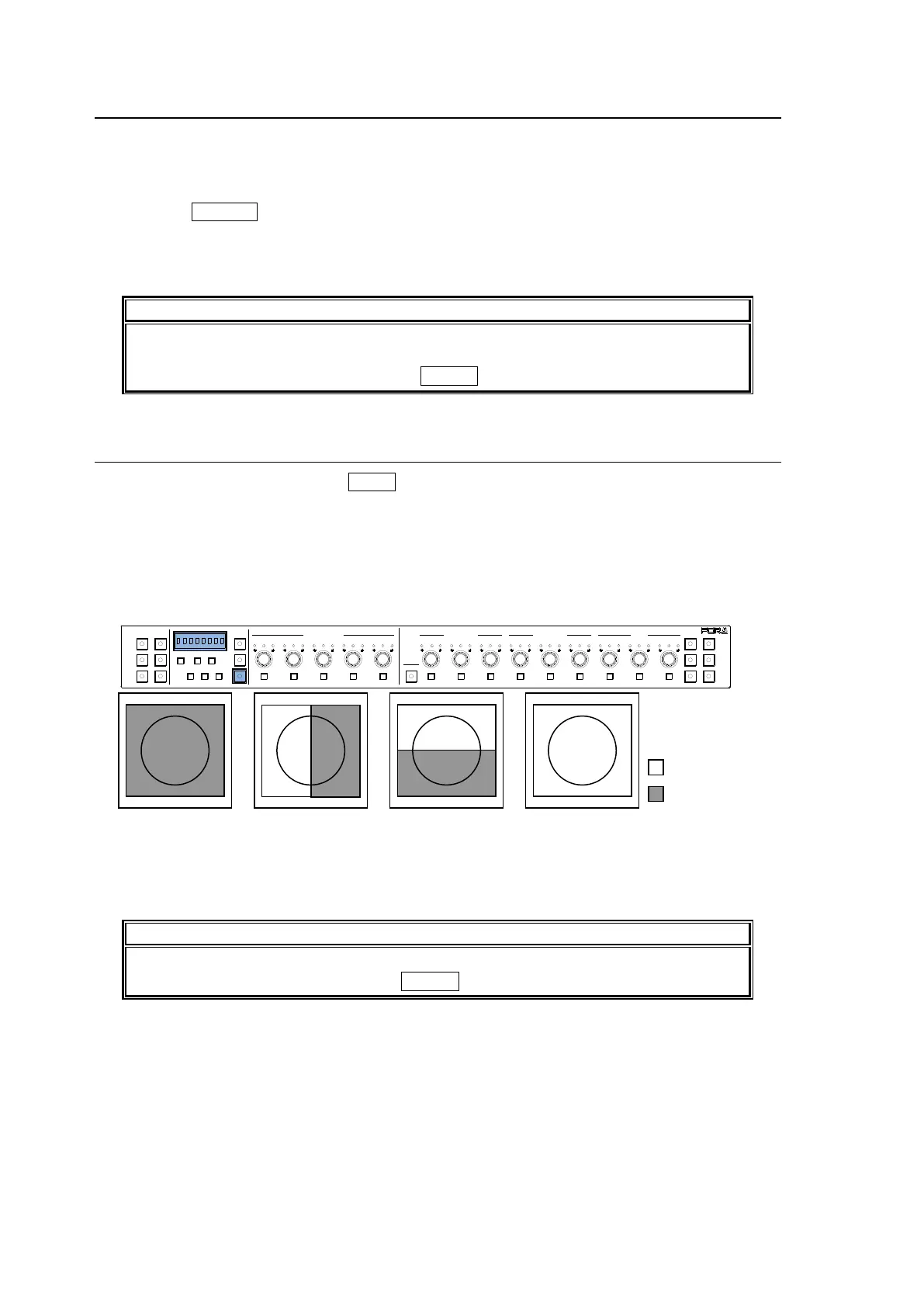
The mode switches every time the SPLIT button is pressed, in the following order:
OFF > MODE1> MODE2> MODE3
OFF: Displays the image after correction.
MODE1: Splits the screen vertically and displays images before and after correction.
MODE2: Splits the screen horizontally and displays images before and after correction.
MODE3: Displays the image before correction.
* Split can be selected when the FA-1010 software version is 3.00 or higher.
Split is unable to be set for FA-9520 or FA-9500.
Split is unable to be set while in Bypass mode or when changing system settings.
The Split setting do not appear when FS SEL is lit.
1-5 6-10
11-15/UNIT 16-20
BYPS/OP FS SEL
MEMORY/SET
0 1 2 3 4 5 6 7
FREEZE
CLIP
SPLIT
SELECT - +
SAVE LOADCLEAR
VIDEO LEVEL Y LEVEL C LEVEL HUE
UNITY UNITY UNITY UNITY UNITY
SYSTEM
GRP ADJ
UNITY UNITY UNITY UNITY UNITY UNITY
R G B R G B
WHITE LEVEL BLACK LEVEL
UNITY UNITY UNITY
R G B
GAMMA
WHITE BAL
FA-10DCCRU
CENTER DIF
BLACK SEPIA
SETUP/BLACK
PROCESS CONTROL



 To Next Page