27
6. Controlling FA-505/FA-1010/FA-9520/FA-9500 units
6-1. Selecting Main Units
When connecting Main Units (FA-505, FA-1010, FA-9520 and FA-9500) from an FA-10DCCRU,
the following two connection modes are available:
Unit mode: Connects to Main Units using Unit ID numbers.
Direct mode: Connects to Main Units using Direct Numbers (MU1 to MU20)
(Default connection mode is Direct mode.)
When powered on, wait at least 1 second and a half before the connection is
establishd.
6-1-1. Connecting a Main Unit in Unit Mode
(1) Set connection mode to Unit. (See section 6-1-3. “Selecting the Connection Mode.”)
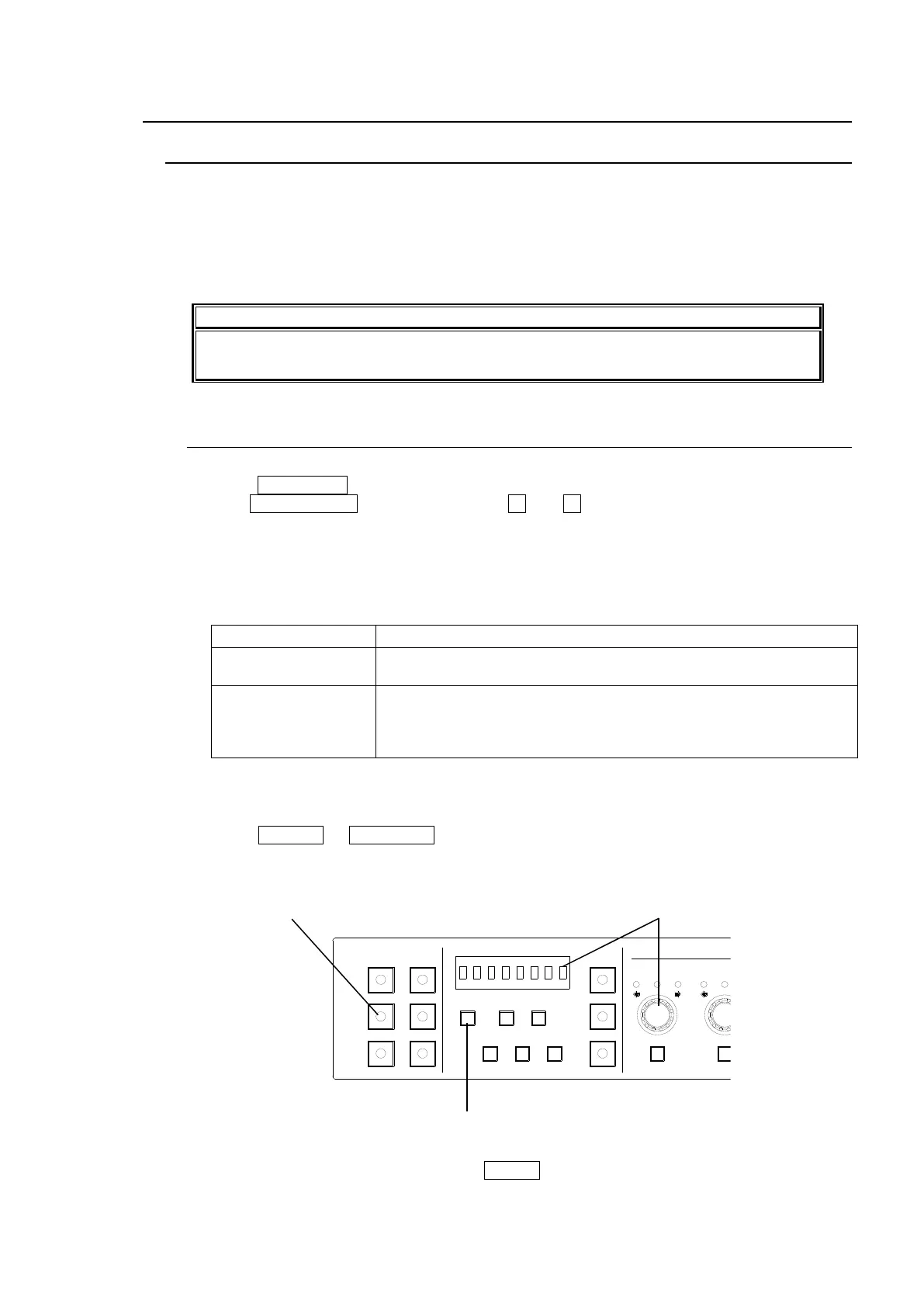
(2) Press 11-15/UNIT .
(3) Turn VIDEO LEVEL to select a Unit ID. (+ and - buttons also available. Pressing and
holding these buttons scrolls selections.)
The Unit ID number is displayed while a selection is being entered.
About 2 seconds later when the selection is confirmed, the Unit Name or IP address will
also be displayed in a scroll view.
<Display examples>
When IP Address and User Name are set under Unit ID 01:
ID01: 192.168.0.10
(No Name)
When only IP Address is set under the Unit ID number:
ID01: No Assigned
IP Address
When nothing is set under Unit ID 01:
FA-10DCCRU cannot connect to a unit using Unit ID 01. Set an IP
address and User Name for this number. See section 5-3-4. “Unit ID
Assignment.”
If Disconnect is selected instead of a Unit ID number, this connection channel is
disabled.
(4) Press SELECT or 11-15/UNIT to start the connection. While connecting to a main unit,
“Connecting(Unit)” is displayed. If the connection time is too short, the message may not
appear.
To cancel the connection process, press CLEAR.
1-5 6-10
11-15/UNIT 16-20
BYPS/OP FS SEL
MEMORY/SET
0 1 2 3 4 5 6 7
FREEZE
CLIP
SPLIT
SELECT - +
SAVE LOAD CLEAR
PROCESS CONTROL
VIDEO LEVEL Y LEVEL C LEVEL SETUP/BLUCK HUE
UNITY UNITY UNITY UNITY UNITY
SYSTEM
GRP ADJ
UNITY UNITY UNITY UNITY UNITY UNITY
R G B R G B
WHITE LEVEL BLACK LEVEL
UNITY UNITY UNITY
R G B
GAMMA
WHITE BAL
FA-10DCCRU
CENTER DIF
BLACK SEPIA



 To Next Page