45
7-4. Saving Settings to Events
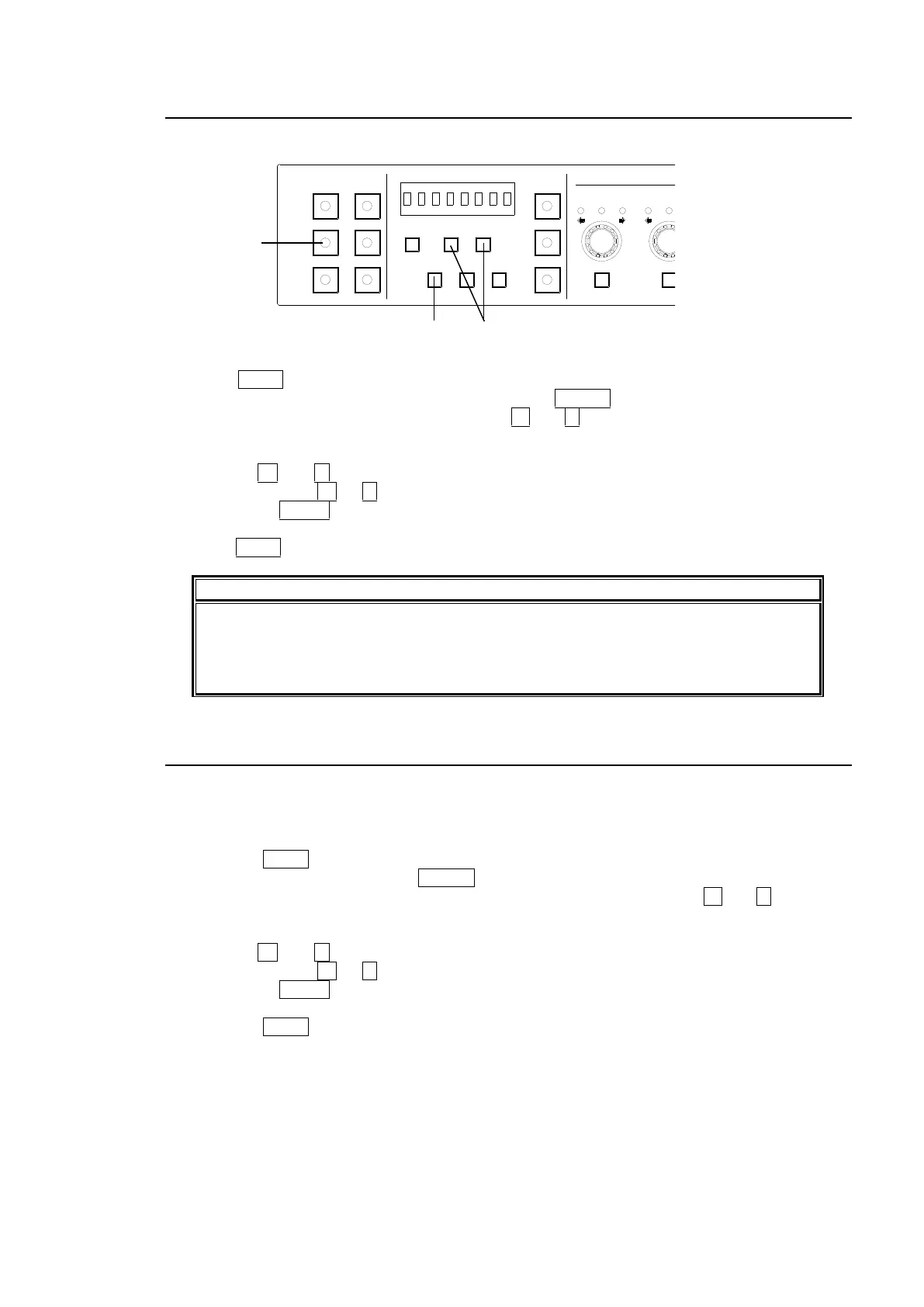
Once all setup settings are completed, save the settings to event memory using the following
procedure.
(1) When connecting to an FA-505, FA-1010 or FA-9520, select an FS.
(2) Press SAVE. A beep will sound and an event number is displayed. The event memory
number will appear. (To cancel the process, press CLEAR.)
(3) If you need to change the event number, use + and - to select the desired number (Event1
- Event100)
Press + and - to increase and decrease the number.
Holding down + or - for several seconds quickly increases and decreases the number.
Pressing UNITY of VIDEO LEVEL sets the number to Event1.
(4) Press SAVE. A beep will sound and the current settings are saved to the selected event.
Note that the following settings are not saved to event memory but are stored in the
FA-10DCCRU.
-BYPASS/OPERATE -FREEZE -GRP ADJ
-FS SEL -SPLIT
7-5. Loading Settings from Events
Follow the instructions below to load settings. Note that the current settings will be lost after
settings are loaded.
(1) When connecting to an FA-505, FA-1010 or FA-9520, select an FS.
(2) Press the LOAD button. A bleep sounds and the event memory number flashes.
(To cancel the operation, press CLEAR.)
(3) Select the memory number from Default, Event0 to Event100 using the + and - (or VIDEO
LEVEL) buttons.
Press + and - to increase and decrease the number.
Holding down + or - for several seconds quickly increases and decreases the number.
Pressing UNITY of VIDEO LEVEL sets to Default.
(4) Press the LOAD button. After a beep, the data is loaded from the memory.
1-5 6-10
11-15/UNIT 16-20
BYPS/OP FS SEL
MEMORY/SET
0 1 2 3 4 5 6 7
FREEZE
CLIP
SPLIT
SELECT - +
SAVE LOAD CLEAR
PROCESS CONTROL
VIDEO LEVEL Y LEVEL C LEVEL SETUP/BLUCK HUE
UNITY UNITY UNITY UNITY UNITY
SYSTEM
GRP ADJ
UNITY UNITY UNITY UNITY UNITY UNITY
R G B R G B
WHITE LEVEL BLACK LEVEL
UNITY UNITY UNITY
R G B
GAMMA
WHITE BAL
FA-10DCCRU
CENTER DIF
BLACK SEPIA



 To Next Page