57
To print the Software License Agreement, click Print. Before printing the License
agreement, verify that your printer is actually connected to the PC.
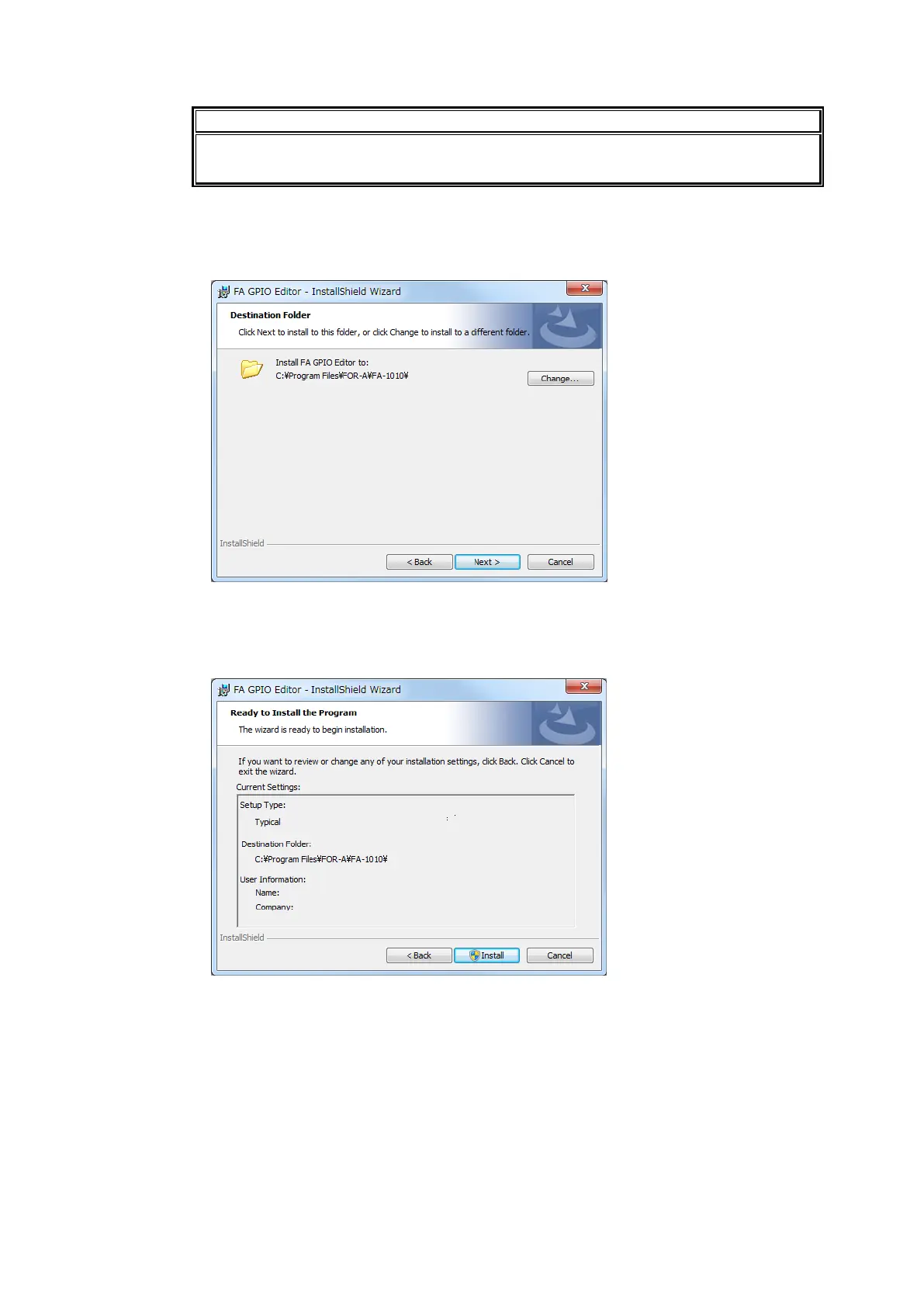
(4) The installation directory of the FA GPIO Editor is displayed.
To change the default installation directory, click Change… and specify a new directory.
(5) Click Next.
(6) The last wizard page is displayed. Verify the installation settings and click Install to install
the software.
To change settings, click on Back, change installation settings as required, then click
Install.



 To Next Page