Redwood Global Ltd - ST6P
Operator and Maintenance Manual
Chapter 1: Machine Overview
1.10 DISPLAY SCREEN
The display screen is located on the control panel.
The information screen is displayed on start up.
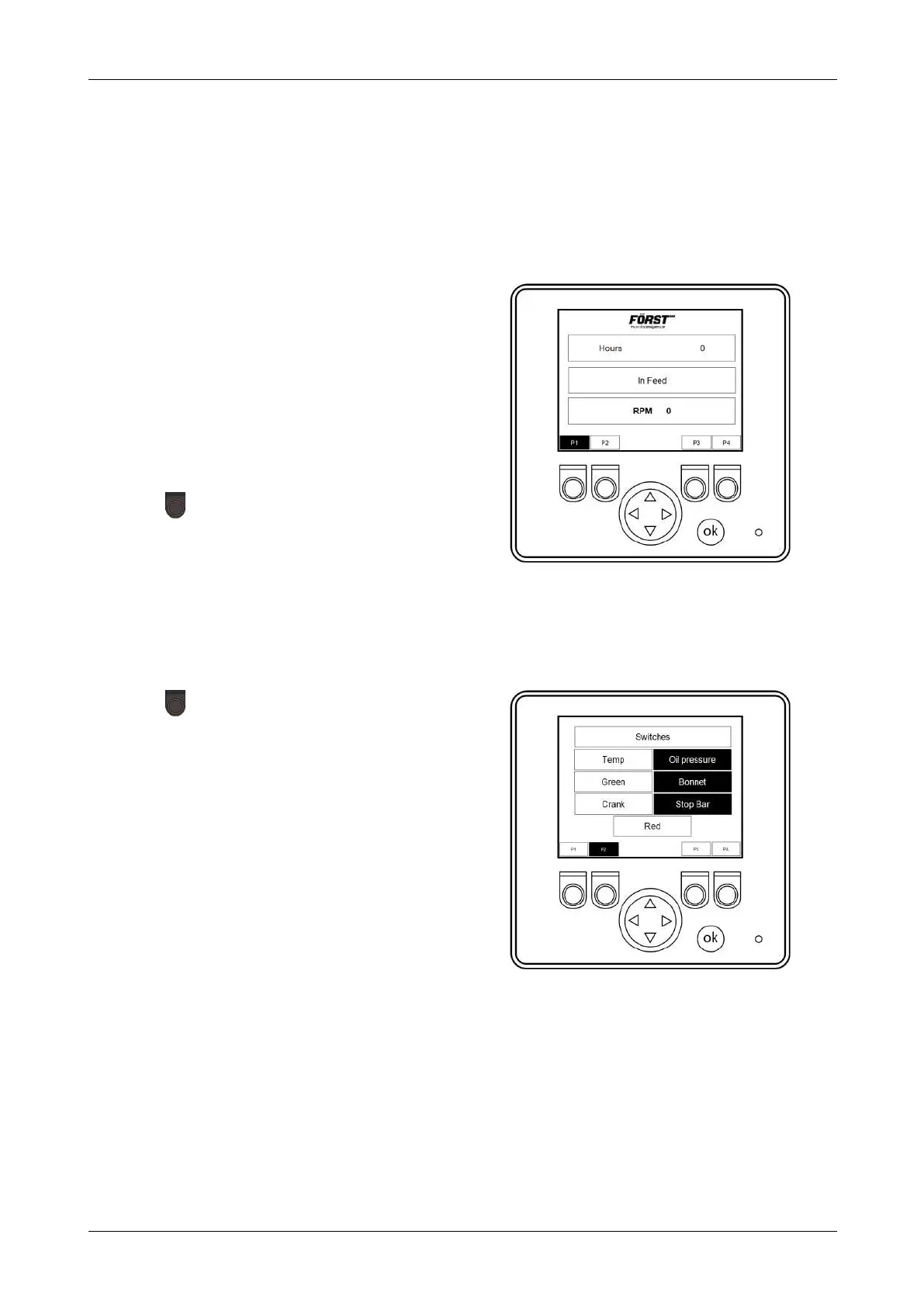
1.10.1 P1 - INFORMATION SCREEN
Figure 9 - Information screen
The information screen is displayed on start
up. The screen displays the following
information:
l
Total running time in hours
l
In Feed
Lights up orange when feed rollers
turn forward.
l
RPM - Current flywheel speed
Push the button below the relevant P#
number to navigate from page to page on
the screen.
Push the up arrow on the scroll pad to
access the back pages.
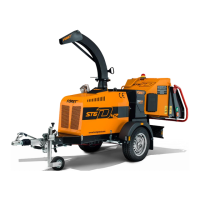
1.10.2 P2 - SWITCH STATUS SCREEN
Figure 10 - Switch status screen
Push the button below P2 to display the
switch screen.
This screen indicates the status of the
machine switches:
l
Oil pressure - engine oil pressure
status
Lights if there is NO oil pressure
l
Green - feed rollers forward button
Lights up when the green button is
pushed
l
Crank - ignition switch
Lights up if the ignition switch is in the
crank position.
l
Stop bar - stop bar proximity switch status
Lights up when the stop bar is pushed and when the tray is closed.
l
Bonnet - bonnet proximity switch status
Lights up when the bonnet is DOWN
12-00-001 v4.0 28



 To Next Page