l
Orange - feed rollers backward button
Lights up when the orange button is pushed
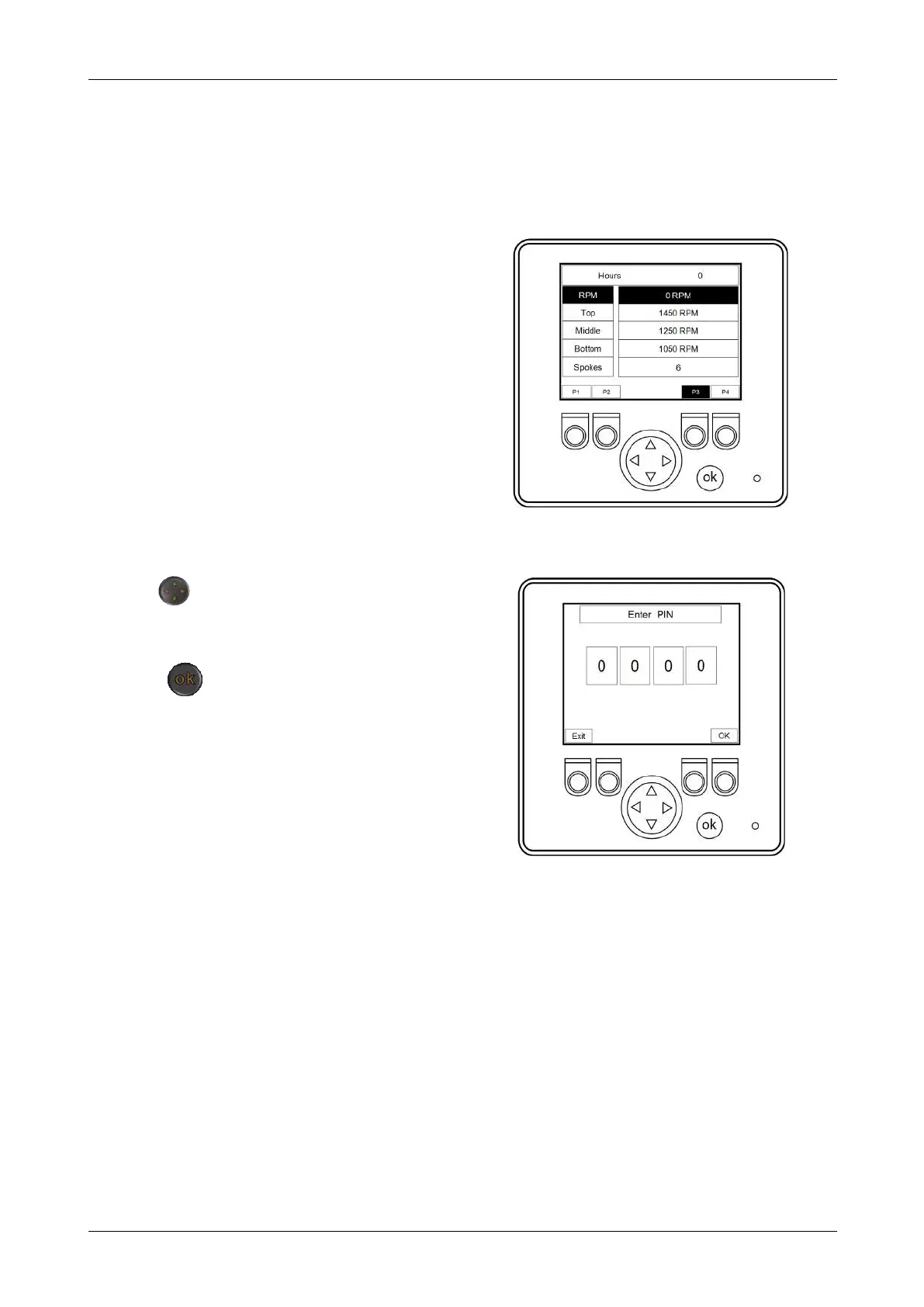
1.10.3 P3 - NO STRESS SYSTEM SETTINGS SCREEN
Figure 11 - No-stress settings screen
Push the P3 button to access the no stress
system settings screen.
The RPM levels are set at the factory and do
not require changing unless told to do so by
Redwood Global Ltd.
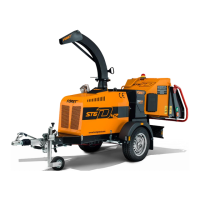
The PIN screen automatically displays if any
setting changes are attempted.
1.10.4 PIN ENTRY SCREEN
Figure 12 - PIN entry screen
The screen is only used to access and
change factory default settings when told to
do so by Redwood Global Ltd.
Use the button, left-right, to move
position, and up-down, to change the
number.
Push the button when complete.
Chapter 1: Machine Overview
Redwood Global Ltd - ST6P
Operator and Maintenance Manual
29 12-00-001 v4.0



 To Next Page