82
5
Taking Photographs
Custom Modes
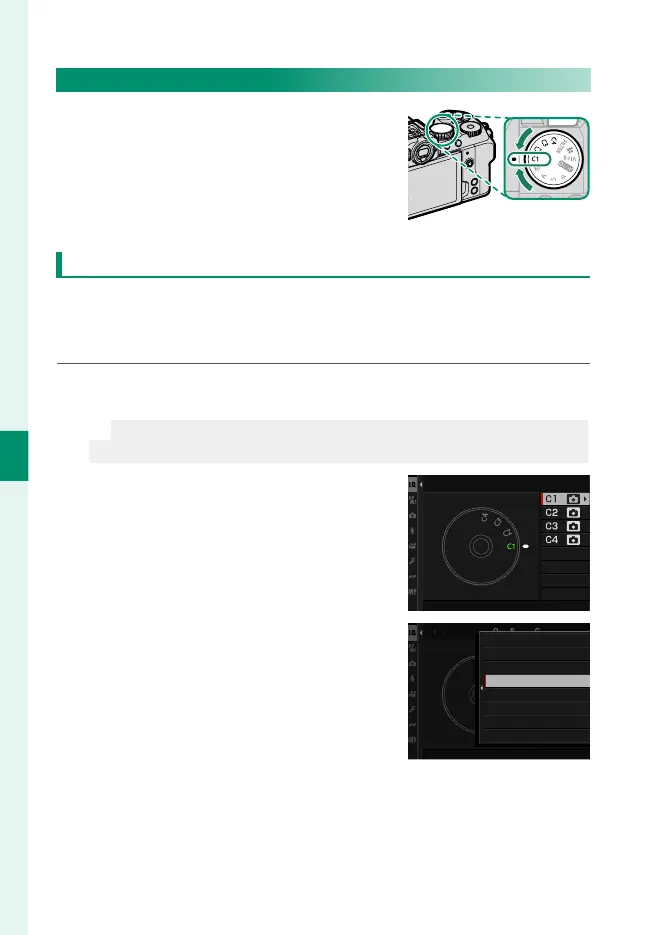
Rotate the mode dial to any of modes
C1 (CUSTOM 1) through C4 (CUSTOM 4)
to take pictures using previously-saved
shooting menu settings.
Mode Selection: Still Photography or Movie
Choose whether the selected custom settings bank (C1 through
C4) is for still photography (x STILL) or movie recording
(F MOVIE).
1
Navigate to H IMAGE QUALITY SETTING in the photo menus,
highlight xF CUSTOM MODE SETTING, and press MENU/OK.
N
You can also use B MOVIE SETTING> xF CUSTOM MODE
SETTING in the movie menus.
2
Highlight the desired custom set-
tings bank and press MENU/OK.
xF CUSTOM MODE SETTING
3
Highlight x STILL or F MOVIE and
press MENU/OK.
The selected custom settings bank
can now be used for still photogra-
phy or movie recording.
xF CUSTOM MODE SETTING
T
M M
DE
ETTIN
x
F
STILL
MOVIE













 To Next Page