48
3
Basic Photography and Playback
Taking Photographs
This section explains basic photography.
1
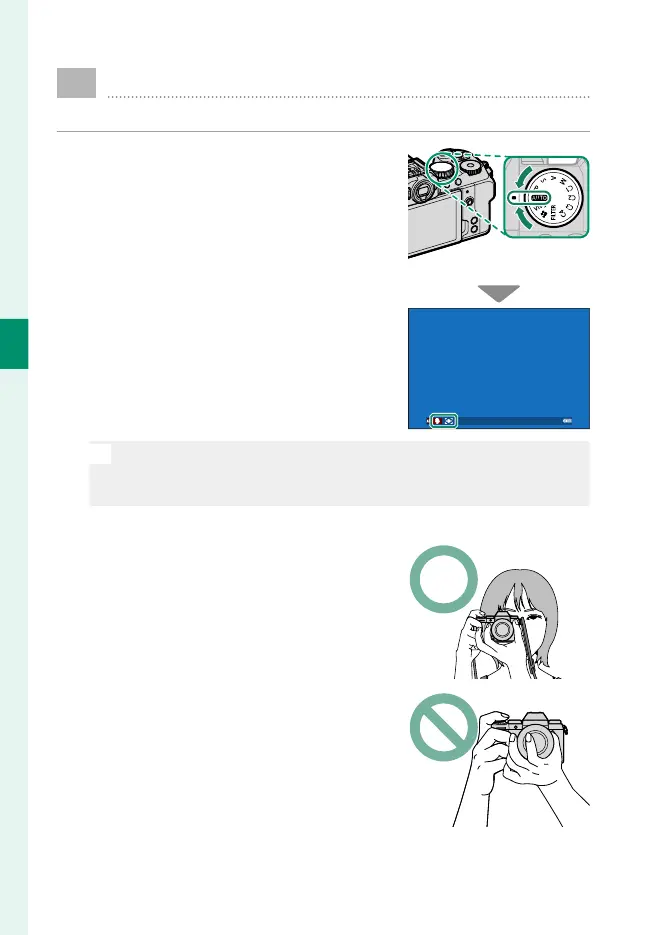
Rotate the mode dial to AUTO to view
the Y shooting display.
The camera will display the type of
scene and focus target detected.
O
In Y ( AUTO) mode, the camera continuously adjusts focus and
searches for eyes, increasing the drain on the battery; in addition,
the sound of the camera focusing may be audible.
2
Ready the camera.
Hold the camera steady with both
hands—shaking or unsteady hands
can blur your shots.
To prevent pictures that are out of fo-
cus or too dark (underexposed), keep
your ngers and other objects away
from the lens and AF-assist illumina-
tor.













 To Next Page