4
1
Before You Begin
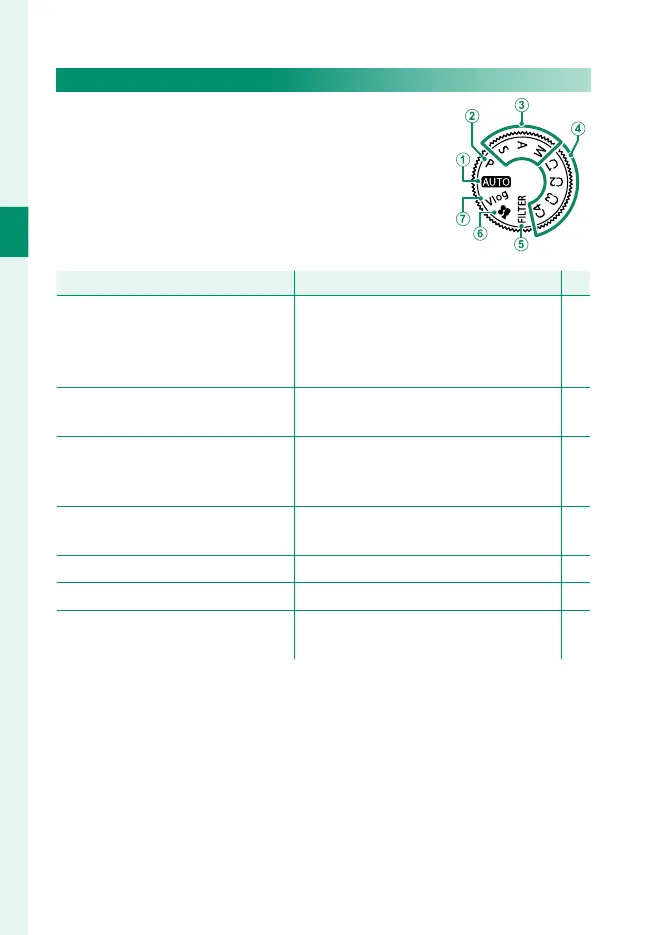
The Mode Dial
To select a shooting mode, rotate the dial until
the icon for the desired mode aligns with the
index.
Mode
Description
P
A
AUTO (AUTO) The camera automatically optimizes
settings to the scene. You also have the
option of choosing the desired scene
mode yourself.
48
B
P (PROGRAM AE) Aperture and shutter speed can be ad-
justed using program shift.
71
C
S (SHUTTER PRIORITY AE)
A (APERTURE PRIORITY AE)
M (MANUAL)
Select for full control over camera set-
tings, including aperture (M and A)
and/or shutter speed (M and S).
73
75
77
D
C1/C2/C3/C4 (CUSTOM 1/2/3/4) Take pictures using previously-stored
settings.
82
E
FILTER (FILTER) Take photos with fi lter eff ects. 81
F
F (MOVIE)
Record movies.
57
G
Vlog (Video blog) Record movies at settings suitable for
vlogs (video blogs).
58













 To Next Page