325
Shortcuts
10
Function Controls
•
AUTO IMAGE TRANSFER ORDER
•
Bluetooth ON/OFF
•
QUICK MENU
•
PLAYBACK
•
NONE
N
To disable touch-function gestures, choose NONE.
Lens Function Buttons
Choose the roles played by the function buttons on the lens
(where applicable).
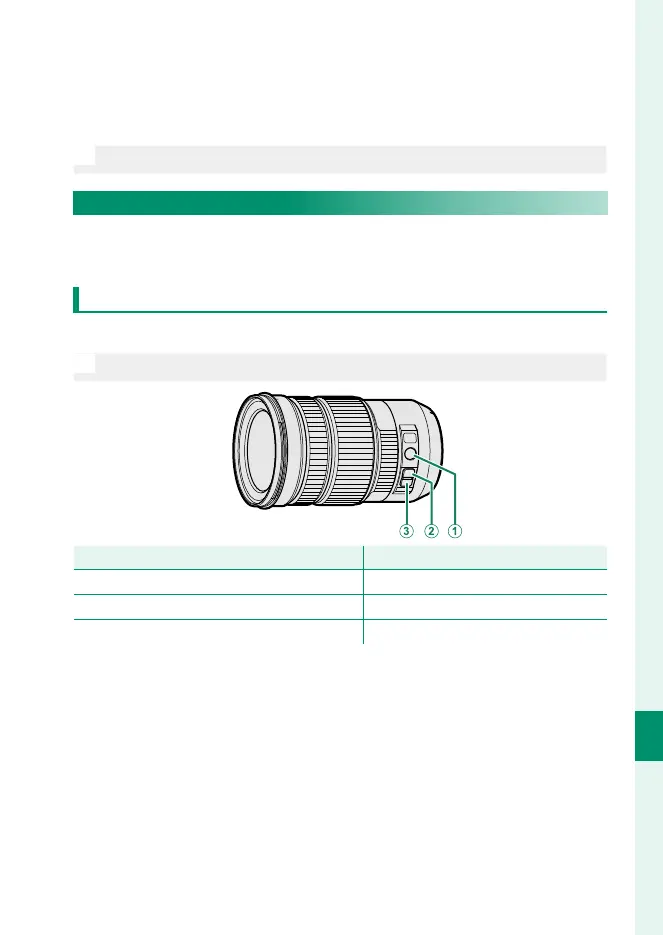
Lens Function Button Defaults
The default assignments are:
N
A XF18-120mmF4 LM PZ WR lens is used here for illustrative purposes.
Lens function button
Default
A
Z/F ZOOM/FOCUS CONTROL RING
B
L-Fn1 (rocker zoom button pressed up)
L-Fn1 (rocker zoom button pressed up) CONSTANT SPEED ZOOM (T)
C
L-Fn2 (rocker zoom button pressed down)
L-Fn2 (rocker zoom button pressed down) CONSTANT SPEED ZOOM (W)













 To Next Page