22
1
Before You Begin
Using the Menus
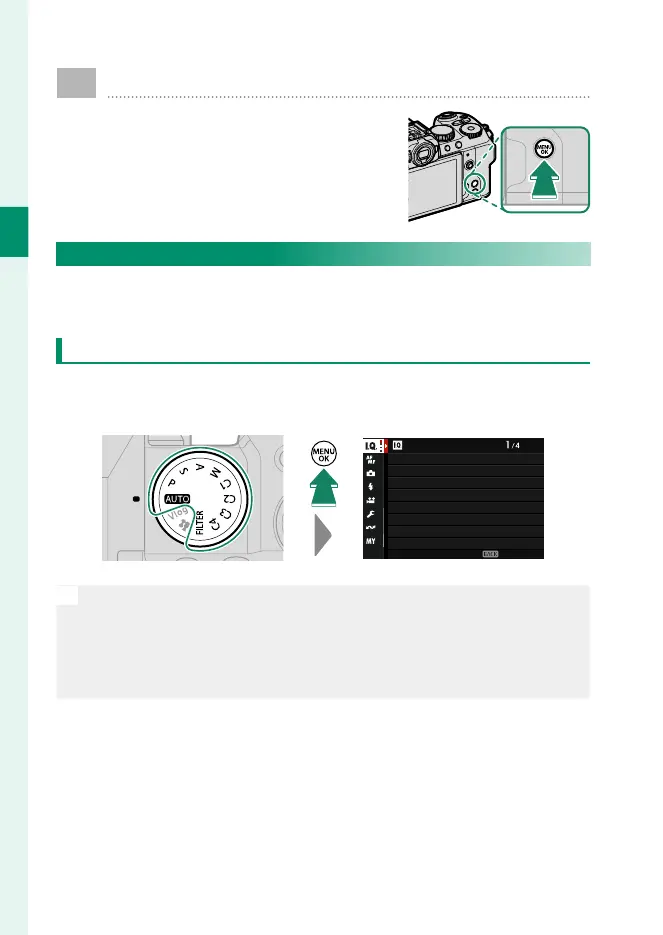
To display the menus, press MENU/OK.
The Menus
Di erent menus are displayed during still photography, movie
recording, and playback.
Still Photography (All Modes Except F(Movie) and Vlog)
Pressing MENU/OK during still photography displays the photo
menus.
IMAGE QUALITY SETTING
IMAGE SIZE
IMAGE QUALITY
RAW RECORDING
SELECT JPEG/HEIF
MONOCHROMATIC COLOR
GRAIN EFFECT
COLOR CHROME EFFECT
FILM SIMULATION
EXIT
N
In modes C1 through C4, photo menus will be displayed if x STILL
is selected for the chosen bank using either H IMAGE QUALITY
SETTING
> xF CUSTOM MODE SETTING in the photo menus or
B MOVIE SETTING
> xF CUSTOM MODE SETTING in the movie
menus (P 82).













 To Next Page