304
The Setup Menus
9
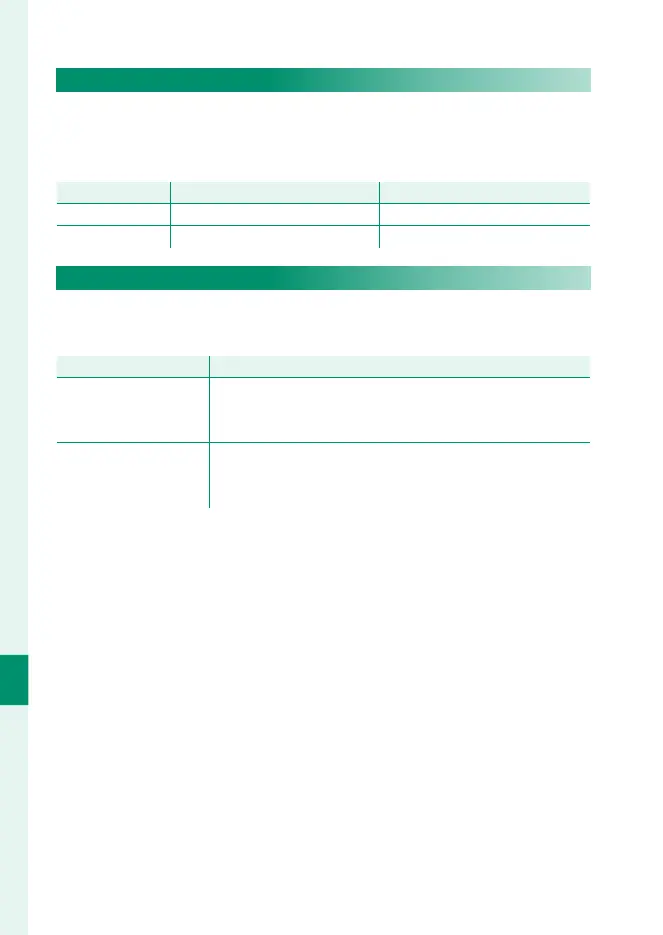
EDIT FILE NAME
Change the le name pre x. sRGB images use a four-letter pre x
(default “DSCF”), Adobe RGB images a three-letter pre x (“DSF”)
preceded by an underscore.
Option
Default pre x
Sample le name
sRGB DSCF ABCD0001
AdobeRGB _DSF _ABC0001
SELECT FOLDER
Create folders and choose the folder used to store subsequent
pictures.
Option
Description
SELECT FOLDER
To choose the folder in which subsequent pictures will be
stored, press the focus stick (focus lever) up or down to
highlight an existing folder and press MENU/OK.
CREATE FOLDER
Enter a fi ve-character folder name. The new folder will be
created with the next picture you take and subsequent
pictures will be stored in that folder.













 To Next Page