73
5
Taking Photographs
Choosing a Shooting Mode
Shutter-Priority AE (S)
Choose a shutter speed and let the camera adjust aperture for
optimal exposure.
1
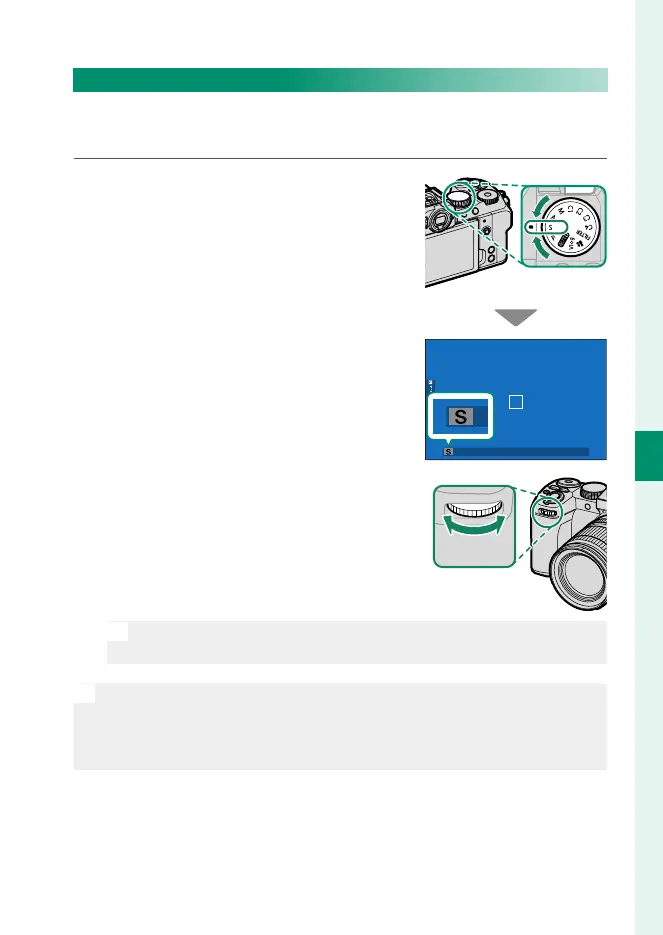
Rotate the mode dial to S.
S will appear in the display.
2
Rotate the front command dial to
choose a shutter speed.
N
The roles played by the front command dial can be changed using
D BUTTON/DIAL SETTING> COMMAND DIAL SETTING.
O
•
If the correct exposure cannot be achieved at the selected shutter
speed, aperture will be displayed in red.
•
If the subject is outside the metering range of the camera, the aper-
ture display will show “– – –”.













 To Next Page