123
5
Taking Photographs
Flash Photography
Use the built-in ash for additional lighting when shooting
at night or indoors under low light.
1
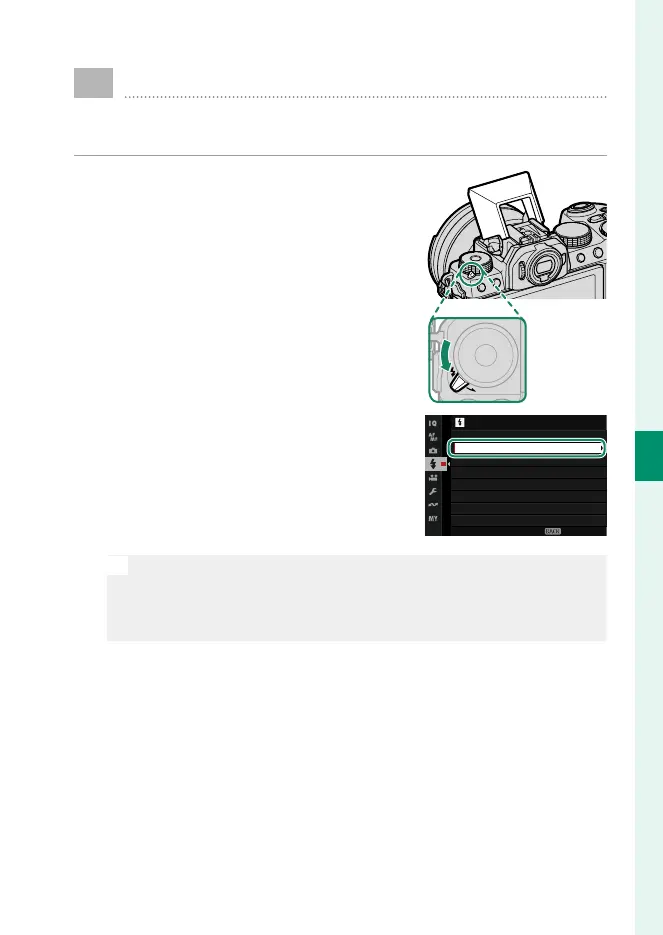
Slide the N lever as shown to raise
the ash.
2
Select FLASH FUNCTION SETTING
in the F FLASH SETTING menu. The
camera will display options for the
built-in ash.
FLASH SETTING
RED EYE REMOVAL
TTL-LOCK MODE
FLASH FUNCTION SETTING
LED LIGHT SETTING
COMMANDER SETTING
CH SETTING
EXIT
O
Sync terminal options will be displayed if the built-in ash is low-
ered and either no ash unit, or an incompatible ash unit, is
mounted on the hot shoe (P 339). Raise the ash before ad-
justing settings.













 To Next Page