122
5
Taking Photographs
Multiple Exposures
4
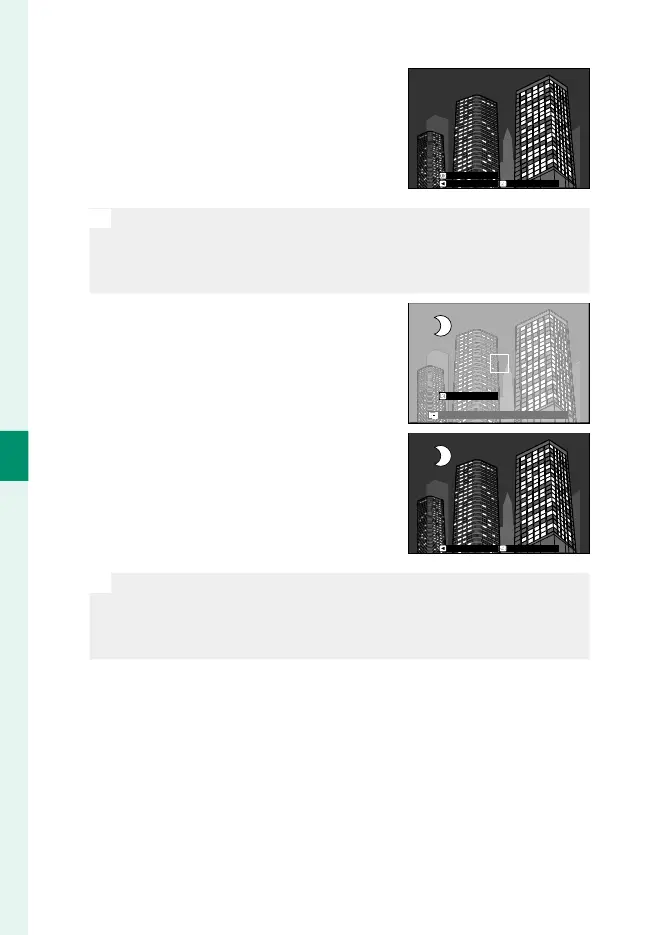
Press MENU/OK. The rst shot will be
shown superimposed on the view
through the lens and you will be
prompted to take the second shot.
EXITRETRY
NEXT
N
•
To return to the previous step and retake the rst shot, press the
focus stick (focus lever) left.
•
To save the rst shot and exit without creating a multiple expo-
sure, press DISP/BACK.
5
Take the second shot, using the rst
frame as a guide.
EXIT
6
Press MENU/OK.
The combined exposures will be dis-
played as a guide to composing the
next shot.
EXITRETRY
N
•
To return to the previous step and retake the second shot, press
the focus stick left.
•
To end shooting and create a multiple exposure from the shots
taken to this point, press DISP/BACK.
7
Make additional exposures.
Each photograph can contain up to nine exposures.
8
Press DISP/BACK to end shooting.
The camera will create the combined image and multiple ex-
posure shooting will end.













 To Next Page