7
1
Before You Begin
Parts of the Camera
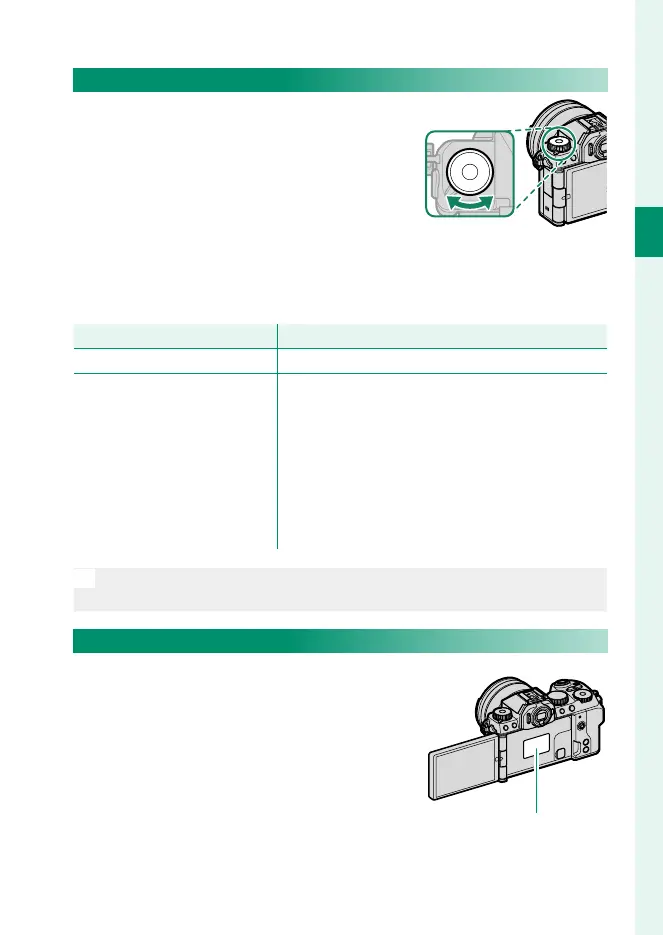
The Fn (Function) Dial
Rotate the function dial to quickly adjust
settings for the assigned function during
shooting.
At shipment, the dial is assigned the DEFAULT role. At this set-
ting, the function performed by the dial varies with the position
of the mode dial.
Mode
Description
FILTER (FILTER) Filter selection
P (PROGRAM AE)
S (SHUTTER PRIORITY AE)
A (APERTURE PRIORITY AE)
M (MANUAL)
AUTO (AUTO)
Vlog (Video blog)
F (MOVIE)
C1/C2/C3/C4 (CUSTOM)
Film simulation
N
The role performed by the function dial can be chosen using
D BUTTON/DIAL SETTING> FUNCTION (Fn) SETTING (P 320).
The Serial Number Plate
Do not remove the serial number plate,
which provides the CMIITID, serial num-
ber, and other important information.
Serial number plate













 To Next Page