5
1
Before You Begin
Parts of the Camera
The Focus Stick (Focus Lever)
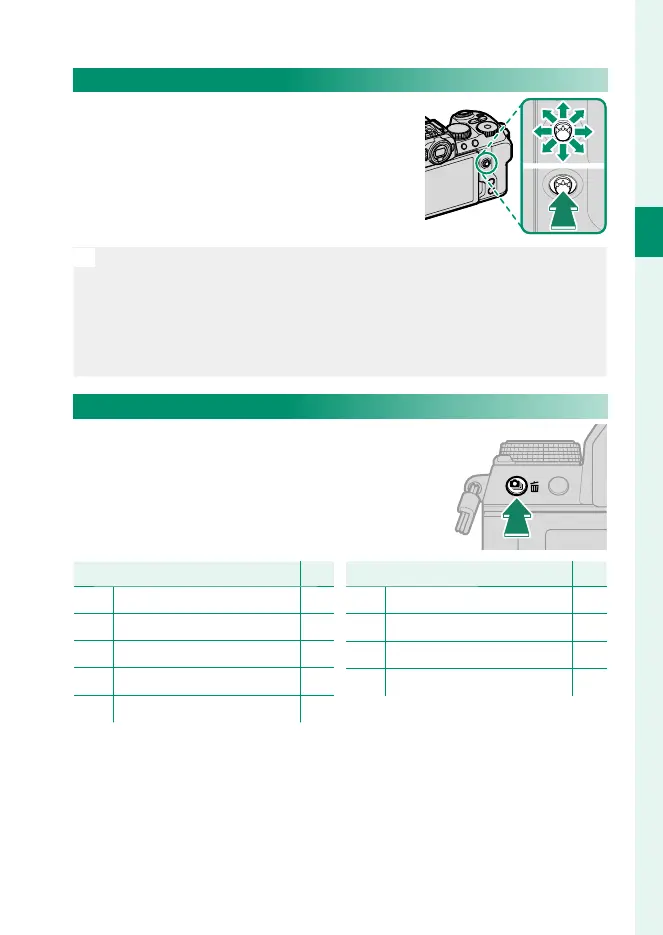
Tilt or press the focus stick to select the fo-
cus area. The focus stick can also be used
to navigate the menus.
N
•
To choose the role played by the focus stick, press and hold the cen-
ter of the stick or use D BUTTON/DIAL SETTING> FOCUS LEVER
SETTING.
•
Use G AF/MF SETTING> xF WRAP FOCUS POINT to choose
whether focus-area selection is bounded by the borders of the dis-
play or “wraps around” from one edge of the display to another.
I (Drive) Button
Pressing the I (drive) button displays
drive-mode menu, where you can choose
from the following the drive modes.
Mode
P
B
Single frame
68
J
High-speed burst
115
O
Low-speed burst
115
W
ISO BKT
111
V
WHITE BALANCE BKT
111
Mode
P
BKT Bracketing
112
h
HDR
116
u
Panorama
118
j
Multiple exposure
121













 To Next Page