187
6
The Shooting Menus
MOVIE SETTING (Movie Recording)
MOVIE MODE
Before shooting movies, choose the
frame rate and the frame size and aspect
ratio.
1920 × 1080 1h18m31s
MOVIE MODE
CANNOT USE S.S. SLOWER THAN FRAMERATE
CANCELEND
1
In the shooting menu, select B MOVIE SETTING, then high-
light MOVIE MODE and press MENU/OK.
2
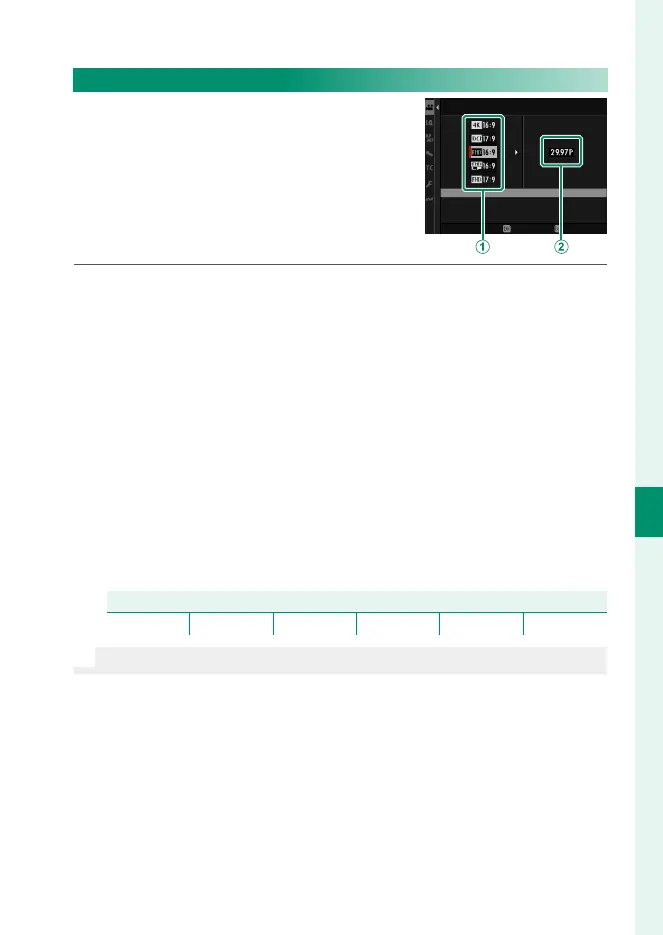
Press the focus stick (focus lever) up or down to highlight the
desired frame size and aspect ratio (
A
) and press the stick
right.
•
Choose J3 : 2 for 6.2 K movies with an aspect ratio of 3 : 2.
•
Choose V16 : 9 or d17 : 9 for 4K movies with aspect ra-
tios of 16 or 17 to 9.
•
Choose W16 : 9 or W17 : 9 for Full HD movies with aspect
ratios of 16 or 17 to 9. S16 : 9 and S17 : 9 permit longer
movies than do W16 : 9 and W17 : 9.
3
Highlight a frame rate (
B
) and press MENU/OK.
Options
23.98P 24P 25P 29.97P 50P 59.94P
N
The choice of frame rates varies with the movie mode.













 To Next Page