333
Peripherals and Optional Accessories
11
Lenses
Lenses with Aperture Rings
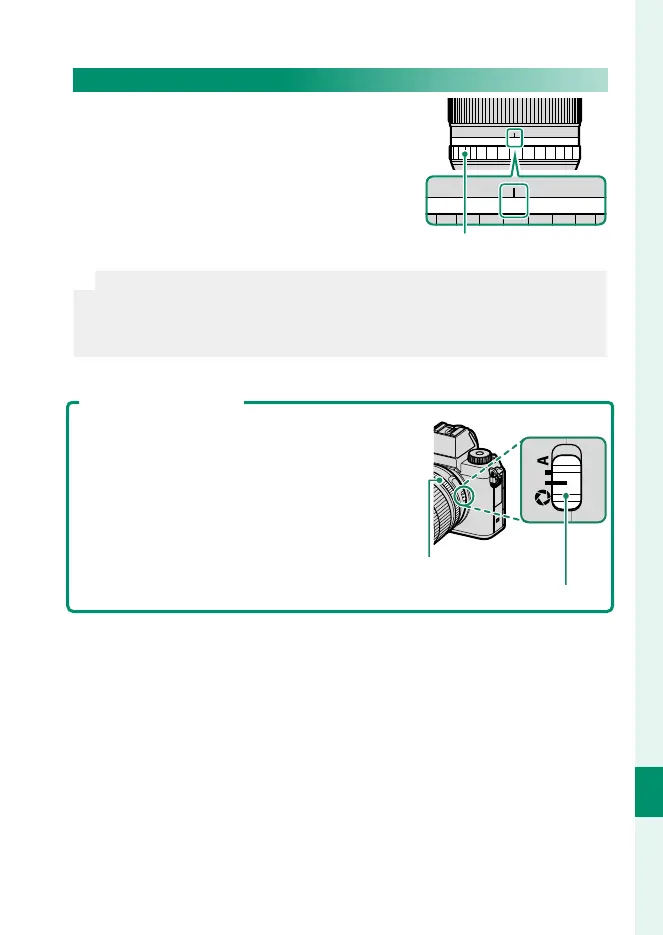
At settings other than A, you can adjust
aperture by rotating the lens aperture
ring (exposure modes A and M).
A161185.64
2.8
Aperture ring
N
•
Selecting ON for MOVIE OPTIMIZED CONTROL oL disables the
aperture ring.
•
When the aperture ring is set to A, rotate the command dials to adjust
aperture.
The Aperture Mode Switch
If the lens has an aperture mode switch, aper-
ture can be adjusted manually by sliding the
switch to Z and rotating the aperture ring.
Aperture ring
Aperture mode switch













 To Next Page