57
4
Movie Recording and Playback
Recording Movies
F(Movie) Mode
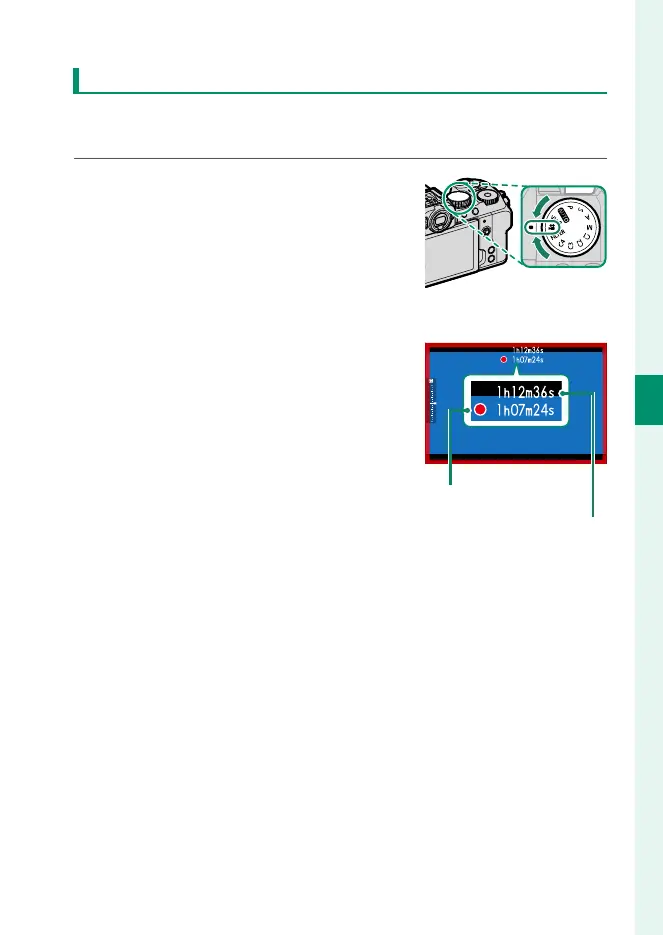
For more control over camera settings, rotate the mode dial to
F(movie) and record movies using the shutter button.
1
Rotate the mode dial to F(movie).
2
Press the shutter button to start recording.
•
A recording indicator (V) is dis-
played while recording is in prog-
ress.
•
The borders of the display turn
red during movie recording, green
during high-speed recording.
•
The time remaining is shown by a
countdown display, while another
display counts up to show the re-
cording time.
Recording time
Time remaining
3
Press the shutter button again to end recording.
Recording ends automatically when the maximum length is
reached or the memory card is full.













 To Next Page