89
5
Taking Photographs
Choosing a Shooting Mode
Renaming Custom Settings Banks
Rename selected custom settings banks.
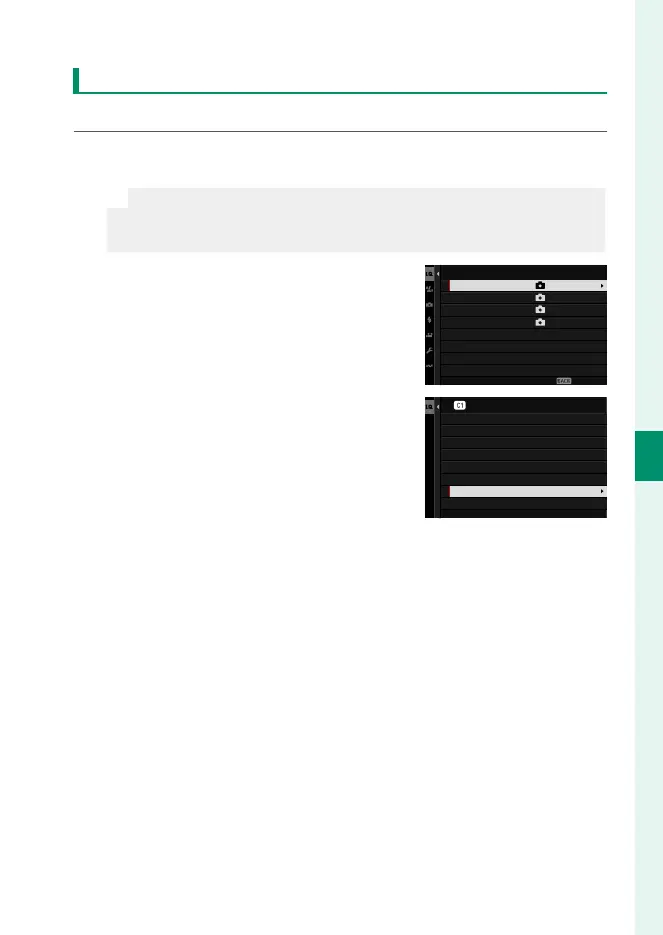
1
Select H IMAGE QUALITY SETTING>x EDIT/SAVE CUSTOM
SETTING in the shooting menu and press MENU/OK.
N
This assumes that you wish to rename settings for still photogra-
phy. To rename movie settings, navigate to B MOVIE SETTING in
the movie menus and select F EDIT/SAVE CUSTOM SETTING.
2
Highlight the desired custom set-
tings bank and press MENU/OK.
CUSTOM 2
CUSTOM 3
CUSTOM 4
EDIT/SAVE CUSTOM SETTING
CUSTOM 1
ASSIGNED
ASSIGNED
ASSIGNED
ASSIGNED
EXIT
3
Highlight EDIT CUSTOM NAME and
press MENU/OK.
RESET THE CHANGES
COPY
RESET CUSTOM SETTING
EDIT CUSTOM NAME
SAVE CURRENT SETTINGS
EDIT/CHECK
SAVE THE CHANGES
CUSTOM 1
4
Enter a new name for the custom settings bank and select
SET.
The selected bank will be renamed.













 To Next Page