102
5
Taking Photographs
Focus Zoom
If ON is selected for G AF/MF SETTING> FOCUS CHECK, the cam-
era will automatically zoom in on the selected focus area when the
focus ring is rotated. Press the center of the focus stick (focus lever)
to exit zoom.
N
•
You can also initiate focus zoom by pressing the center of the focus
stick (focus lever).
•
Use the focus stick (focus lever) to choose another focus area.
•
Zoom can be adjusted by rotating the rear command dial. Zoom can-
not, however, be adjusted when DIGITAL SPLIT IMAGE or DIGITAL
MICROPRISM is selected for MF assist.
MF Assist
Use
G
AF/MF SETTING> MF ASSIST (P 161) in the photo
menus or
G
AF/MF SETTING> F MF ASSIST (P 209) in the
movie menus to choose a focus check option.
N
The focus check options for movies di er from those for still photog-
raphy.
•
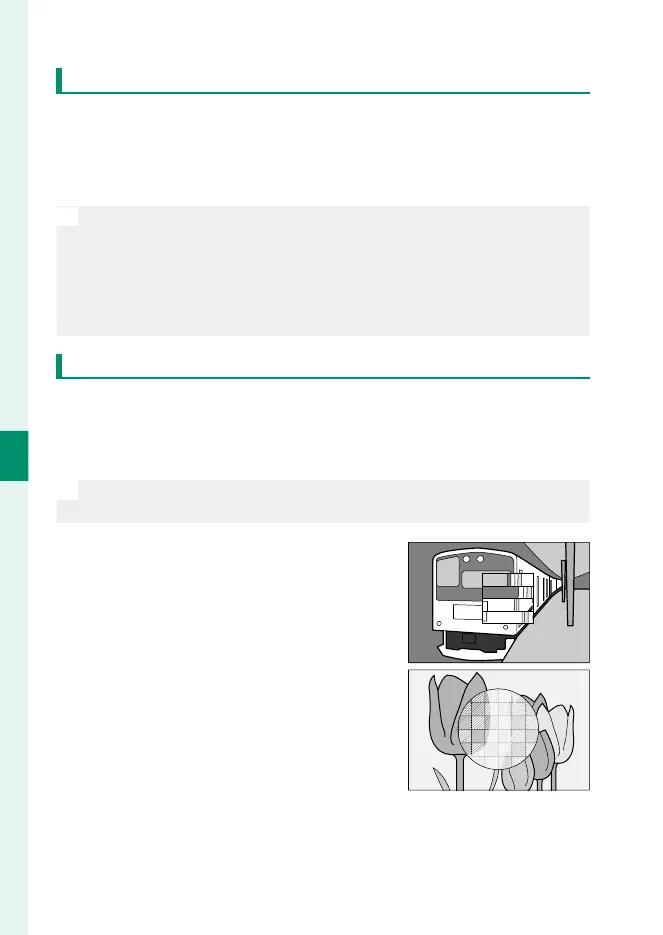
DIGITAL SPLIT IMAGE: Displays a split image
in the center of the frame. Frame the
subject in the split-image area and ro-
tate the focus ring until the four parts
of the split image are correctly aligned.
•
DIGITAL MICROPRISM: A grid pattern that
emphasizes blur is displayed when the
subject is out of focus, disappearing to
be replaced by a sharp image when the
subject is in focus.


 To Next Page
 Loading...









