114
5
Taking Photographs
Bracketing
AUTO
In AUTO mode, the camera calculates FRAMES and STEP auto-
matically.
1
Select A SHOOTING SETTING in the shooting menu, high-
light FOCUS BKT SETTING, and press MENU/OK.
2
Select AUTO and choose an INTERVAL.
The view through the lens will be displayed.
3
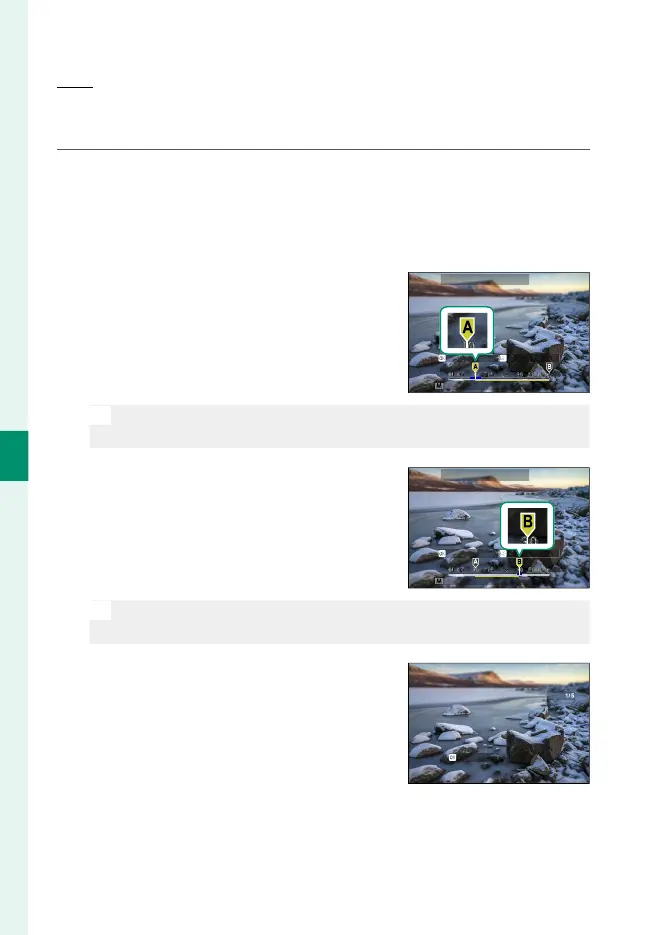
Focus on the nearest end of the sub-
ject and press MENU/OK.
The selected focus distance appears
as A on the focus distance indicator.
SETSET POINT B
SET POINT A
CONTROL THE FOCUS RING
FOCUS BKT SETTING
N
The same focus range can be chosen by focusing on the farthest
end of the subject rst.
4
Focus on the farthest end of the sub-
ject and press DISP/BACK.
The selected focus distance (B) and
focus range (A to B) appear on the
focus distance indicator.
SETSET POINT A
CONTROL THE FOCUS RING
SET POINT B
FOCUS BKT SETTING
N
Instead of pressing the DISP/BACK button, you can press MENU/OK
and select A again.
5
Take photographs.
The camera will calculate values for
FRAMES and STEP automatically. The
number of frames will appear in the
display.
NO













 To Next Page