139
6
The Shooting Menus
IMAGE QUALITY SETTING (Still Photography)
1
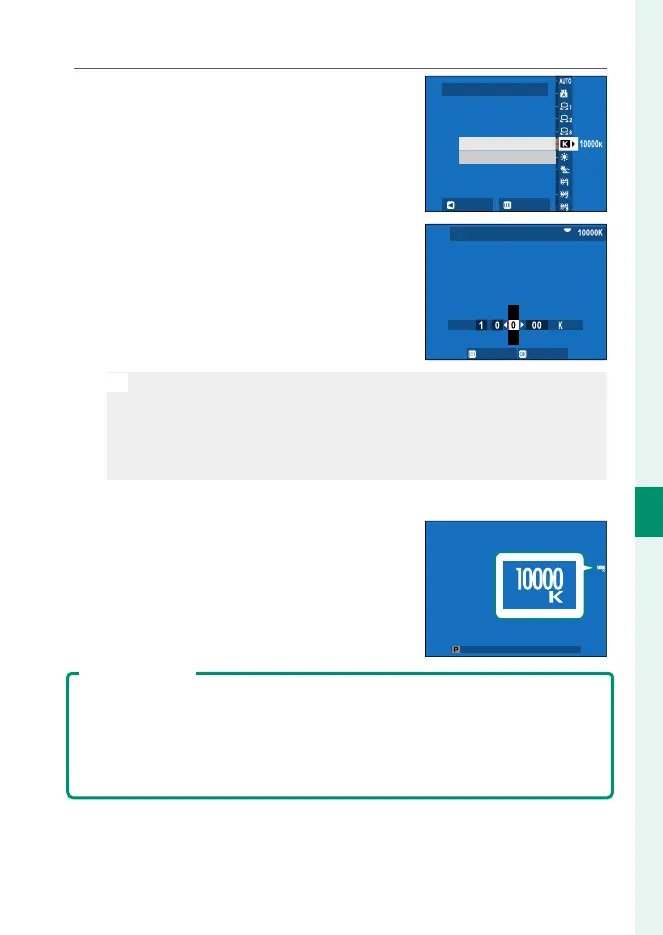
Select k in the white balance menu.
The option currently selected for col-
or temperature will be displayed.
R:0 B:0
WHITE BALANCE
SET SHIFT
COLOR TEMPERATURE
2
Edit the color temperature using the
focus stick (focus lever) and press
MENU/OK.
A ne-tuning dialog will be dis-
played.
SHIFTSET
COLOR TEMPERATURE
N
•
You can also adjust color temperature in increments of 10K by
rotating the rear command dial.
•
Choose from values of from 2500 to 10000K.
•
To exit without ne-tuning white balance, press DISP/BACK after
choosing a color temperature.
3
Highlight a ne-tuning amount using the focus stick.
4
Press MENU/OK.
The changes will be applied. The se-
lected color temperature will appear
in the display.
Color Temperature
Color temperature is an objective measure of the color of a light source, ex-
pressed in Kelvin (K). Light sources with a color temperature close to that of
direct sunlight appear white; light sources with a lower color temperature
have a yellow or red cast, while those with a higher color temperature are
tinged with blue.













 To Next Page