248
Network/USB Features and Settings
8
2
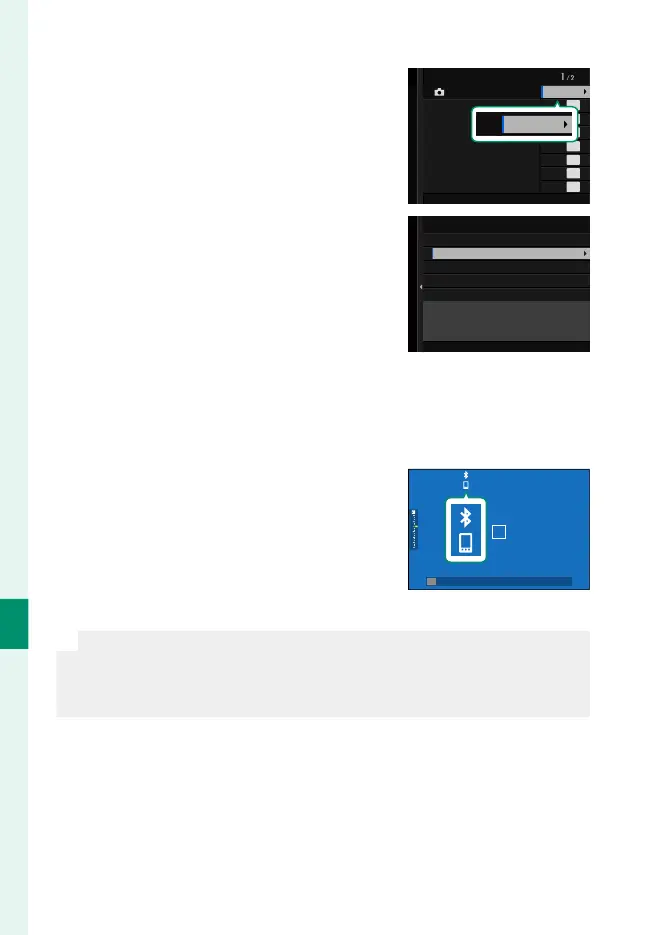
Highlight Bluetooth and press MENU/OK.
Bluetooth
Bluetooth & FUNCTION (Fn) SETTING
Bluetooth
3
Highlight PAIRING and press MENU/OK.
Bluetooth ON/OFF
PAIRING
Bluetooth
4
Launch the app on the smartphone and pair the smartphone
with the camera.
More information is available at the following website:
https://app.fujifilm-dsc.com/
When pairing is complete, the cam-
era and smartphone will automati-
cally connect via Bluetooth. A smart-
phone icon and a white Bluetooth
icon will appear in the camera display
when a connection is established.
N
•
Once the devices have been paired, the smartphone will automati-
cally connect to the camera when the app is launched.
•
Disabling Bluetooth when the camera is not connected to a smart-
phone reduces the drain on the battery.













 To Next Page