65
4
Movie Recording and Playback
Viewing Movies
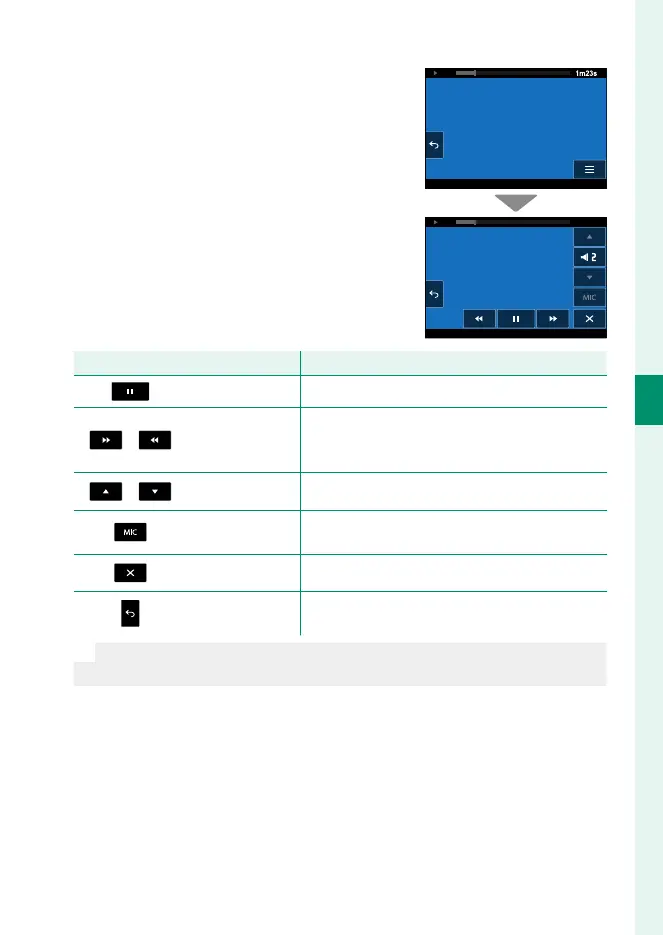
Playback controls can be displayed by
tapping l during playback.
1m23s
Control
Function
Pause
Pause playback. Tap again to resume.
/
Rewind/advance
Rewind or advance the movie. When playback
paused, you can tap these buttons to rewind or
advance a frame at a time.
/
Volume
Adjust playback volume.
Channel selection
Adjust audio settings for use when viewing 4ch
movies.
Close
Hide movie playback controls.
Back
End playback and return to the shooting dis-
play.
N
Volume adjustment and channel selection are not available while play-
back is in progress. Pause playback to use these controls.













 To Next Page