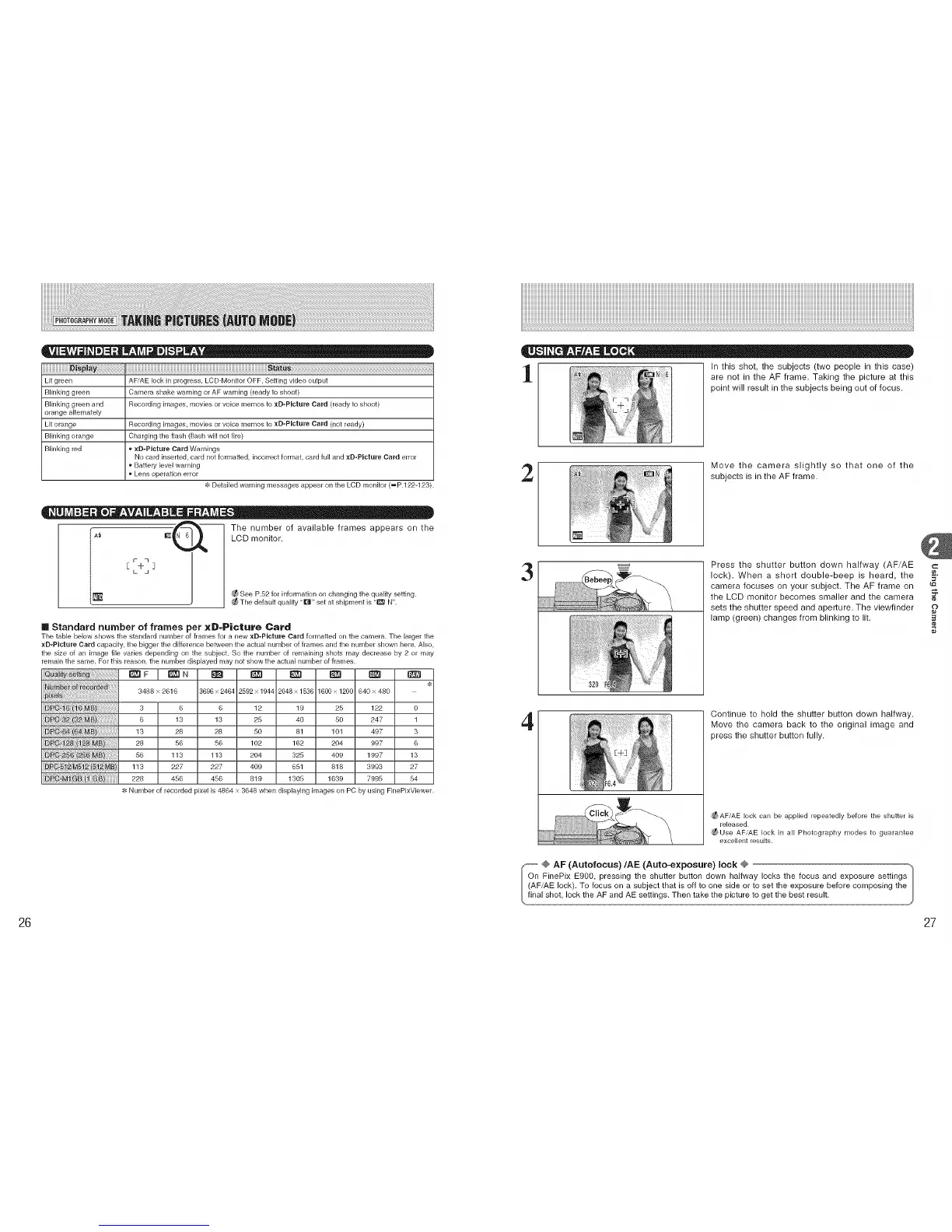
Lit green AFiAE lock in progress, LCD-Monitor OFF, Setting video output
Blinking green Camera shake warning or AF warning (ready to shoot)
Blinking green and Recording images, movies or voice memos to xD-Ricture Card (ready to shoot)
orange alternately
Lit orange Recording images, movies or voice memos to xD-Ricture Card (net ready)
Blinking orange Charging the flash (flash will not fire)
Blinking red _ xB-PIcture Card Warnings
No card inserLed, card not formatted, incorrect format, card full and xB-PIcture Card error
Battery level warning
Lens operation error
-t: Detailed warning messages appear on the LCD monitor (_P.122-123).
The number of available frames appears on the
LCD monitor.
_ See P.52 for information on changing the quality setting.
Tile default quality "[]" set at shipment is "E_I N".
m Standard number of frames per xD-Picture Card
Tile table below shows the standard number of frames for a new xD-PIcture Card formatted on the camera. The larger the
xD-Picture Card capacity, the bigger the difference between the actual number of frames and the number shown here. Also.
the size of an image file varies depending on the subject. So the number of remaining shots may decrease by 2 or may
remain the same. For this reason, the number displayed may not show the actual number of frames.
_F ! _N _ _ _] _ _
3488 x 2616 3696 x 2464 2592 x 1944 2048 x 1536 1609 x 1209 840 x 480
3 6 6 12 19 25 122 0
6 13 13 25 40 50 247 1
13 28 28 80 81 101 497 3
28 56 56 102 162 204 997 6
56 113 113 204 325 409 1997 13
113 227 227 409 651 818 3993 27
228 456 456 819 1305 1639 7995 54
Number of recorded pixel is 4864 x 3648 when displaying images on PC by using FinePixViewer.
In this shot, the subjects (two people in this case)
are not in the AF frame. Taking the picture at this
point will result in the subjects being out of focus.
2
Move the camera slightly so that one of the
subjects is in the AF frame.
3
Press the shutter button down halfway (AF/AE c
lock). When a short double-beep is heard, the ].
camera focuses on your subject. The AF frame on
the LCD monitor becomes smaller and the camera
sets the shutter speed and aperture. The viewfinder
lamp (green) changes from blinking to lit.
4
Continue to hold the shutter button down halfway.
Move the camera back to the original image and
press the shutter button fully.
_AFiAE lock can be applied repeatedly before the shutter is
released.
¢_Use AF,AE lock in all Photography modes to guarantee
excellent results.
_-- @ AF (Autofocus)/AE (Auto-exposure) lock @
On FinePix E900, pressing the shutter button down halfway locks the focus and exposure settings
(AF/AE lock). To focus on a subject that is off to one side or to set the exposure before composing the
final shot, lock theAF and AE settings. Then take the picture to get the best result, I
26 27











 To Next Page