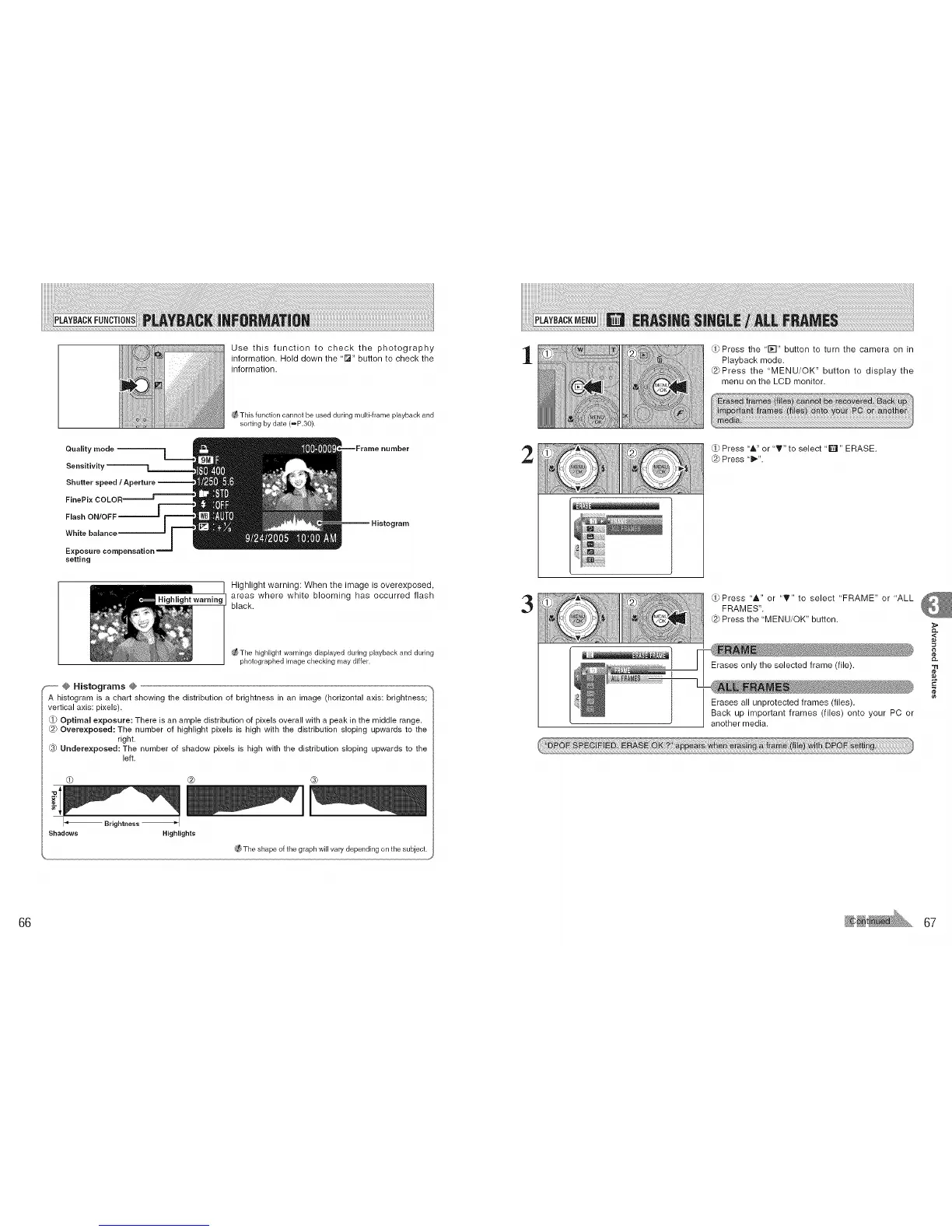
Use this function to check the photography
information. Hold down the "l_" button to check the
information.
This function cannot be used during multi-frame playback and
soding by date (=P.30).
Quality mode
Sensitivity
Shutter
--Frame number
Flash ON/OFF
White balance
Exposure compensation
setting
Histogram
Highlight warning: When the image is overexposed,
Highlightwarning areas where white blooming has occurred flash
black.
The highlight warnings displayed during playback and during
photographed image checking may differ.
_-- @ Histograms @ --,
A histogram is a chart showing the distribution of brightness in an image (horizontal axis: brightness;
vertical axis: pixels).
Optimal exposure: There is an ample distribution of pixels overall with a peak in the middle range.
@ Overexposed: The number of highlight pixels is high with the distribution sloping upwards to the
right.
Underexposed: The number of shadow pixels is high with the distribution sloping upwards to the
left,
@ ®
I_ Brightness I
Shadows Highlights
The shape of the graph wifl vary depending on the subject.
1
2
3
_Press the '1;-I" button to turn the camera on in
Playback mode.
@Press the "MENU/OK" button to display the
menu on the LCD monitor.
(,ji'
Press '&" or "_!'" to select "Q" ERASE.
@ Press "1_".
Press "A" or "T" to select "FRAME" or "ALL
FRAMES".
@ Press the 'MENU/OK" button.
Erases only the selected frame (file).
Erases all unprotected frames (files).
Back up important frames (files) onto your PC or
another media.
,<
"tl
¢e
66 67











 To Next Page