1
2
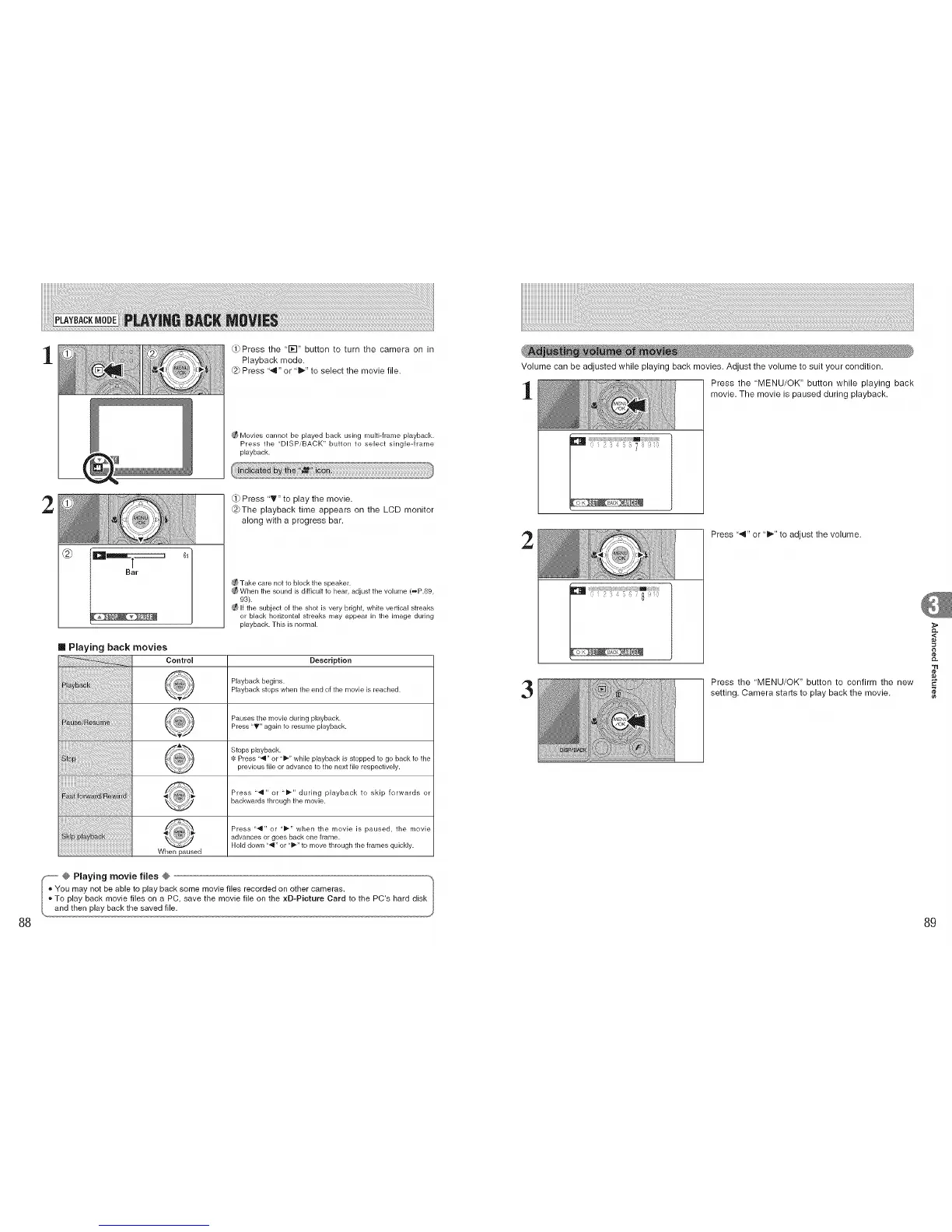
Press the '1_-I" button to turn the camera on in
Playback mode.
@ Press "4" or "_" to select the movie file.
Movies cannot be played back using multi-frame playback.
Press the "DISPiBACK" button to select single-frame
playback.
Q) Press 'T" to play the movie.
@The playback time appears on the LCD monitor
along with a progress bar.
@
I
Bar
Take care not to block the speaker.
When the sound is difficult to hear, adjust the volume (_P.89,
93).
If the subject of the shot is very bright, white verLical streaks
or black horizontal streaks may appear in the image during
playback. This is normal.
[] Playing back movies
Control Description
Playback begins.
Playback stops when the end of the movie is reached.
P.....rh.....iodur, 0p,ayback
Press "_'" again to resume playback.
Stops playback.
Press ",9" or "i_" while playback is stopped to go back to the
....................... previous file or advance to the next file respectively.
Press "4" or "_-" during playback to skip forwards or
backwards through the movie.
When paused
Press "'q" or <'_-" when the movie is paused, the movie
advances or goes back one frame.
Hold down ",9" or "_-" to move through the frames quickly.
Volume can be adjusted while playing back movies. Adjust the volume to suit your condition.
Press the 'MENU/OK" button while playing back
movie. The movie is paused during playback.
2
Press "._1" or "1_" to adjust the volume.
3
Press the 'MENU/OK" button to confirm the new
setting. Camera starts to play back the movie.
,<
¢e
88 89











 To Next Page