54
1
2
3
4
r+7 ] i
EL •
[] 320 F5,6
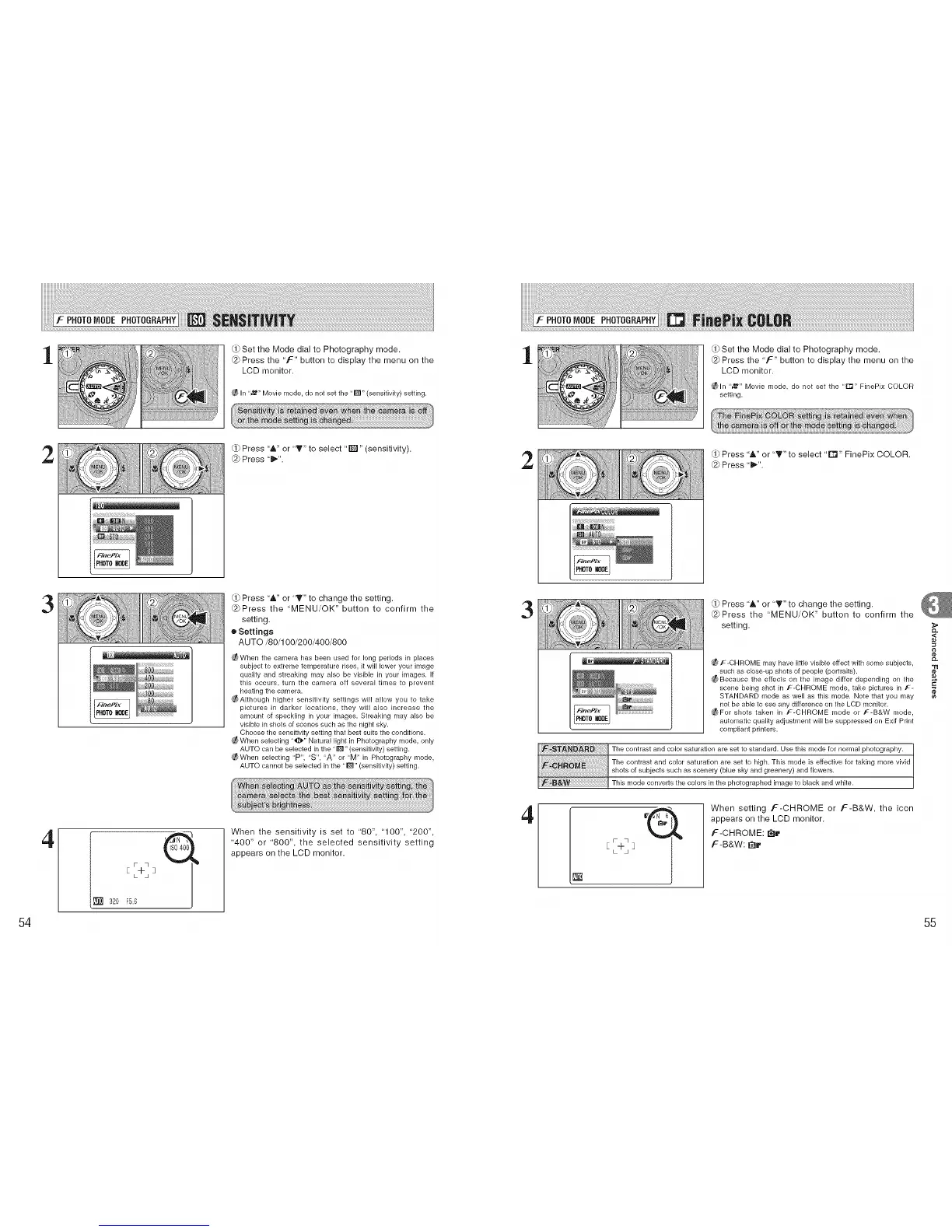
Set the Mode dial to Photography mode.
@ Press the 'F" button to display the menu on the
LCD monitor.
In "_" Movie mode, do not set the "[]" (sensitivity) setting.
Press "&" or "T" to select "1_" (sensitivity).
@ Press "ll_".
Press "A" or "T" to change the setting.
@Press the "MENU/OK" button to confirm the
setting.
o Settings
AUTO/80/100/200/400/800
_When the camera has been used for long periods in places
subject to extreme temperature rises, it will lower your image
quality and streaking may also be visible in your images. If
this occurs, turn the camera off several times to prevent
heating the camera.
_AIthough higher sensitivity settings will allow you to take
pictures in darker locations, they will also increase the
amount of speckling in your images. Streaking may also be
visible in shots of scenes such as the night sky.
Choose the sensitivity setting that best suits the conditions.
When selecting "_" Natural light in Photography mode, only
AUTO can be selected in the "[]" (sensitivity) setting.
_When selecting "P", "S", "A" or "M" in Photography mode,
AUTO cannot be selected in the "[]" (sensitivity) setting.
When the sensitivity is set to "80", '100", "200",
"400" or '800", the selected sensitivity setting
appears on the LCD monitor.
1
rd>Set the Mode dial to Photography mode.
@ Press the 'F" button to display the menu on the
LCD monitor.
_ln "_" Movie mode, do not set the ,'rl'_" FinePix COLOR
setting.
2
Press "A" or "T" to select "D" FinePix COLOR.
@ Press "_".
3
Press '&" or '_'" to change the setting.
@Press the "MENU/OK" button to confirm the
setting.
4
_ f-CHROME may have little visible effect with some subjects,
such as close-up shots of people (portraits).
_ Because the effects on the image differ depending on the
scene being shot in F-CHROME mode, take pictures in F-
STANDARD mode as well as this mode. Note that you may
not be able to see any difference on the LCD monitor.
_For shots taken in F-CHROME mode or F-B&W mode,
automatic quality adjustment will be suppressed on Exif Print
cor_lplia nt printers.
The contrast and color saturation are set to standard. Use this mode for normal photography.
The contrast and color saturation are set to high. This mode is effective for taking r_lore vivid
shots of subjects such as scenery (blue sky and greenery) and flowers.
This mode converts the colors in the photographed image to black and white.
[ L-ILj ]
When setting F-CHROME or F-B&W, the icon
appears on the LCD monitor.
F-CHROME: I_r
F-B&W: r_r
<
¢e
55











 To Next Page