4
5
fpriot'l/
mel|
!
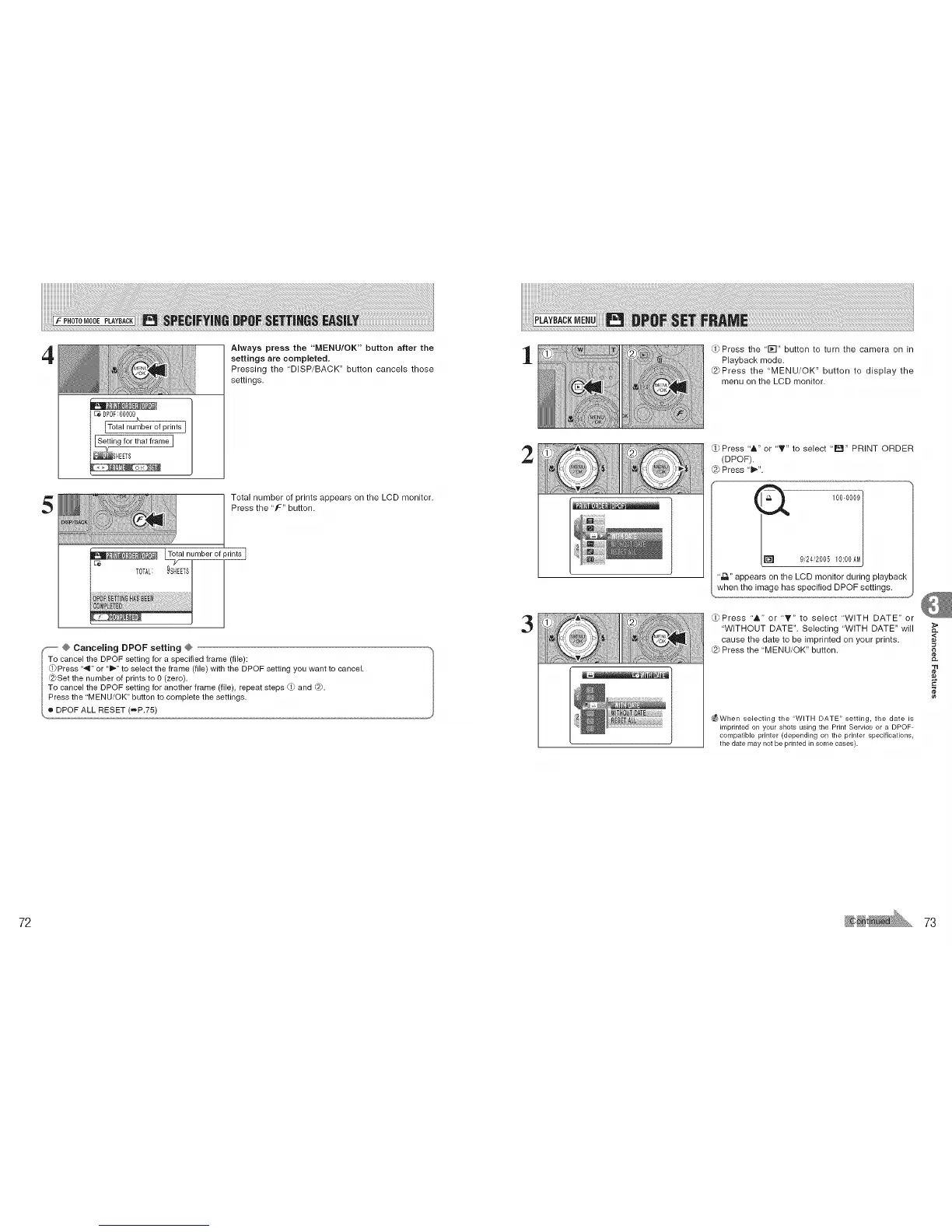
-- Always press the "MENU/OK" button after the
settings are completed.
Pressing the "DISP/BACK" button cancels those
settings.
Total number of prints appears on the LCD monitor.
Press the "f" button.
h_al number of prints I
9SHEETS
: ::1 t
--' @ Canceling DPOF setting @
To cancel the DPOF setting for a specified frame (file):
0)Press "41" or "_" to select the frame (file) with the DPOF setting you want to cancel,
@Set the number of pnnts to 0 (zero),
• _
To cancel the DPOF setting for another frame (file), repeat steps d_ and _.
_ Press the "MENU/OK" button to complete the settings.
l,o DPOF ALL RESET (=,P.75)
1
2
3
_Press the flY-I" button to turn the camera on in
Playback mode.
@Press the "MENU/OK" button to display the
menu on the LCD monitor.
Press "A" or 'T" to select ' Iral" PRINT ORDER
(DPOF).
Press "1_".
1000009 /
9,_24_'200510:00AM
",D." appears on the LCD monitor during playback
when the image has specified DPOF settings.
_OPress "&" or "T" to select "WITH DATE" or
"WITHOUT DATE". Selecting "WITH DATE" will
cause the date to be imprinted on your prints.
Press the 'MENU/OK" button.
_When selecting the "WITH DATE" setting, the date is
imprinted on your shots using the Print Service or a DPOF-
compatible printer (depending on the printer specifications,
the date may not be printed in some cases)•
,<
"tl
72 73











 To Next Page