28
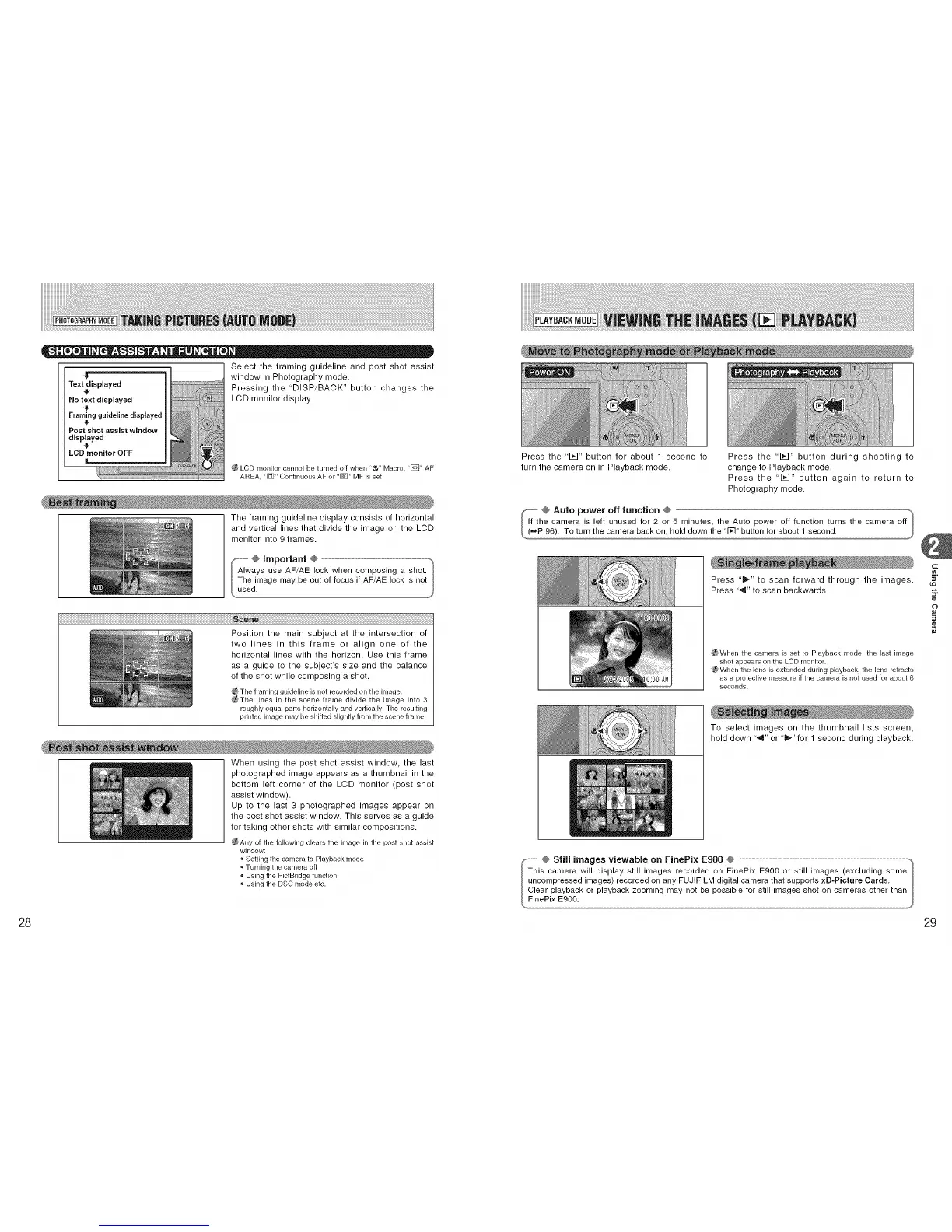
Select the framing guideline and post shot assist
"_" window in Photography mode.
Text displayed Pressing the "DISP/BACK" button changes the
No text displayed LCD monitor display.
4p
Framing guideline displayed
Post shot assist window
displayed
LCD monitor OFF
LCD monitor cannot be turned off when "_" Macro, "[]" AF
AREA, "_" Continuous AF or "_" MF is set.
The framing guideline display consists of horizontal
and vertical lines that divide the image on the LCD
monitor into 9 frames.
(_ @ important @
I Always use AF/AE lock when composing a shot.
I The image may be out of focus if AF/AE lock is not
_,,used.
iiiiiiiiiiiiiiiiiiiiiiiiiiiiiiiiiiiiiiiiiiiiiiiiiiiiiiiiiiiiiiiiiiiiiiiiiiiiiiiiiiiiiiiiiiiiiiiiiiiiiiiiiiiiiiiiiiiiiiiiiiiiiiiiiiiiiiiiiiiiiiiiiiiiiiiiiiiiiiiiiiiiiii
Position the main subject at the intersection of
two lines in this frame or align one of the
horizontal lines with the horizon. Use this frame
as a guide to the subject's size and the balance
of the shot while composing a shot.
_The framing guideline is not recorded on the image.
_The lines in the scene frame divide the hnage into 3
roughly equal parts horizontallyand vertically. The resulting
printed image may be shifted slightly from the scene frame.
When using the post shot assist window, the last
photographed image appears as a thumbnail in the
bottom left corner of the LCD monitor (post shot
assist window).
Up to the last 3 photographed images appear on
the post shot assist window. This serves as a guide
for taking other shots with similar compositions.
®Any of the following clears the image in the post shot assist
window:
Setting the camera to Playback mode
Turning the camera off
o Usingthe PictBridgefunction
Usingthe DSC modeetc.
Press the "1_1" button for about 1 second to
turn the camera on in Playback mode.
Press the "1_1" button during shooting to
change to Playback mode.
Press the "1_1" button again to return to
Photography mode.
Press 'i_." to scan forward through the images.
Press "_11"to scan backwards.
_ When the carnera is set to Playback mode, the last image
shot appears on the LCD monik)r.
_ When the lens is extended during playback, the lens retracts
as a protective rneasure if the ca['_lera is not used for about 6
seconds.
To select images on the thumbnail lists screen,
hold down ",,9" or "l_" for 1 second during playback.
@ Still images viewable on FinePix Ego0 @ ._
This camera will display still images recorded on FinePix E900 or still images (excluding some
I uncompressed images) recorded on any FUJIFILM digital camera that supports xD-Picture Cards.
I Clear playback or playback zooming may not be possible for still images shot on cameras other than
!_FinePix E900.
C
O
29











 To Next Page