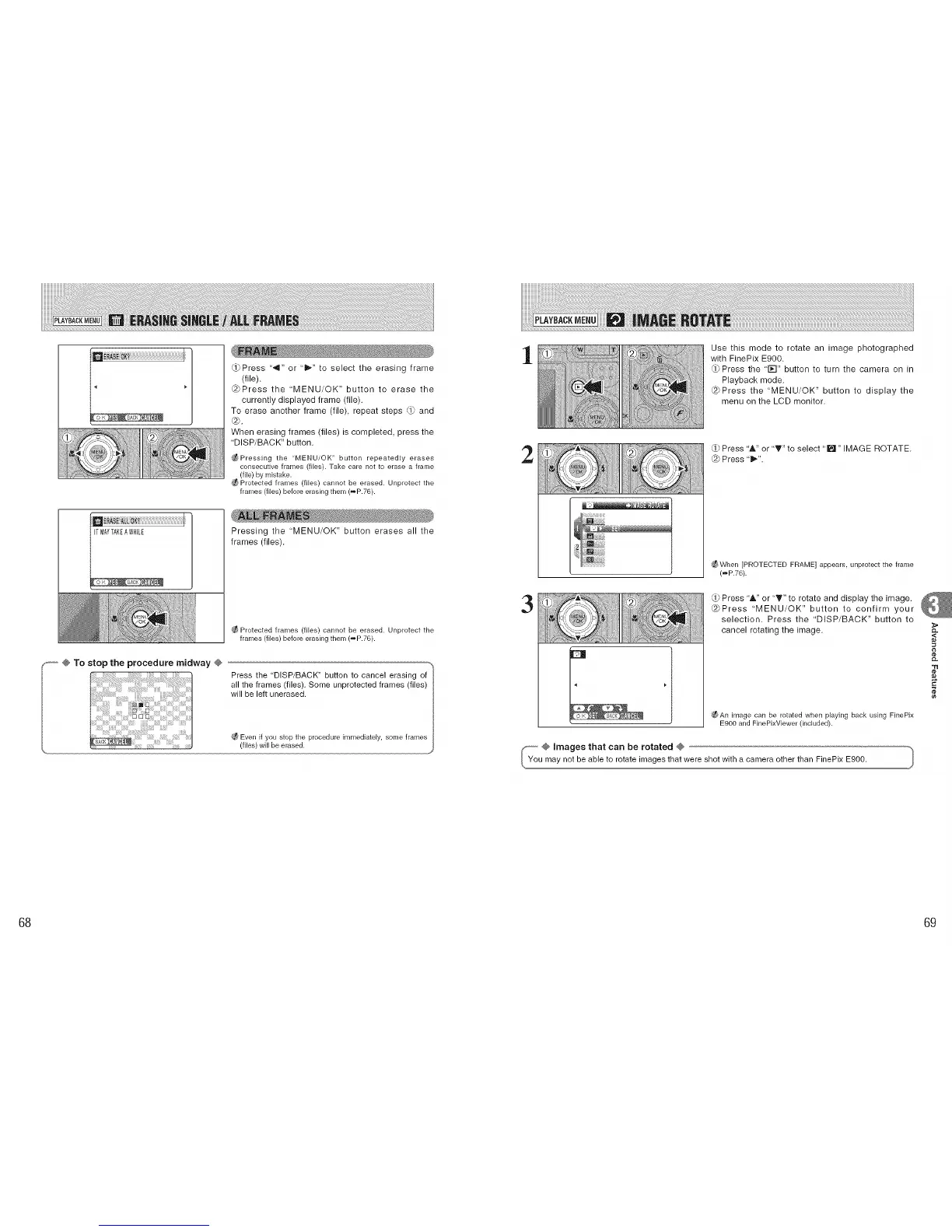
_Press '_" or "_" to select the erasing frame
(file).
@Press the 'MENU/OK" button to erase the
currently displayed frame (file).
To erase another frame (file), repeat steps _ and
®.
When erasing frames (files) is completed, press the
"DISP/BACK" button.
_Pressing the "MENU/OK" button repeatedly erases
consecutive frames (files). Take care not to erase a frame
(file) by mistake.
Protected frames (files) cannot be erased. Unprotect the
frames (files) before erasing them (_P.76).
Pressing the "MENU/OK" button erases all the
frames (files).
_-- @ To stop the procedure midway @
Protected frames (flies) cannot be erased. Unprotect the
frames (files) before erasing them (_P.76).
Press the "DISP/BACK" button to cancel erasing of
all the frames (files). Some unprotected frames (files)
will be left unerased.
_t_ Even if you stop the procedure immediately, some frames
(files) will be erased.
1
Use this mode to rotate an image photographed
with FinePix E900.
_Press the '1_-I" button to turn the camera on in
Playback mode.
@Press the "MENU/OK" button to display the
menu on the LCD monitor.
2
Press & or "T" to select "[]" IMAGE ROTATE.
Press 't_".
g_ When [PROTECTED FRAME] appears, unprotect the frame
(_P.7G).
3
Press 'A or "T" to rotate and display the image.
@Press "MENU/OK" button to confirm your
selection. Press the 'DISP/BACK" button to
cancel rotating the image.
_f_An image can be rotated when playing back using FinePix
E900 and FinePixViewer (included).
@ images that can be rotated @
u may not be able to rotate images that were shotwith a camera other than FinePix E900.
,<
¢e
68 69











 To Next Page