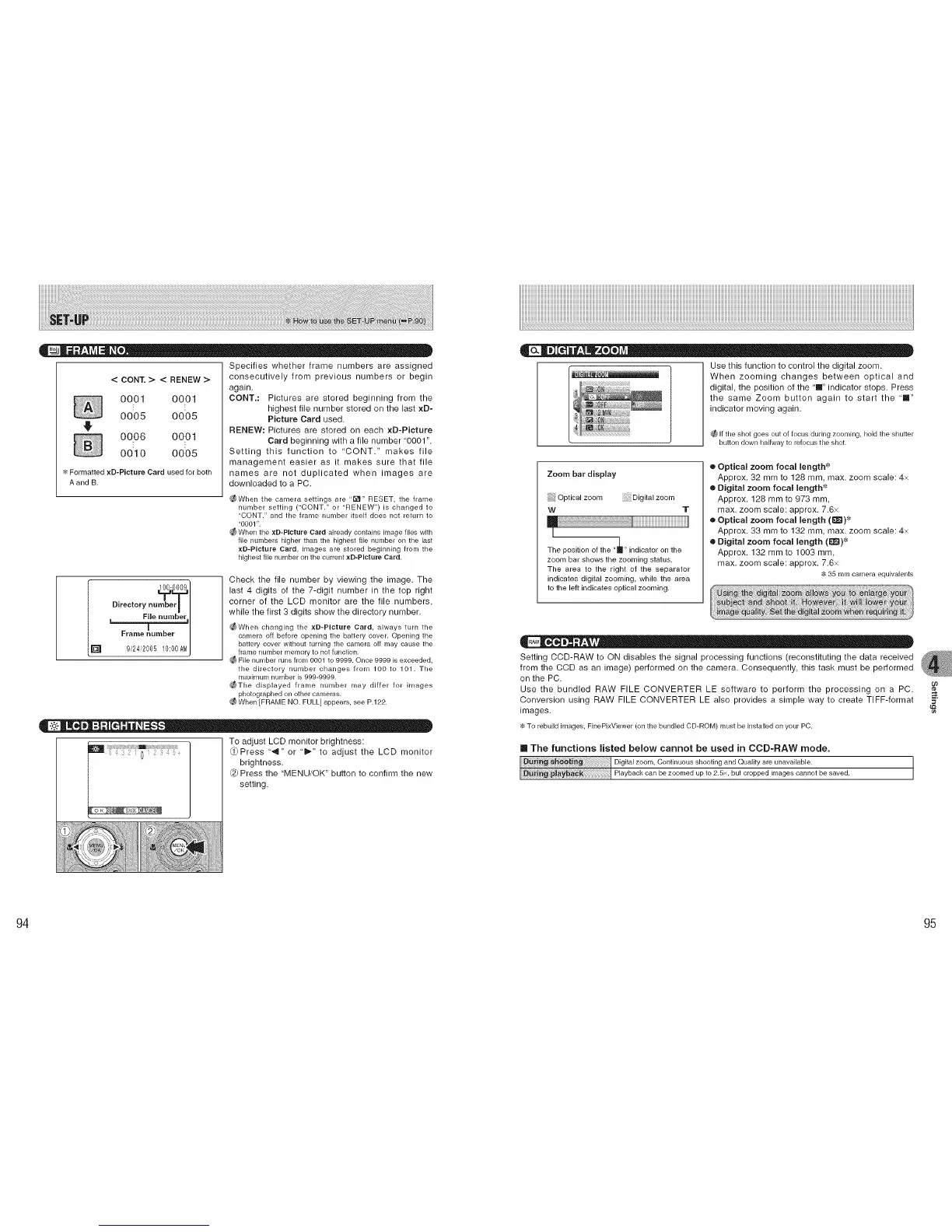
Specifies whether frame numbers are assigned
< CONT. > < RENEW > consecutively from previous numbers or begin
again.
0001 0001 CONT.: Pictures are stored beginning from the
i highest file number stored on the last xD-
0005 0005 Picture Card used.
RENEW: Pictures are stored on each ×D-Picture
0006 0001 Card beginning with a file number '0001 ".
0010 0005 Setting this function to 'CONT." makes file
management easier as it makes sure that file
SFormattedxD-PictureCard used for both names are not duplicated when images are
A and B. downloaded to a PC.
4
_When the camera settings are "1_" RESET, the frame
number setting ("CONT." or "RENEW") is changed to
"CONT." and the frame number itself does not return to
"0001 ".
_When the xD-Plcture Card already contains image files with
file numbers higher than the highest file number on the last
xD-Plcture Card. images are stored beginning from the
highest file number on the current xD-Plcture Card.
L_-00M
Directory numb_er_/
File number
Frame Inumber
[] 9,'24,'200510:00 AM
Check the file number by viewing the image. The
last 4 digits of the 7-digit number in the top right
corner of the LCD monitor are the file numbers,
while the first 3 digits show the directory number.
_When changing the xD-PIcture Card, always turn the
camera off before opening the battery cover. Opening the
battery cover without turning the camera off may cause the
frame number memory to not function.
File number runs from 0001 to 9999. Once 9999 is exceeded,
the directory number changes from 100 to 101. Tile
maximum number is 999-9999.
_The displayed frame number may differ for images
photographed oil other cameras.
_When ]FRAME NO. FULL] appears, see P.122.
To adjust LCD monitor brightness:
_Press "q" or "l_" to adjust the LCD monitor
brightness.
@ Press the "MENU/OK" button to confirm the new
setting.
Use this function to control the digital zoom.
When zooming changes between optical and
digital, the position of the 'Ill" indicator stops. Press
the same Zoom button again to start the 'm"
indicator moving again.
_ If the shot goes out of focus during zooming, hold the shutter
button down halfway to refocus the shot.
Zoom bar display
{ Optical zoom Digital zoom
W T
ml I I
I
/
The position of the 'i" indicator on the
zoom bar shows the zooming status.
The area to the right of the separator
indicates digital zooming, while the area
to the left indicates optical zooming.
e Optical zoom focal length ¢
Approx. 32 mm to 128 mm, max. zoom scale: 4x
e Digital zoom focal length >_
Approx. 128 mm to 973 mm,
max. zoom scale: approx. 7.6x
e Optical zoom focal length (_)¢
Approx. 33 mm to 132 mm, max. zoom scale: 4x
• Digital zoom focal length (8_)""
Approx. 132 mm to 1003 mm,
max. zoom scale: approx. 7.6x
$ 35 mm camera equivalents
Setting CCD-RAW to ON disables the signal processing functions (reconstituting the data received
from the CCD as an image) performed on the camera. Consequently, this task must be performed
on the PC.
Use the bundled RAW FILE CONVERTER LE software to perform the processing on a PC.
Conversion using RAW FILE CONVERTER LE also provides a simple way to create TIFF-format
images.
$ To rebuild images, FinePixViewer (oil the bundled CD-ROM) mustbe installed oil your PC.
[] The functions listed below cannot be used in CCD-RAW mode.
09
¢{2
¢e
94 95











 To Next Page