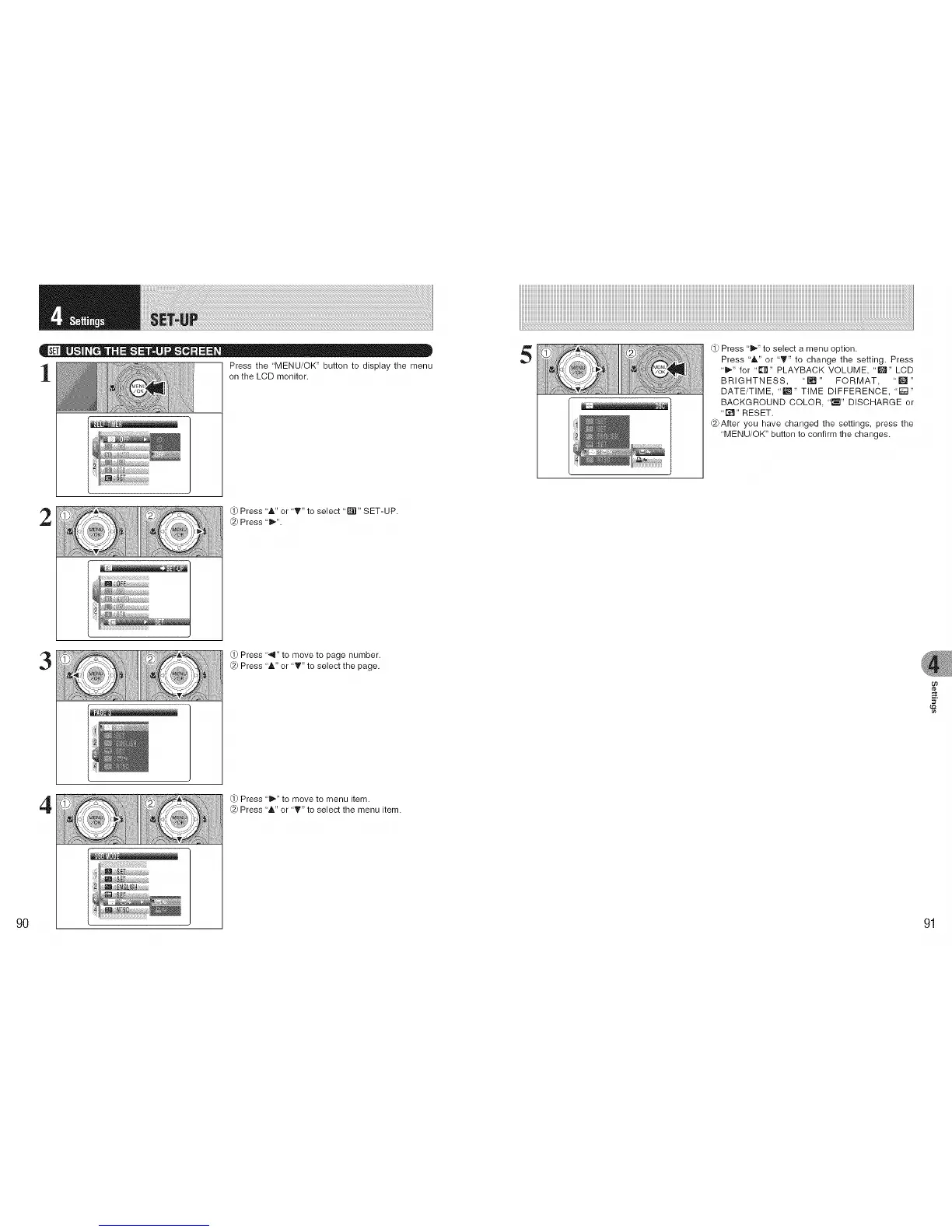
Press the 'MENU/OK" button to display the menu
on the LCD monitor.
5
Press 'i_" to select a menu option.
Press 'A" or "T" to change the setting. Press
"D,." for "€[_" PLAYBACK VOLUME, "[]" LCD
BRIGHTNESS, "[] " FORMAT, "['_ "
DATE/TIME, 'm" TIME DIFFERENCE, 'I;;;:1"
BACKGROUND COLOR, "_'_" DISCHARGE or
"[_" RESET.
@After you have changed the settings, press the
"MENU/OK" button to confirm the changes.
2
Press "A" or "T" to select "_'il" SET-UP.
@ Press "_".
3
Press ".111"to move to page number.
@ Press "A" or "T" to select the page.
oo
¢e
9O
4
Q) Press '_" to move to menu item.
@ Press "A" or "T" to select the menu item.
91











 To Next Page