4
5
6
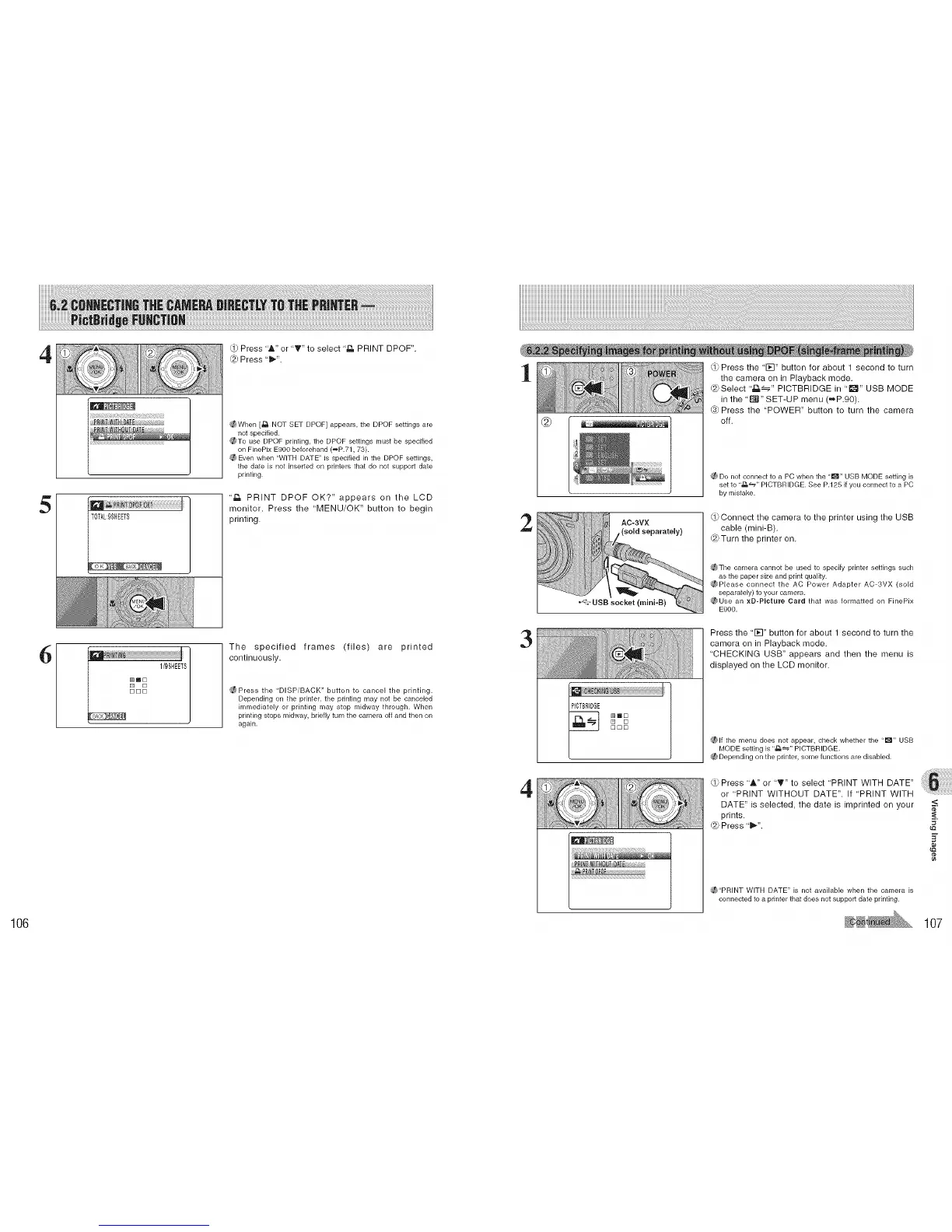
Press 'A" or 'T" to select ,z_ PRINT DPOF".
@ Press "_".
_When [£_ NOT SET DPOF} appears, the DPOF settings are
not specified.
_To use DPOF printing, the DPOF settings must be specified
on FinePix E900 beforehand (_P.71, 73).
(/_ Even when "WITH DATE" is specified in the DPOF settings,
the date is not insetted on printers that do not support date
printing.
"_, PRINT DPOF OK?" appears on the LCD
monitor. Press the "MENU/OK" button to begin
printing.
The specified frames (files) are printed
continuously.
_Press the "DISPiBACK" button to cancel the printing.
Depending on the printer, the printing may not be canceled
immediately or printing may stop midway through. When
printing stops midway, briefly turn the camera off and then on
again.
,.v Press the "1_-I" button for about 1 second to turn
the camera on in Playback mode.
(8}Select '_._" PICTBRIDGE in "l_" USB MODE
in the 'E_" SET-UP menu (_P.90).
@ Press the "POWER" button to turn the camera
@ _l_li_d_ off.
_f_Do not connect to a PC when the "_" USB MODE setting is
setto ..£L_,, PICTBRIDGE. See P.125 if you connectto a PC
by mistake.
2
AC-3VX
(sold separately)
,_}Connect the camera to the printer using the USB
cable (mini-B).
(8}Turn the printer on.
_The camera cannot be used to specify printer settings such
as the paper size and print quality.
@Please connect the AC Power Adapter AC-3VX (sold
separately) kp your camera.
_,_Use an xD-PIcture Card that was formatted on FinePix
E900.
3
[] []
[][3[]
Press the "1_-I" button for about 1 second to turn the
camera on in Playback mode.
'CHECKING USB" appears and then the menu is
displayed on the LCD monitor.
(_lf the menu does not appear, check whether the "1_" USB
MODE setting is "J:_" PICTBRIDGE.
(_ Depending on the printer, some functions are disabled.
4
,_}Press "_" or "_" to select "PRINT WITH DATE"
or "PRINT WITHOUT DATE". If 'PRINT WITH
DATE" is selected, the date is imprinted on your
prints.
dS}Press "_".
(_"PRINT WITH DATE" is not available when the ca['_lera is
connected tip a printer that does not suppor_ date printing.
<
¢e
106 107











 To Next Page