48
1
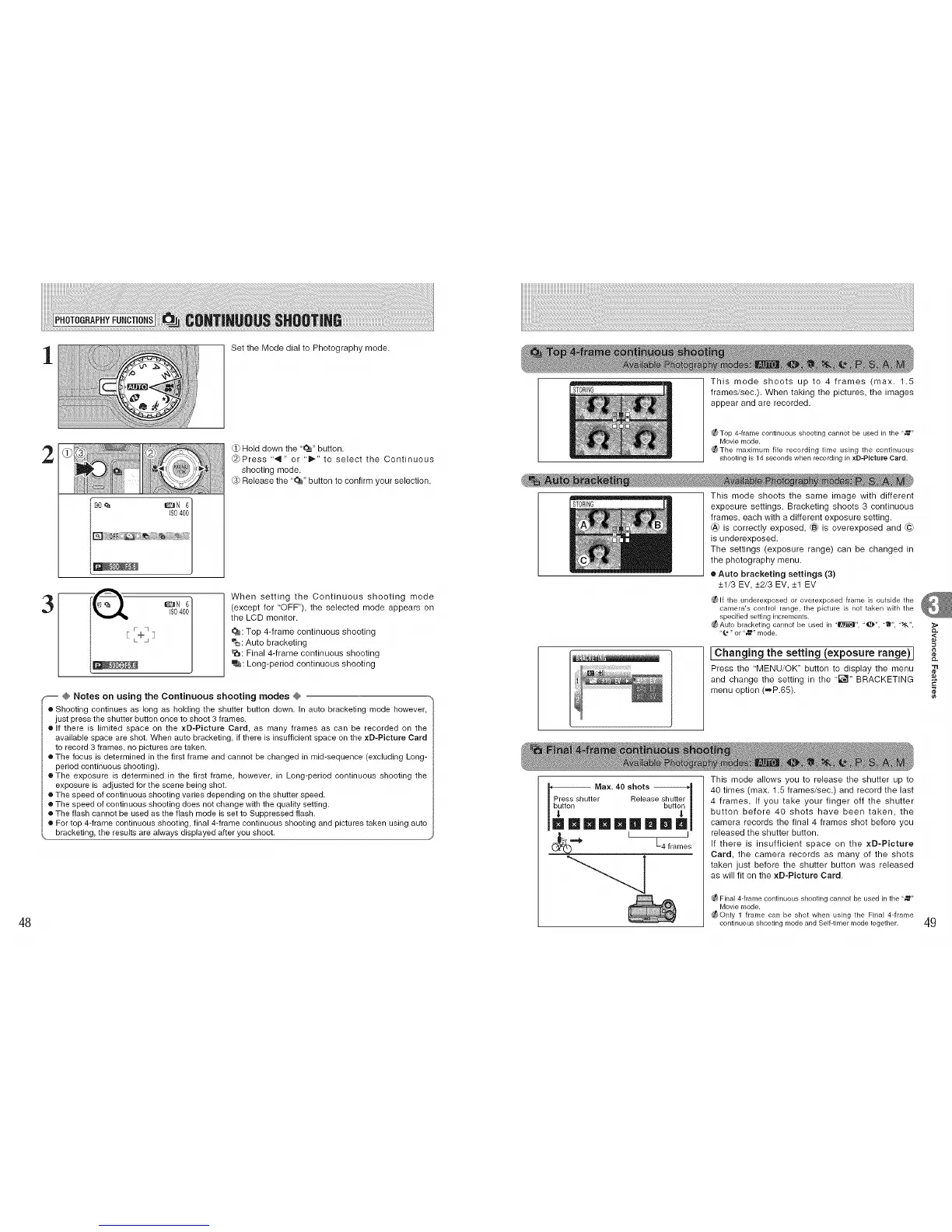
Set the Mode dial to Photography mode.
2
(:1)Hold down the '_" button.
@)Press ",,9" or 'ill"" to select the Continuous
shooting mode.
@) Release the '_" button to confirm your selection.
3
When setting the Continuous shooting mode
(except for 'OFF"), the selected mode appears on
the LCD monitor.
_: Top 4-frame continuous shooting
eo: Auto bracketing
P_: Final 4-frame continuous shooting
e_j: Long-period continuous shooting
,_ @ Notes on using the Continuous shooting modes @ °,
o Shooting continues as long as holding the shutter button down. In auto bracketing mode however,
just press the shutter button once to shoot 3 frames.
o If there is limited space on the xD-Plcture Card, as many frames as can be recorded on the
available space are shot. When auto bracketing, if there is insufficient space on the xD-Picture Card
to record 3 frames, no pictures are taken.
o The focus is determined in the first frame and cannot be changed in mid-sequence (excluding Long-
period continuous shooting).
e The exposure is determined in the first frame, however, in Long-period continuous shooting the
exposure is adjusted for the scene being shot.
o The speed of continuous shooting varies depending on the shutter speed.
• The speed of continuous shooting does not change with the quality setting.
o The flash cannot be used as the flash mode is set to Suppressed flash.
o For top 4-frame continuous shooting, final 4-frame continuous shooting and pictures taken using auto
bracketing, the results are always displayed after you shoot.
STORING
This mode shoots up to 4 frames (max. 1.5
frames/sec.). When taking the pictures, the images
appear and are recorded.
_f_ Top 4-frame continuous shooting cannot be used in the "_"
Movie mode.
_The maximum file recording time using the continuous
shooting is 14 seconds when recording in xD-PIcture Card.
This mode shoots the same image with different
STORING exposure settings. Bracketing shoots 3 continuous
frames, each with a different exposure setting.
_,_ is correctly exposed, I_ is overexposed and (@
is underexposed.
The settings (exposure range) can be changed in
the photography menu.
• Auto bracketing settings (3)
+1/3 EV, +2/3 EV, +1 EV
_ If the underexposed or overexposed frame is outside the
camera's control range, the picture is not taken with the
specified setting increments.
_ Auto bracketing cannot be used in "m", "_", "_", ,,t,g,,,
%*" or "_" mode.
IChanging the setting (exposure range) I
Press the "MENU/OK" button to display the menu
and change the setting in the "_" BRACKETING
menu option (=P.65).
_l,,_t Max. 40 shots
er Release sbhuttt_
la l@Imla l! m
' L+t+e's
This mode allows you to release the shutter up to
40 times (max. 1.5 frames/sec.) and record the last
4 frames. If you take your finger off the shutter
button before 40 shots have been taken, the
camera records the final 4 frames shot before you
released the shutter button.
If there is insufficient space on the xD-Picture
Card, the camera records as many of the shots
taken just before the shutter button was released
as will fit on the xD-Picture Card.
_ Final 4-frame continuous shooting cannot be used in the "_"
Movie mode.
_ Only 1 frame can be shot when using the Fina[ 4-frame
continuous shooting mode and Self-timer mode together.
"tl
¢e
49











 To Next Page