74
4
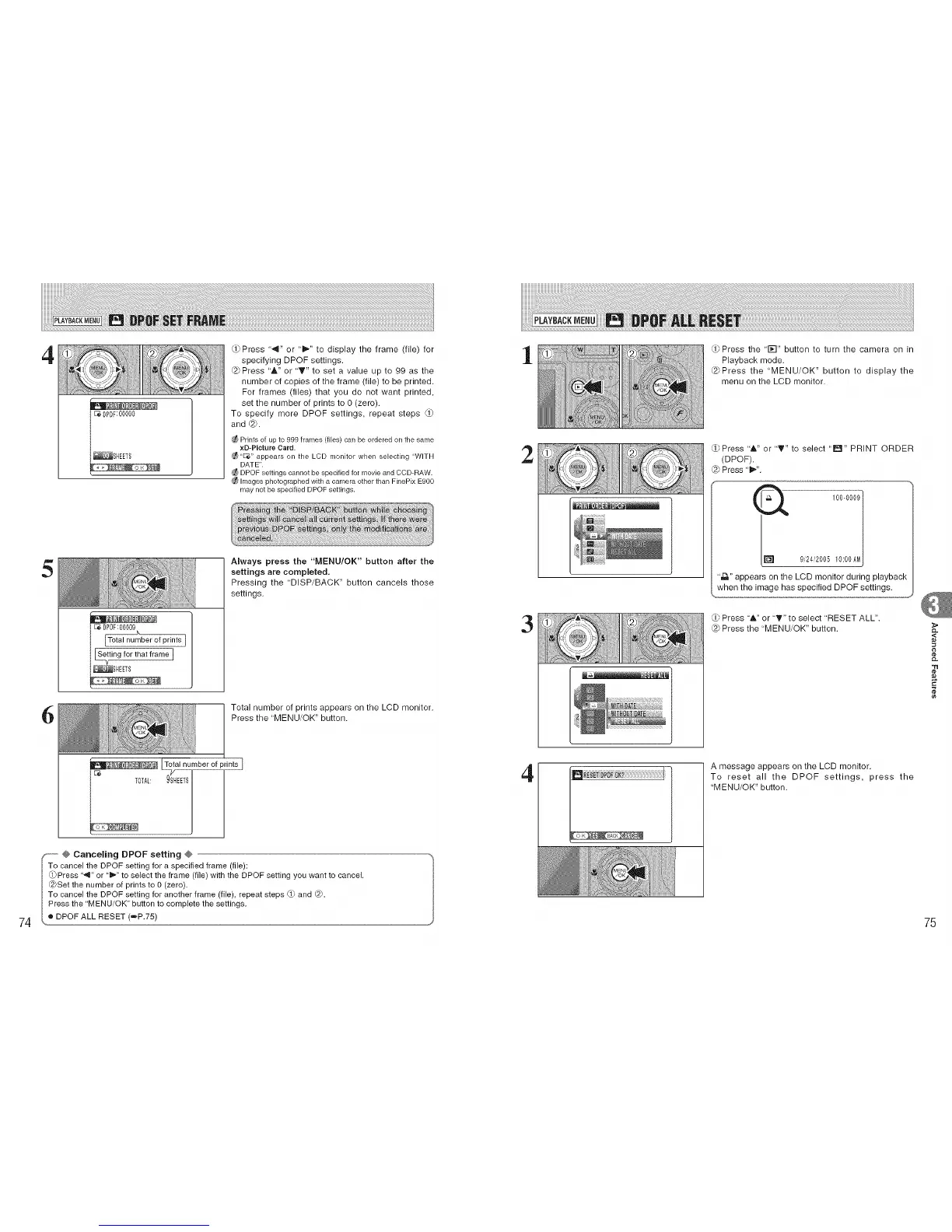
Press ',,,I" or 'i1_" to display the frame (file) for
specifying DPOF settings.
@ Press 'A" or "_" to set a value up to 99 as the
number of copies of the frame (file) to be printed.
For frames (files) that you do not want printed,
set the number of prints to 0 (zero).
To specify more DPOF settings, repeat steps
and @.
Prints of up to 999 frames (flies) can be ordered on the same
xD-PIcture Card.
"D_" appears on the LCD monitor when selecting "WITH
DATE".
DPOF settings cannot be specified for movie and CCD-RAW.
hnages photographed with a camera other than FinePix E900
may not be specified DPOF settings.
5
-- Always press the "MENU/OK" button after the
settings are completed.
Pressing the "DISP/BACK" button cancels those
settings.
/
bet of prints I/
el /
!
6
Total number of prints appears on the LCD monitor.
_ _fal number of pdnt_sross the "MENU/OK" button.
9_HEETS
÷ Canceling DPOF setting @
cancel the DPOF setting for a specified frame (file):
ress "_1" or "1_" to select the frame (file) with the DPOF setting you want to cancel.
I @Set the number of prints to 0 (zero).
ITo cancel the DPOF setting for another frame (file), repeat steps 0_ and @.
I Press the "MENU/OK" button to complete the settings.
• DPOF ALL RESET (raP.75)
1
2
3
4
_Press the '1;-I" button to turn the camera on in
Playback mode.
@Press the "MENU/OK" button to display the
menu on the LCD monitor.
Press "A" or "T" to select "lral" PRINT ORDER
(DPOF).
@ Press "1_,".
1000009 /
9,'24,'200510:00AM
",D." appears on the LCD monitor during playback
when the image has specified DPOF settings.
O/b
Press 'A" or "T" to select 'RESET ALL".
{2) Press the "MENU/OK" button.
A message appears on the LCD monitor.
To reset all the DPOF settings, press the
"MENU/OK" button.
£L
<
75











 To Next Page