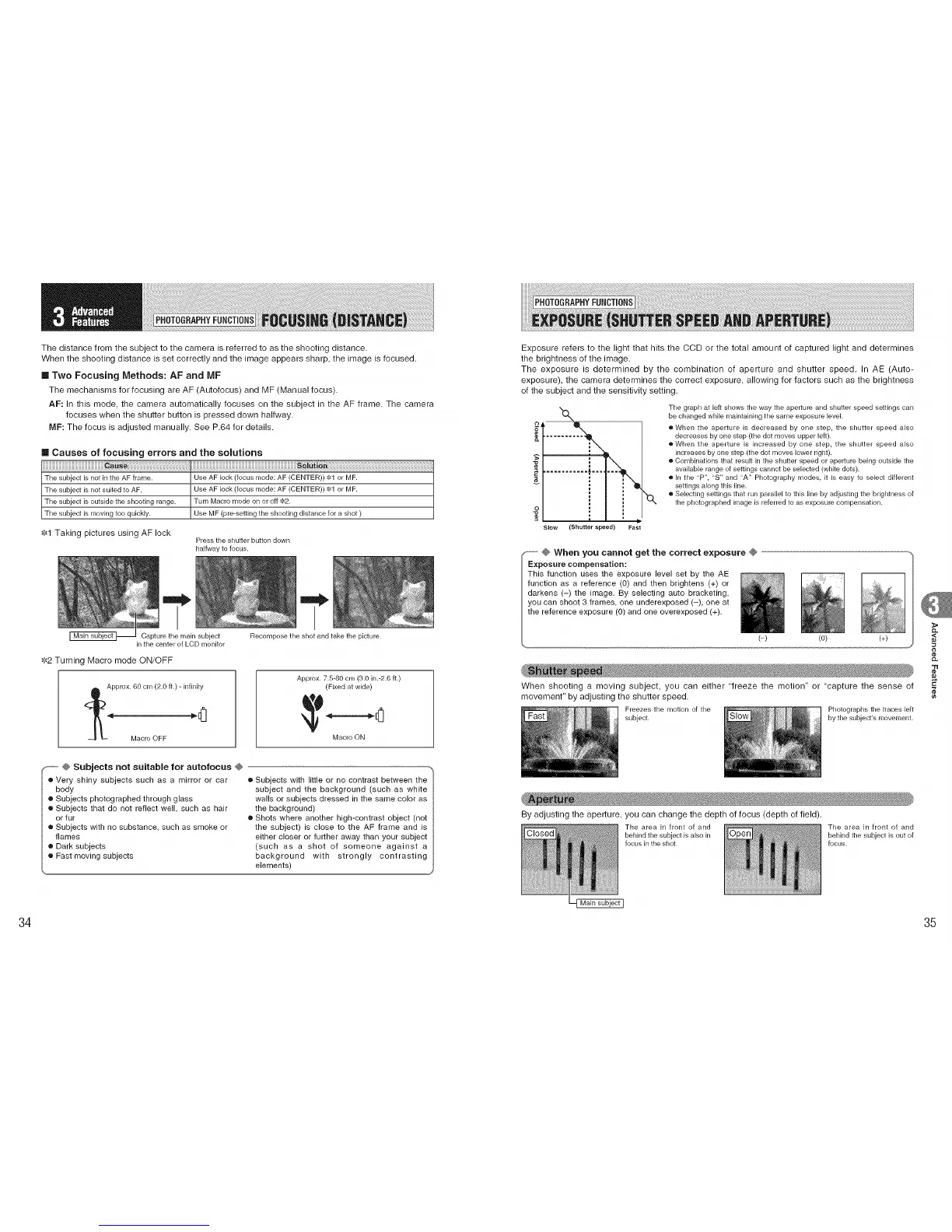
The distance from the subject to the camera is referred to as the shooting distance.
When the shooting distance is set correctly and the image appears sharp, the image is focused.
Two Focusing Methods: AF and MF
The mechanisms for focusing are AF (Autofocus) and MF (Manual focus).
AF: In this mode, the camera automatically focuses on the subject in the AF frame. The camera
focuses when the shutter button is pressed down halfway.
MF: The focus is adjusted manually. See P.64 for details.
m Causes of focusing errors and the solutions
The subject is not inthe AF frame. Use AF lock (focus mode: AF (CENTER)) :_1or MF.
The subject is not suited to AF. Use AF lock (focus mode: AF (CENTER)) 81 or MF.
The subject is outside the shooting range. Turn Macro mode on or off "4.'2.
The subject is moving too quickly. Use MF (pro-setting the shooting distance for a shot )
•1,'{1 Taking pictures using AF lock
Press the shutter button down
halfway to focus.
"t
Capture the main subject
in the center of LCD monitor
$2 Turning Macro mode ON/OFF
,_.Approx. 60 cm (2.0 ft.) - infinity
Macro OFF _ "[]_]
"t
Recomposethe shot and take the picture.
Approx. 7.5-80 cm (3.0 in.-2.6 ft.)
(Fixed at wide)
Macro ON
F_ @ Subjects not suitable for autofocus @
o Very shiny subjects such as a mirror or car
body
o Subjects photographed through glass
o Subjects that do not reflect well, such as hair
or fur
o Subjects with no substance, such as smoke or
flames
o Dark subjects
o Fast moving subjects
• Subjects with little or no contrast between the
subject and the background (such as white
walls or subjects dressed in the same color as
the background)
• Shots where another high-contrast object (not
the subject) is close to the AF frame and is
either closer or further away than your subject
(such as a shot of someone against a
background with strongly contrasting
elements)
Exposure refers to the light that hits the CCD or the total amount of captured light and determines
the brightness of the image.
The exposure is determined by the combination of aperture and shutter speed. In AE (Auto-
exposure), the camera determines the correct exposure, allowing for factors such as the brightness
ef the subject and the sensitivity setting.
........... ,_===
Slow (Shutter speed) Fast
'o,
The graph at left shows the way the aper[ure and shutter speed settings can
be changed while maintaining the same exposure level
oWhen the aperture is decreased by one step, the shutter speed also
decreases by one step (the dot moves upper left).
oWhen the aperture is increased by one step, the shutter speed also
increases by one step (the dot moves lower right).
• Combinations that result in the shutter speed or aperture being outside the
available range of settings cannot be selected (white dots).
• In the "P", "S" and "A" Photography modes, it is easy to select different
settings along this line.
• Selecting settings that run parallel to this line by adjusting the brightness of
the photographed image is referred to as exposure compensation.
........ @ When you cannot get the correct exposure @
Exposure compensation:
This function uses the exposure level set by the AE
function as a reference (0) and then brightens (+) or
darkens (-) the image. By selecting auto bracketing,
you can shoot 3 frames, one underexposed (-), one at
the reference exposure (O) and one overexposed (+).
(-) (0) (+)
When shooting a moving subject, you can either 'freeze the motion" or "capture the sense of
movement" by adjusting the shutter speed.
Freezes the morion of the Photographsthe traces left
subject, by the subject's movement.
By adjusting the aperture, you can change the depth of focus (depth ef field).
The area in front of and The area in front of and
behindthe subject is also in behind the subject is out of
focus inthe shot. focus.
CL
,<
"11
CO
34 35











 To Next Page