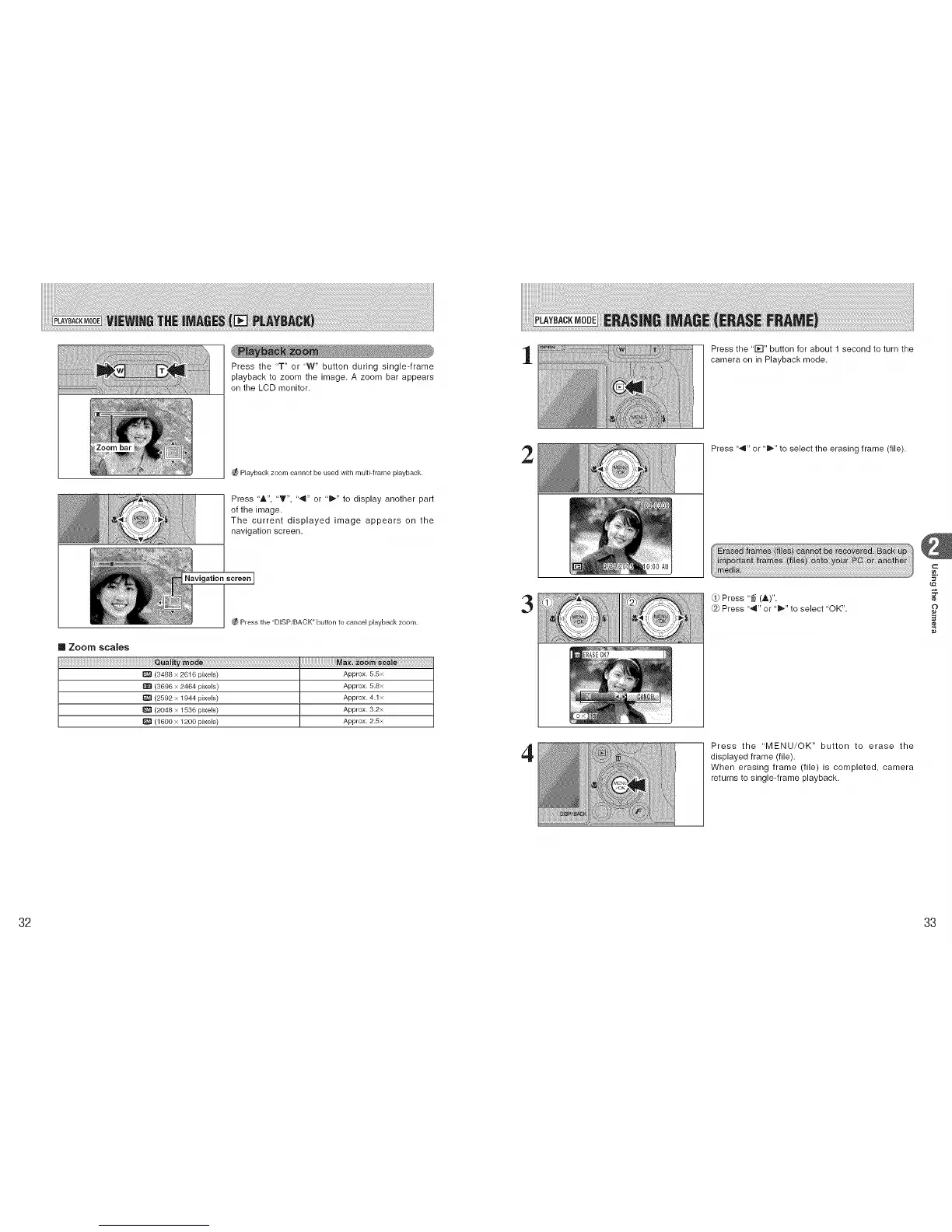
Press the "T" or 'W" button during single-frame
playback to zoom the image. A zoom bar appears
on the LCD monitor.
1
Press the ' I_-I" button for about 1 second to turn the
camera on in Playback mode.
Playback zoom cannot be used with multi-frame playback.
Press "A", "T", '",q" or "i_" to display another part
of the image.
The current displayed image appears on the
navigation screen.
Navigation screen I
Press the "DISPiBACK" button to cancel playback zoom.
[] Zoom scales
Quali
(3488 x 2616 pixels) Approx. 5.5x
I_ (3696 x 2464 pixels) Approx. 5.8x
(2592 x 1944 pixels) Approx. 4.1x
(2048 x 1536 pixels) Approx. 3.2x
(1800 x 1200 pixels) Approx. 2.8x
2
3
4
Press "4" or "_" to select the erasing frame (file).
(,ji'
Press "# (A)"
@ Press "4" or "_" to select 'OK".
Press the 'MENU/OK" button to erase the
displayed frame (file).
When erasing frame (file) is completed, camera
returns to single-frame playback.
c
o
32 33











 To Next Page