5
6
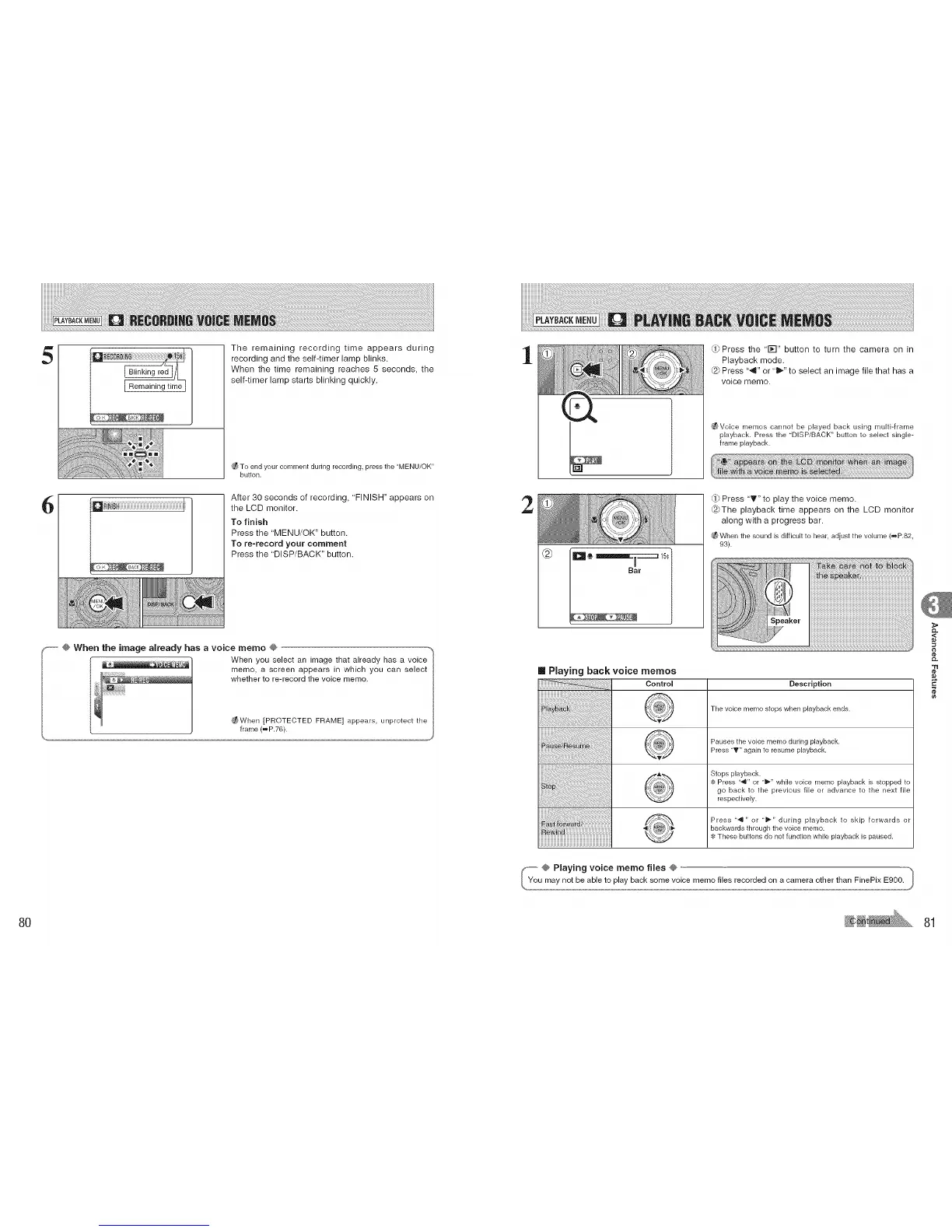
The remaining recording time appears during
recording and the self-timer lamp blinks.
When the time remaining reaches 5 seconds, the
self-timer lamp starts blinking quickly.
To end your comment during recording, press the "MENU/OK"
button.
After 30 seconds of recording, "FINISH" appears on
the LCD monitor.
To finish
Press the "MENU/OK" button.
To re-record your comment
Press the "DISP/BACK" button.
F-- @ When the image already has a voice memo @
When you select an image that already has a voice
memo, a screen appears in which you can select
whether to re-record the voice memo.
_When ]PROTECTED FRAME] appears, unprotect the
frame (_P.76).
1
2
_Press the '1_-I" button to turn the camera on in
Playback mode.
@ Press '_" or "_" to select an image file that has a
voice memo.
_ Voice memos cannot be played back using multi-frame
playback. Press the "DISPiBACK" button to select single-
frame playback.
Press 'T" to play the voice memo.
@The playback time appears on the LCD monitor
along with a progress bar.
_ When the sound is difficultto hear, adjust the volume (= P.82,
93).
[] Playing back voice memos
Control Description
The voice memo stops when playback ends.
Pauses the voice memo during playback.
Press "T" again to resume playback.
Stops playback.
Press "q" or "_-" while voice memo playback is stopped to
go back to the previous file or advance to the next file
respectively.
Press "'q " or "_-" during playback to skip forwards or
_irl_ backwards through the voice memo.
These buttons do not function while playback is paused.
,<
¢e
80 81











 To Next Page