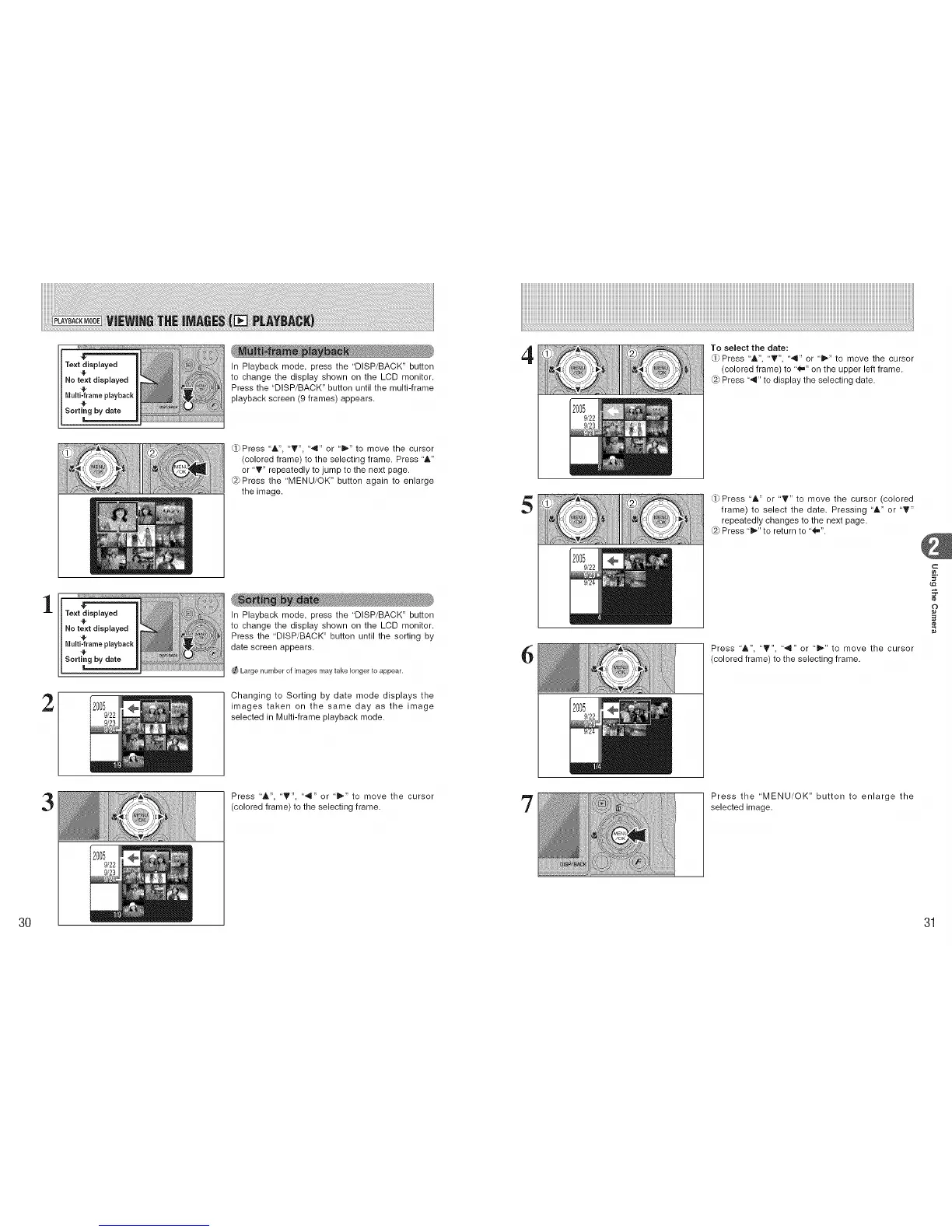
In Playback mode, press the 'DISP/BACK" button
to change the display shown on the LCD monitor.
Press the "DISP/BACK" button until the multi-frame
playback screen (9 frames) appears.
4
To select the date:
Press "&", "T", "'q" or "!b." to move the cursor
(colored frame) to "_" on the upper left frame.
Press "4" to display the selecting date.
1
2
MENL_ i
/OK _ '/" H,,
Text displayed
Press 'A", '_", "',9" or '_'" to move the cursor
(colored frame) to the selecting frame. Press "A"
or 'T" repeatedly to jump to the next page.
@ Press the 'MENU/OK" button again to enlarge
the image.
In Playback mode, press the "DISP/BACK" button
to change the display shown on the LCD monitor.
Press the 'DISP/BACK" button until the sorting by
date screen appears.
Large number of images may take longer to appear.
Changing to Sorting by date mode displays the
images taken on the same day as the image
selected in Multi-frame playback mode.
5
6
_Press "&" or 'T" to move the cursor (colored
frame) to select the date, Pressing 'A" or "'V"
repeatedly changes to the next page.
Press "_" to return to '_".
Press 'A", "V", '4" or 'i_" to move the cursor
(colored frame) to the selecting frame.
c
¢e,
o
3O
3
Press 'A", 'T", "',9" or '_" to move the cursor
(colored frame) to the selecting frame.
'7
Press the 'MENU/OK" button to enlarge the
selected image.
31











 To Next Page