1
2
3
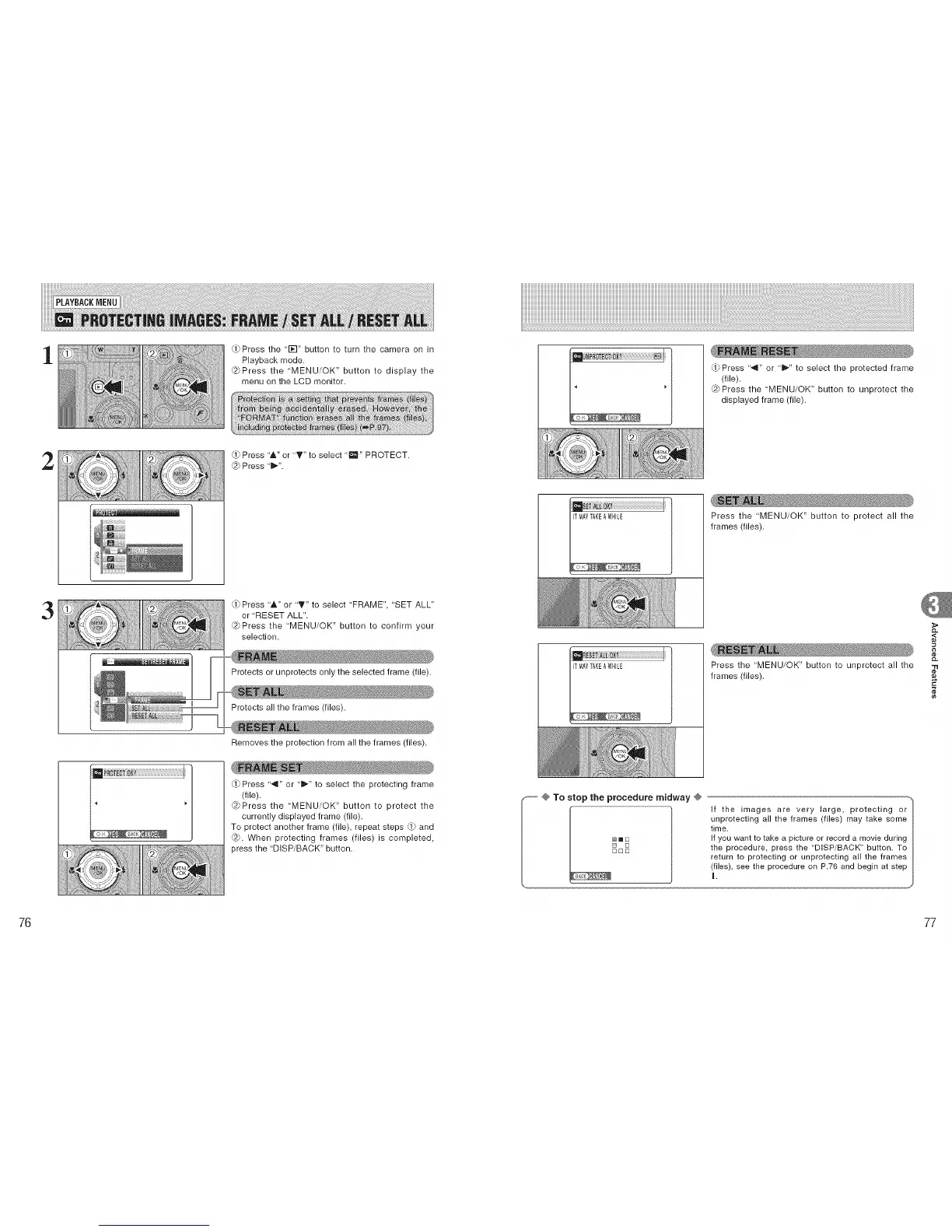
Press the '1_-I" button to turn the camera on in
Playback mode.
@Press the 'MENU/OK" button to display the
menu on the LCD monitor.
(.1)Press '&" or "T" to select ,1_,, PROTECT.
@ Press 't_".
Press "&" or "_'" to select 'FRAME", "SET ALL"
or "RESET ALL".
@Press the "MENU/OK" button to confirm your
selection.
Protects or unprotects only the selected frame (file).
Protects all the frames (files).
Removes the protection from all the frames (files).
Press "_" or "_" to select the protecting frame
(file).
@Press the 'MENU/OK" button to protect the
currently displayed frame (file).
To protect another frame (file), repeat steps (_ and
@. When protecting frames (files) is completed,
press the "DISP/BACK" button.
Press '"_" or "_" to select the protected frame
(file).
@Press the 'MENU/OK" button to unprotect the
displayed frame (file).
Press the 'MENU/OK" button to protect all the
frames (files).
Press the 'MENU/OK" button to unprotect all the
frames (files).
_-- @ To stop the procedure midway @
If the images are very large, protecting or
unprotecting all the frames (files) may take some
time.
[] _ [] If you want to take a picture or record a movie during
[] [] the procedure, press the "DISP/BACK" button. To
[][][]
return to protecting or unprotecting all the frames
(files), see the procedure on P.76 and begin at step
t.
,<
"tl
¢e
76 77











 To Next Page